 rich
richWell, I ended up with a bunch of different drive technologies here are the results so here are the results using three different SSDs against three different SATA to USB 3.0 adapters. And also my new ZikeDrive Z666.
What we want to do is figure out what combination of old drives in the dustbin and SATA adapters work the best and there are some surprising results. Some adapters are 2-5x slower than others
TL;dr
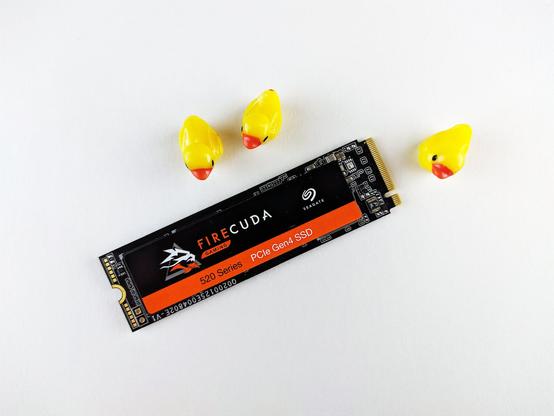
Wow, although expensive at $120 for the enclosure and $250 for the 4TB drive, you definitely get a very fast SSD running at 3GBps. It's still a long way off from the MacBook Pro internal drive running at 7GBps. But for more normal random reads and writes, it is super fast.
If you want more storage and want to more economical then a $25 Startech USB3S2SAT3CB with a cheap SATA SSD that costs say $100 will give you 520GB of additional storage. I wouldn't use this for doing video streaming, but it is plenty fast for archiving after you are done editing on your main Mac. Even drives that are 10 years old like the Samsung 850 EVO run at 300MBps over a USB 3.0 connection. That's not bad.
It turns out the choice of adapter makes a big difference, so I would recommend in performance order from best to worst:
Not recommended. Sabrent EC-SC31. It has great specs, but for some reason really bad random I/O performance, so retire these parts.
Benchmarks for Disk
I've used a bunch of these benchmarks:
SSD Adapters (SATA to USB 3 and NVMe to USB 4)
Because the SSDs themselves can have performance issues, we are going to test this against the in order of performance from fastest to slowest. These are the drives I have and the issue is that we want to maximize performance for this hardware:
Startech USB3S2SAT3CB with ASMT 2115 (two tests)
In this case with a MacBook Pro M1 Pro Max through a CalDigit Thunderbolt 4 Dock and its USB 3.2 Gen 2 Hub that supports up to 10GBps for the Startech. We would expect the main limit to be the Sata 3 and also I wonder if it matters how full the disk is, so in order of what I would have expected to be the fastest are these benchmarks. One thing to now is that Random reads seem to be stuck at 65MBps, this could be because of the overhead in the USB protocol as we are only running at 5GBps. Note that we are also testing the effect of disk capacity as we move things from these drives to the 4TB ZikeDrive and it's addlink S95.
What is interesting is that large performance advantage of the EVO 1TB with The Destroyer doesn't seem to be apparent with this USB 3.0 adapter. There are a couple of theories here, first is that it doesn't seem to be related to how full the drive is as the performance is the same at 11% full and 80% full and also at 50% full. I also tried it on the different ports of the CalDigit and it looks like the rear ports are faster even though manual says they should all be USB 3.0 Gen 2 ports, that is 10Gbps.
The other theory is that the USB 3.0 conversion may cause this. But the main thing to learn here is that the SanDisk Extreme Pro has the best performance, but they are all quite similar except for the Toshiba OCZ which strangely does well in sequential write at 430MBps but quite slow in random read and write.
Runnig a retest shows that somehow the Samsung 850 EVO slowed down quite a bit on writes for the first few times down to 200MBps and then when I ran again it went back to normal. One aside here is the sequential reads and writes are over 300MBps which
Startech USB3S2SATCBMBps R/WFullThe DestroyerAmorphous SeqAmorphous RandSamsung 850 EVO 1TB 80%373338/35665/32Samsung 850 EVO 1TB11%373339/35465/33Samsung 850 EVO 1TB50%373340/195, 338/36366/31SanDisk Extreme Pro 480GB85%332354/41265/34Toshiba OCZ TR150 480GB56%240356/43065/26Samsung 850 EVO 512GB43%205341/36356/33MacBook Pro 2021 2TB80%N/A7700/6900667/138ZikeDrive Z666 addlink S95 4TB1%N/A3330/2727526/129Samsung Evo 1TB is surprisingly slow but others are basically the same
What we can see from the chart above is that for writes, it looks like how full the drive is does have an impact, particularly for random reads and writes. This makes some sense as there is going to be more writes to update the file system. Notice that the ZikeDrive really does deliver some incredible performance that is close to the NVMe 3.0 limit that is driven by the maximum performance of PCIe 3.0 with 4 lanes which is 1GBps/lane or 4GBps. NVMe 4.0 allows up to 2GBps/lane, so 8GBps maximum. That is pretty impressive. The next limit we will hit is the USB 4.0 performance limit of 40Gbps raw where NVMe 3.0 can nearly saturage that with 32Gbps throughputs.
This is a 6Gbps SATA controller that attaches to a USB3 10Gbps system and as such it has great performance.I suspect the limit is probably.
The thing is the Random write is 35MBps which nearly double the Startech, so definitely a keeper if I can figure out where I bought it 🙂 One place where performance on writes isn't great is the Toshiba which has the same performance as with the Startech. It is interesting to see how the read speeds are all capped at an identical 393MBps which implies some sort of limit in the SATA controller which is quite a bit faster than 300MBps SATA II and confirms that this is a SATA III 6Gbps 600MBps
Startech USB3S2SAT3CBMBps R/wFullDestroyer
MBpsStartech SeqSabrent SeqSeqRandomSamsung 850 EVO 1TB50%373339/363244/236,393/41169/35SanDisk Extreme Pro 480GB85%332354/412342/451393/44474/29Toshiba OCZ TR150 480GB56%240356/430344/472393/34952/26Samsung 850 EVO 512GB43%205341/363195/249393/41167/32MacBook Pro 2021 2TB80%N/A7700/6900==667/138ZikeDrive Z666 addlink S95 4TB1%N/A3407/3008==526/129
Sabrent SATA to USB 3.1 EC-SS31 (great specs, not recommended)
Then I tried the Sabrent SATA to USB 3.1 Adapter. The Sabrent looking at the Apple System Report is a VIA Labs Product ID 0x0715. I think that it is this $13 at Amazon. This supports up to USB 3.1 or 10Gbps compared with the Startech above. What we don't know is if the Sabrent has a 3Gbps or a 6Gbps SATA interface. I would hope it is the later to better match the 10Gbps USB 3.1 link performance. It also supports the higher performance UASP protocol so it has less link overhead and stands for USB Attached SCSI Peripheral and can be up to 70% faster on reads and 40% faster on writes using up to 80% less computer processing overhead. So lots of hope here, let's see how it goes.
Looking at Apple > About > System Report, it looks like the USB Controller is a VIA Labs Product ID 0x0715 and a google search shows this is the VL817 USB 3.1 SATA Controller presumably the 2-port version.
Net, net that Sabrent I'm guessing is a real 6Gbps SATA controller, so it's preferred, so a lot will depend on whether the Sabrent has a 3Gbps SATA or a 6Gbps SATA interface. If it is 3Gbps, the 10Gbps speed of USB 3.1 won't make any different. This is a good case where the theory and actual don't match, the Sabreent is actually much slower, note that the Samsung 850 EVO is retested at 50% utilization and is slightly different 332 vs 338MBps for reading so this probably indicates that there are differences in the ports on the system, so for instance the front port of the CalDigit gives the Samsung 850 EVO 1TB 333/127 MBps sequential, but the real port is 339/183 MBps. But in either case compared with the 80% and 11% cases I did above the write speed has slipped quite a bit and I'm going to run five tests now to get a better average. The performance on random was worse going from 65/34 to 20/20 which I really don't understand.
I'm not quite sure why the Sabrent didn't perform as well given the specs, but I think its a good example of where testing does matter. It could be there is something with the CalDigit Thunderbolt 4 dock or because these are disks that had content on them. I did try a direct attachment and bypassed the Thunderbolt with a USB A to USB C adapter and I got slightly higher numbers, but not enough to be significant.
The biggest problem with the Sabrent is that Random speeds are really low at 20MBps/11MBps compared with 65MBps/34MBps, so if you have one of these you might think of different USB Adapter.
What was interesting is to see how much better the SanDisk and Toshiba OCZ worked with this controller for sequential yet still very poor for random access. With just 8MBps write at random, it's really, really slow so both of these are basically unusable with random writes.
Sabrent EC-SSHMBps R/wFullDestroyerStartech SeqSeq RandomSamsung 850 EVO 1TB50%373339/363244/236,20/12SanDisk Extreme Pro 480GB85%332354/412342/45116/8Toshiba OCZ TR150 480GB56%240356/430344/47213/8Samsung 850 EVO 512GB43%205341/363195/24919/12MacBook Pro 2021 2TB80%N/A7700/6900=667/138ZikeDrive Z666 addlink S95 4TB1%N/A3407/3008=526/129Samsung Evo 1TB is surprisingly slow but others are basically the same
RIItech USB 3.1 to SATA 5G with ASM1153U Adapter (Recommended)
This is another no-name adapter and here is what we got is asmedia ASM1153 USB 3.2 Gen 1 to SATA 3Gbps. So it spec-wise is between the Startech and the Sabrent. Hopefully it doesn't disappoint with terrible random scores and it doesn't. In fact, the scores are marginally higher than the Startech. This must be better design and I'm thinking its actually SATA III running at 6GBps because SATA II at 3Gbps should have a maximum throughput of 300MBps yet these numbers are higher, so I'm a little confused it sounds like the datasheets ;say SATA II, they are SATA III 6Gbps in reality.
The performance is nearly identical with the ASMedia ASTM2115 so the USB C connector is the real difference and a convenience. The small variations in performance are probably more statistical than anything else so the last two are identical. Note that we can see there is definitely a higher ceiling for these last two at 393MBps/447MBps writes.
ASMT 1153UMBps R/2Destroyer
MBpsStartech SeqSabrent Seq ASMT2115 SeqSeqRandSamsung 850 EVO 1TB373339/363244/236,393/413393/41169/30SanDisk Extreme Pro 480GB332354/412342/451393/444393/44676/31Toshiba OCZ TR150 480GB240356/430344/472393/349393/44768/28Samsung 850 EVO 512GB205341/363195/249393/411393/44767/32MacBook Pro 2021 2TBN/A7700/6900==667/138ZikeDrive Z666 addlink S95 4TBN/A3407/3008==526/129
What really matters is random I/O
If you are not just streaming gigantic files, then the specmanship of sequential is less important than random I/Os
Amorphous 4K Random 32QMBps R/2FullThe DestroyerStartech
USB3S2SATCBSabrent
EC-SSHStartech USB3S2SAT3CB
ASMT 2155ASMT 1153USamsung 850 EVO 1TB50%37366/3120/1269/3569/30SanDisk Extreme Pro 480GB85%33265/3416/874/2976/31Toshiba OCZ TR150 480GB56%24065/2613/852/2668/28Samsung 850 EVO 512GB43%20556/3319/1267/3267/32MacBook Pro 2021 2TB80%N/A667/138=ZikeDrive Z666 addlink S95 4TB1%N/A526/129=Samsung Evo 1TB is surprisingly slow but others are basically the same
ZikeDrive Z666 Performance Notes
This is a completely different kind of drive as mentioned and with the 7GBps read/write drives that support NVM 4.0. It gets us to 2.9GBps and 2.8GBps so not as good as the benchmarks. This is directly attached to the MacBook Pro M1 Pro Max and it's Thunderbolt 4 (which is also USB4 compatible, they are nearly the same).
As a comparison, the onboard SSD in the MacBook Pro M1 Pro Max is pretty incredible, I get 3.7GBps write and 5.3GBps read, but wow these speeds are pretty crazy good.
Share this:
https://tongfamily.com/2024/01/26/mac-new-recos-for-sata-to-usb-for-ssd-on-mac/

 Brad Linder