
 Qiita - 人気の記事
Claude Code の「待ち」がもったいないので、worktree で並列開発してみた
https://qiita.com/yasuto_88/items/15f57336baed3ef64a10?utm_campaign=popular_items&utm_medium=feed&utm_source=popular_items
 Sven Jacobs
Hot take: AI coding tools will do more to popularize Git worktrees than a decade of documentation ever did.
#AI #LLM #Git #Worktree #GitWorktree #SoftwareDev #SoftwareDevelopment #Claude #ClaudeCode #Copilot #GitHubCopilot
 Pyarelal Knowles
Worktree per agent
Separate git repo per agent
Multiple agents in the same repo
Serial agent coding only
Poll ended at .
 ospalh
Am i the only one who is baffled by the supposed benefits of #git worrktrees?
» No context switching
Work on multiple features simultaneously
Compare code side-by-side
Run different tests in parallel«
Erm, no.
That are the benefits of checking out one repo several times.
The minor benefits of git worktrees are that you save disk space in the several `.git` directories, and that you save a bit of time on `git fetch`es.
#worktree #gitWorktree
 robrich
https://medium.com/@natescode/multitask-like-a-pro-with-git-worktree-151650bdfd11 - A super simple tutorial on #Git #worktree: `git worktree add .worktrees/hello-world/bug/fix-bar bug/fix-bar`

 mindbat
Good for Hashimoto 👍
I can think of a lot of reasons to abandon #github (which is why I've moved my repos to #worktree), but lack of stability has to be one of the most objective, frustrating, and disappointing.
https://www.theregister.com/2026/04/29/mitchell_hashimoto_ghostty_quitting_github/

 Zdroják
Git worktree posouvá práci s větvemi na úplně jinou úroveň – místo neustálého přepínání a stashování nabízí paralelní pracovní prostředí nad jedním repozitářem. V kombinaci s nástroji jako Claude Code navíc otevírá dveře k běhu více AI agentů současně, každý izolovaně ve své větvi, bez kolizí a zbytečné režie.
https://zdrojak.cz/clanky/git-worktree-claude-code-paralelni-vyvoj-a-ai-agenti-ve-vice-vetvich-najednou/
 Brad Wilson
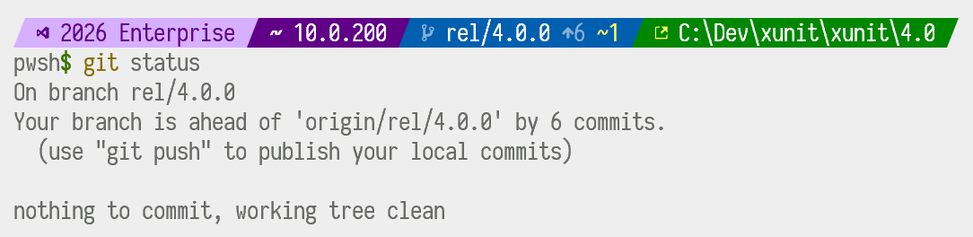
@TeaDrivenDev Okay, I'm done with worktrees. They're just not fully baked in terms of tooling. #git #worktree
 Matthias Andrasch
Seems like I need to wrap my head around #worktree's and #ddev 🤔 https://www.fldrupal.camp/session/use-git-worktree-ddev-run-multiple-versions-same-site

Use `git worktree` with DDEV to run multiple versions of the same site
With git worktree it's easy to have multiple versions of your Drupal project checked out into different directories.And DDEV has a special feature to let you have the name of the project be determined by the directory it's in.So you can have the same git repository checked out 5 places and all 5 of them (with different features or bugs or whatever) running at the same time.This is surprisingly easy and pretty mature stuff. Take a moment with it and we'll have fun!See Slides and you might like Mark Labrecque's Workspace Manager .
git worktreeを使用した開発の個人的詰まりポイント
https://qiita.com/I635230/items/c23d334cc5adb9e8efd0?utm_campaign=popular_items&utm_medium=feed&utm_source=popular_items