Một nhà phát triển đã ra mắt MonkeyMac, trò chơi web kết hợp thử thách gõ phím tốc độ (như MonkeyType) và luyện tính nhẩm (như ZetaMac). Trò chơi miễn phí, không cần đăng ký (tùy chọn theo dõi tiến độ), giúp cải thiện tốc độ tính toán và phản xạ.
#Game #MathGame #SpeedTyping #MentalMath #WebGame #TròChơi #ToánHọc #TínhNhẩm #GõPhímNhanh

https://www.reddit.com/r/programming/comments/1o3d9mx/i_combined_zetamac_and_monkeytype_into_the_best/

🚀 Behold! The tale of a "half human, half compiler, zero chill" bro who unlocked the mystical art of speed-typing as a form of therapy. 🧘‍♂️ Because nothing screams mental wellness like pounding keys at 118 WPM to escape the soul-crushing banality of Slack and fake stand-ups. 🤯💻
http://balaji-amg.surge.sh/blog/typing-118-wpm-brain-rewiring #speedtyping #mentalwellness #techtherapy #productivity #hackernews #HackerNews #ngated
Balaji Arumugam - AI Tinkerer

Portfolio of Balaji Arumugam - Senior Developer, Indie Hacker, and AI enthusiast

Fun #game for #speedtyping training! I'm terrible at it lol
https://zty.pe/
#games #typing
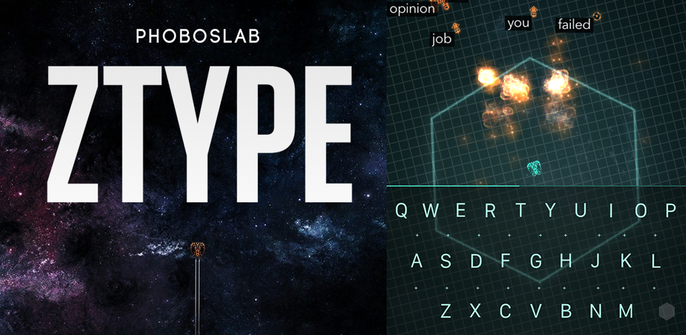
ZType – Type to Shoot

A typing game that's actually fun to play.

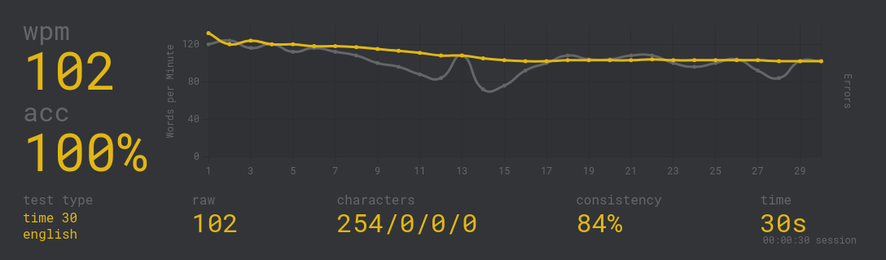
The 140+WPM milestone is so close I can feel it. The first one could have been 142 but I missed a keystroke #monkeytype #speedtyping #touchtyping #bépo

Karl Jobst on the Biggest Scandal In Speed Typing History

https://www.youtube.com/watch?v=maCHHSussS4

#SpeedTyping #KarlJobst #SpeedRunning

The Biggest Scandal In Speed Typing History

YouTube
Capitalization Typing Challenge

Welcome to the Capitalization Typing Challenge! In this challenge, you will practice typing text that includes all cases of capitalization. Proper capitalization is essential for clear communication and can make a significant impact on how your written work is perceived.

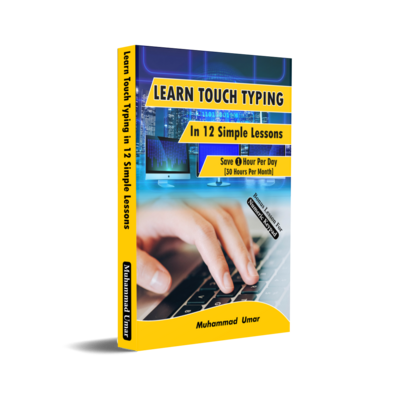
Typing in 12 Simple Lessons
Most of what I do on my computer is #typing. Whether that's #writing this, chatting, taking notes, or prose.

One of the most powerful ways to increase the /pleasure/ of using electronics is to become adept at typing.

Therefore, here's a list of resources for understanding typing, improving your speed, or even completely changing the layout you can use to spend less time typing, and more time thinking.

1. Monkeytype - a great typing training website, includes multiple lists of words (start with English/English200 - it's the 200 most common words in English), options for different tests, punctuation, capitalization, etc. etc.

monkeytype.com

2. Keybr - this one is different. It's a progressive training website that starts with the home row (for multiple common layouts), and adds keys once you hit about 40WPM with them.

It automatically generates words using common bigrams and trigrams, leading do a very well-rounded word list for training.

If you're learning a new layout, Keybr is indispensible for the first few hours of training.

www.keybr.com

3. https://bit.ly/keyboard-layouts-doc

This is a document that goes into detail into the various layouts, the mechanics of typing, what to look for in a layout, how to type efficiently, and why QWERTY is bad (it really is).

Well-worth the read.

4. DreymaR's Big Bag of Kbd Tricks (https://dreymar.colemak.org/)

DreymaR went to great lengths to make Colemak-DH accessible to everyone, and with that, he developed a number of extensions.

If you choose to learn #colemak, his website is great. If you choose to go with something else, DreymaR's ExtEnd layer will still save you effort:
https://dreymar.colemak.org/layers-extend.html

The idea is to have a layer that includes the common nav keys, so you hold the modifier button for instance, and have your arrow keys right on your home row. It's a huge time saver, and I personally don't think I can go back to moving my hand to the arrows all the time.

5. OXEY's Playground: https://o-x-e-y.github.io/layouts/playground/

An amazing project. The website lets you drag and drop keys to change the layout so see exactly how the relevant statistics go up and down.

This way you can evaluate alternative keyboard layouts and check if your desired changes make sense.

If you're experimenting with improving the layout you're using for yourself, that's the place to start, imo.

Those are really great resources, I think, and learning to type faster than the average of 40 WPM is kinda... necessary, if you work with computers at all.

Hashtag list:
#writing #typing #type #write #keyboard #colemak #dvorak #qwerty #keeb #qmk #zmk #aptex #oxey #dreymar #speedtyping #monkeytype #keybr #nitrotype #typeracer #wpm
Monkeytype | A minimalistic, customizable typing test

The most customizable typing test website with a minimal design and a ton of features. Test yourself in various modes, track your progress and improve your speed.