 Johnny Graber
#Python Friday #290: Record Audio With #PyAudio
https://pythonfriday.dev/2025/08/290-record-audio-with-pyaudio/
#Python Friday #290: Record Audio With #PyAudio
https://pythonfriday.dev/2025/08/290-record-audio-with-pyaudio/
Today's minor software victory involves arm-wrestling with the portaudio wrapper for Python.
The hotplug branch (referenced in https://github.com/PortAudio/portaudio/wiki/HotPlug) of the C level portaudio code seems to be a dead-end, so that's a bumner.
Experimentally I observed that calling terminate() twice on the PyAudio() object gets me a fresh list without restarting the program (a TUI) even though, as far as I can tell, I only call open() once. Some ref-count bug?
I'll take the win 🔊

Audio information plays a rather important role in the increasing digital content that is available today, resulting in a need for methodologies that automatically analyze such content: audio event recognition for home automations and surveillance systems, speech recognition, music information retrieval, multimodal analysis (e.g. audio-visual analysis of online videos for content-based recommendation), etc. This paper presents pyAudioAnalysis, an open-source Python library that provides a wide range of audio analysis procedures including: feature extraction, classification of audio signals, supervised and unsupervised segmentation and content visualization. pyAudioAnalysis is licensed under the Apache License and is available at GitHub (https://github.com/tyiannak/pyAudioAnalysis/). Here we present the theoretical background behind the wide range of the implemented methodologies, along with evaluation metrics for some of the methods. pyAudioAnalysis has been already used in several audio analysis research applications: smart-home functionalities through audio event detection, speech emotion recognition, depression classification based on audio-visual features, music segmentation, multimodal content-based movie recommendation and health applications (e.g. monitoring eating habits). The feedback provided from all these particular audio applications has led to practical enhancement of the library.
Both PyAudio and SoundDevice are Python libraries for audio input and output. What makes them different?
PyAudio provides direct bindings to the PortAudio library, giving you more control over audio parameters and access to lower-level functionality.
SoundDevice offers a simpler, more Pythonic interface that works seamlessly with NumPy arrays, making it convenient for processing audio data. SoundDevice is also actively maintained.
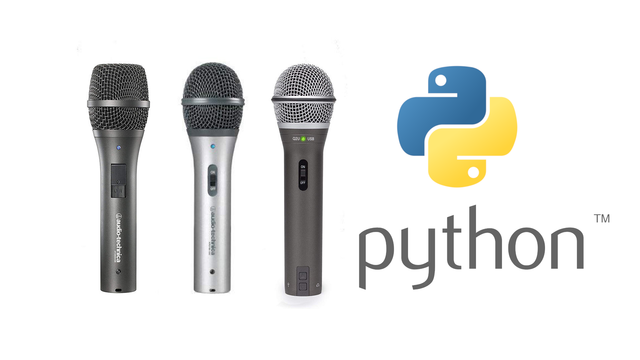
I spent a few hours on New Years Eve trying to listen to my USB microphone using Python3, PyQt5 and pyAudio. I can play WAV files using pyAudio, but fetching my microphone is becoming a bit challenging.
Lets see if I can get this working New Years Day. Time to read the documentation.
https://people.csail.mit.edu/hubert/pyaudio/docs/
#Linux #python #python3 #pyqt #pyqt5 #pyaudio #portaudio #USB #USB3 #microphone #WAV

I have created this discussion at the #py5 forum... To collect #PyAudio or other audio examples, If anyone else wants to post other experiments...
https://github.com/py5coding/py5generator/discussions/282
wink wink @kantel @TomLarrow @ericof @rzeta0
#Python #CreativeCoding
Tone generation with #Python turns out to be relatively simple. I found this short code on a blog https://raw.githubusercontent.com/makermovement/3.5-Sensor2Phone/master/generate_any_audio.py [edit: the variable Fs might need to be changed to sampling_rate in the non-sine waves]
which can be tweaked fairly intuitively (er, for me, someone who has been playing music for over 20 years): change "samples" number for different length files, add more for loops for different sequences, use different functions for different waveforms.
Since the waveforms are generated by values in lists being packed into byte sequences, I imagine someone could use spike data (maybe transformed a bit to be in range [-128, 127]) instead of something that generates a sinewave or whatever.
My original idea was to have the spikes trigger a wav file to be played, to make a spiking drum machine, which seems possible with #pygame, #pyaudio, or a module called playsound, but I realized it would require stitching them together and also generating silence, so I went for the simpler method that's more like a synthesizer

 Jochie 👨🏻💻🏳️🌈
 coucou
 TOV
TOV Alexandre B A Villares 🐍

 Holly A. Gultiano