 Ed Tittel
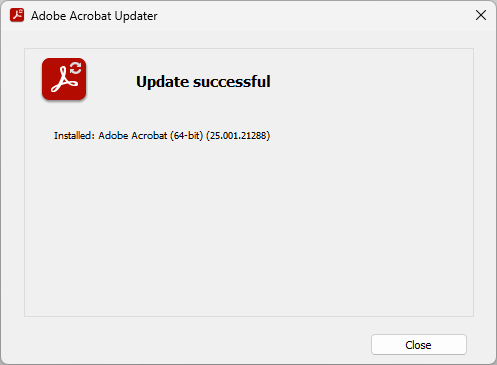
Have to chuckle: #PatchMyPC Home Updater does no better with Adobe Acrobat updates than #WinGet. Only way that works: use in-app update, remember to exit app before fiiring it off. #WindowsInsiders #MVPbuzz
@awakecoding.com Are we supposed to use multi-pwsh to install #PowerShell on normal workstations?
If yes, it it supposed to do anything with existing installations?
I basically just run https://gist.github.com/sassdawe/49e08d0e4893a5c680e1c7f7e734cb23 in an admin Windows PowerShell every time there is an update to be installed on most of my machines.
But recently I started to test deploying the LTS version with #PatchMyPC
Also, is it expected for #WindowsTerminal to pick up these versions and make them a profile automatically?
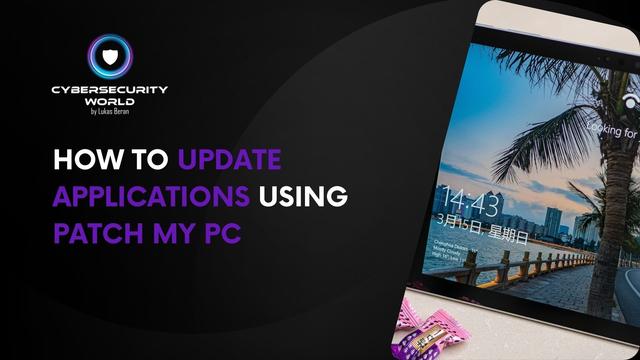
𝗛𝗼𝘄 𝘁𝗼 𝗮𝘂𝘁𝗼𝗺𝗮𝘁𝗶𝗰𝗮𝗹𝗹𝘆 𝘂𝗽𝗱𝗮𝘁𝗲 𝗮𝗽𝗽𝗹𝗶𝗰𝗮𝘁𝗶𝗼𝗻𝘀 𝗼𝗻 𝗰𝗼𝗺𝗽𝘂𝘁𝗲𝗿𝘀 𝗶𝗻 𝗠𝗶𝗰𝗿𝗼𝘀𝗼𝗳𝘁 𝗜𝗻𝘁𝘂𝗻𝗲
Microsoft Intune does not have any built-in options for updating installed applications on Windows computers.
If you want to update applications on managed computers, you must manually create a new version of the given application and deploy it to all computers. However, this is quite a lot of manual work, and you also have to monitor the availability of new versions of installed applications, which is another lot of manual work.
Read more in the article on my blog 👇 👇
https://www.cswrld.com/2025/08/how-to-update-applications-using-patch-my-pc/
#cswrld #cybersecurityworld #blog #intune #applicationmanagement #appupdates #patchmypc
Exciting news!
The #PSADT Team, in association with #PatchMyPC, has partnered with
ViaMonstra to develop the official training and certification curriculum for #PSAppDeployToolkit v4.1.
Best of all, it's entirely free! 🙌
First session drops September 18th. Grab your spot ➡️ https://academy.viamonstra.com/courses/psadt-v4-essentials

The wait is over... #PatchMyMac is here!
Effortless #macOS support in #Intune has arrived. Manage 5 or 50,000 Macs just like Windows, all from the Patch My PC cloud. Secure, simple, and ready to scale.
Learn more ➡️ https://www.youtube.com/watch?v=GzjH-T3B6Sk&t=1s
Start managing macOS today ➡️ https://patchmypc.com/feature/macos/?utm_campaign=feature-macos-2025&utm_source=mastadon&utm_medium=social

New #PatchMeIfYouCan drop!
Episode 10 is here. Make sure to catch up on previous episodes, if you haven't already 👀
Microsoft recently flipped the switch on a stealthy new #Intune engine... without sending a memo. Rudy spills the secrets on MMP-C, speeding up policy delivery, and changing device management.
Learn more about dual enrollment, desired state config, and what’s next.
Watch now ▶️ https://www.youtube.com/watch?v=2UxB_aWeQ5Y
#MSIntune #DualEnrollment #DeviceManagement #SysAdmin
#PatchMyPC

We’re #PatchMyPC, and we’re brand new here. Excited to join the conversation and share helpful content, patch updates, and a little IT humor along the way.
Show us some love and drop your favorite GIF in the replies so we can kick things off right! ⬇️
If you’re feeling up to it, please share to help us connect with the #ConfigMgr, #MSIntune, and #ITCommunity!

RT by @SwiftOnSecurity: Ever wondered what “Security policies (1 of 1 applied)” really means during Windows Autopilot?
What if there was a way to track more than just the default Entdmid policy?
What if we could track LAPS or AppLocker policies and see them reflected in ESP?
We dug deep into how that tracking actually works….using custom CSPs, timing tricks, and even some localmdm system magic.
And yes!!! If a tracked policy doesn’t apply, ESP will freeze on security policies and will error out!
Curious how far we got?
https://patchmypc.com/autopilot-identifying-security-policies-esp
#WindowsAutopilot #Intune #MSIntune #Windows #Windows11 #patchmypc #Microsoft #Security #policies
P.S: Don’t try to do this in your production environment… some people also don’t like encoded commands..
🐦🔗: https://nitter.oksocial.net/Mister_MDM/status/1924788739911406056#m
[2025/05/20 11:26]

 Sass, David
 Lukas Beran
 Patch My PC
 SwiftOnSecurity
