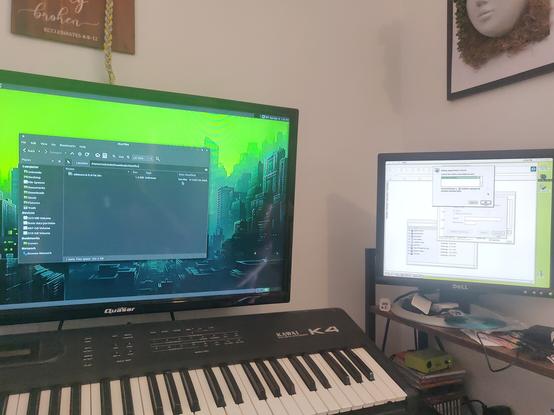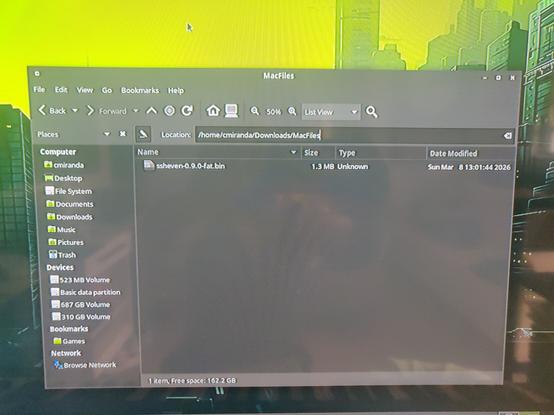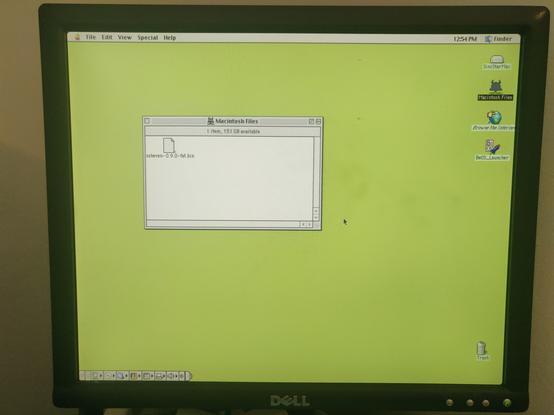
We have a #netatalk dropbox for #marchintosh ! Usual method - delete everything and start again. The apparent reason for the problem was wrong permissions on the hidden directories inside the shares. Many thanks to those who helped! (PS Send me stuff - EtriNet :) )

Next up, I needed nice color icons that we could encode into the #netatalk C code as byte arrays. Being the lazy human that I am, I thought AI could colorize them for me. So I asked Claude to interpret the existing ICN# bitmap data in the C code. Some 20k tokens later, what it came up with was... not great. But you could see that it tried! It actually used an intermediate Python script where it had labeled various parts of the icons as "Hagar's beard" and "Earth's ocean" and applied certain color palettes accordingly. Let's say that colorizing them from scratch would probably have been as much human labor.

Worth noting that I gave Claude very open ended instructions, no guidance whatsoever with regards to color palettes. So it figured out that the daemon and DEC logo should be red, the globe should be blue and green, and so on from context. I kind of like the bronze gradient on Hagar's helmet, was considering keeping it. But I think a blueish gray is the more canonical color of his helmet.

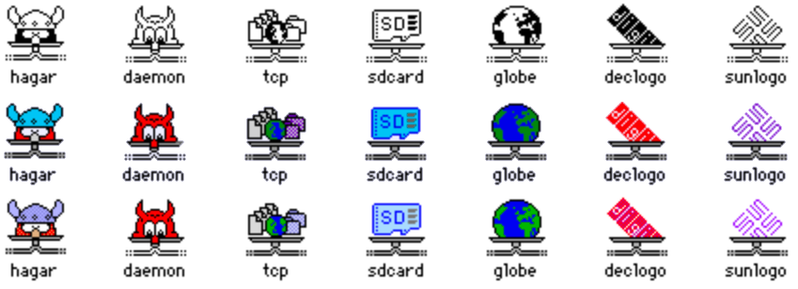
I did something fun for #MARCHintosh โ€“ the #netatalk file sharing suite now supports color icons on Classic Mac OS.

Special thanks to @nulleric for the inspiration and architecture for the feature, and @smallsco for further inspiration working together on troubleshooting a tangential icon bug.

More details in this thread.

oh I wish that had worked :( Thanks! It seems that, although apparently simple, #netatalk is a bit of a maze of twisty options.
That would be a fallback, I can do that too. I'd still like to know if this is a bug or something I'm doing wrong. #netatalk documentation is rough. I'm on 4.2.3 on Debian - you?
Hitting a wall with #netatalk here during #marchintosh - guest access always ends up with shares being locked, so I can't open a drop box for you to send me nice things over #globaltalk - anyone successfully done this?
Today for #MARCHintosh, I decided to set up a #Netatalk server on my #FreeBSD desktop to get the files I need on all my classic Macs which currently are limited access to today's web. After much futzing around with afp.conf and some help on the web, I finally got the share visible on the SiniStarMax and mounted, with an appropriate daemon icon. ๐Ÿ˜ˆ  This will also be useful for the Quadra once I start documenting my tinkering on that. 

interested in any tips on how to get the IIci connected to Netatalk..

im on System 7.5.3 and using BlueSCSI's DaynaPort emulation with Open Transport 1.3. my router is a GL-iNet Flint2 with OpenWRT, which is supposed to handle AppleTalk over wifi.

my AFP share shows up in Chooser, but when trying to log in i just get this error (the credentials are correct, there is a different error if i mistype them) #MARCHintosh #Netatalk #BlueSCSI

Are you a KDE user and also run an AFP server or two? (e.g. via #netatalk, a Time Capsule or older Mac OS X machine.)

Well I have some good news for you: I wrote a KIO worker for the AFP protocol. Head on over to:

https://github.com/Netatalk/kio-afp

For the full story, check out this write-up over at TinkerDifferent:

https://tinkerdifferent.com/threads/much-improved-afpfs-ng-afp-plugin-for-kde-file-managers.5103/

#MARCHintosh

#Netatalk experts: any idea why, as of late, my AFP #GlobalTalk shares have been showing up with generic document icons on Mac OS 7.x? But the icons look just fine on Mac OS 9?

This started happening around the time I migrated my shares from my NAS over to a Raspberry Pi, and upgraded to Netatalk 4.3.2.

I've confirmed that the share folder permissions are the same on both systems, as well as the permissions on the hidden โ€œ.Icon$\rโ€ files at the root of the shares. However the Finder does not allow me to change the icons via the Get Info screen (on both Mac OS 7 and 9), which seems to imply that there _is_ a permissions issue of some kind. Yet, folks can read and write to the shares just fine.

I tried deleting the hidden icon files, which made no difference (other than causing the default Netatalk icon to show on Mac OS 9, since I removed the custom icon). Changing the "legacy icon" option in the Netatalk config also makes no difference, other than making a different Netatalk icon show on Mac OS 9.

#RetroComputing #VintageMac #MacOS #ClassicMac