 Maikel de Bakker
It’s amazing how much detail is hidden in something as small and ordinary as a coin.
For this series, I captured a collection of eight macro images using my Canon 5DS R paired with the Canon MP-E 65mm. At this scale, coins transform from everyday objects into intricate landscapes of engraved lines, textures, and symbols.
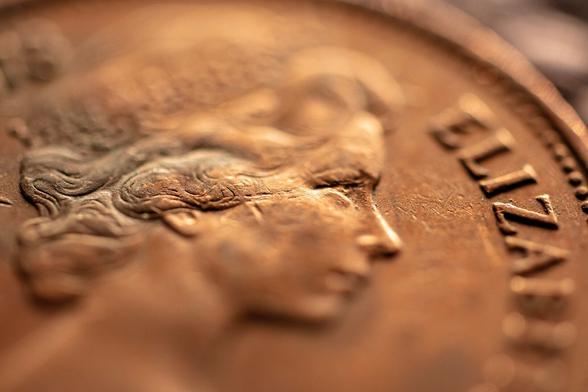
One thing that stood out to me is how often Queen Elizabeth II appears. Across many countries and decades, her portrait has been one of the most widely circulated faces in the world. Not surprising when you consider the historical reach of the United Kingdom. Interestingly, while the Netherlands has a long royal history as well, Dutch monarchs are rarely seen on foreign currency.
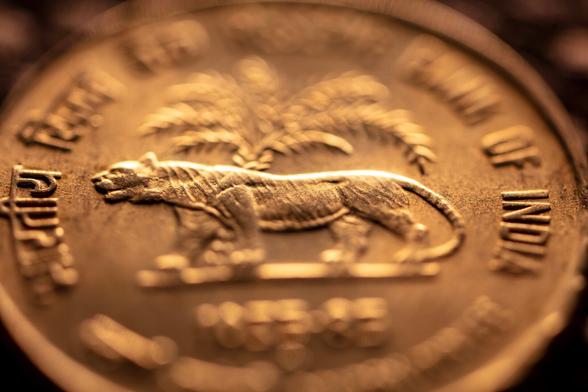
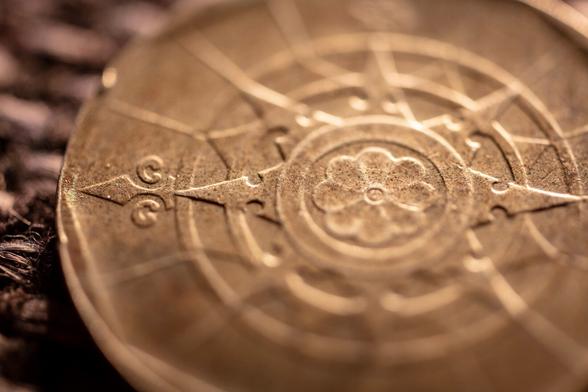
Beyond portraits, coins tell stories through symbols. Animals, plants, and national icons appear everywhere—tigers, blossoms, even an opossum. Others feature architecture or tools like compasses, each reflecting something meaningful about a country’s identity.
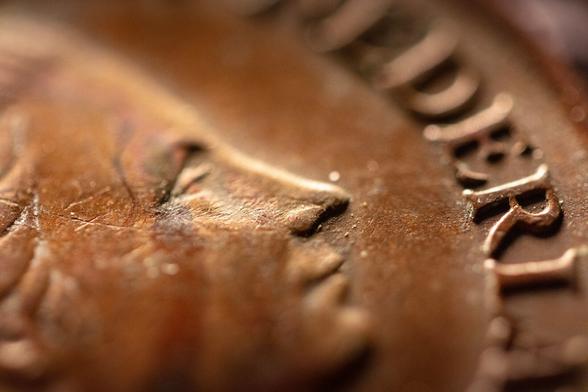
From a technical perspective, extreme macro reveals the physicality of minting: tiny ridges, micro-scratches, and the depth of engraved metal. What feels smooth to the touch becomes a rugged terrain under magnification.
A small object, carrying history, identity, and craftsmanship—all in the palm of your hand.
#MacroPhotography #MacroWorld #CanonMPE65 #Canon5DSR #CoinPhotography #Numismatics #CloseUp #ExtremeMacro #DetailPhotography #Texture #MetalTexture #Currency #Coins #HistoryInObjects #QueenElizabethII #RoyalPortrait #Symbolism #DesignDetails #HiddenDetails #MicroWorld #PhotographyTechnique #StudioPhotography #CreativePhotography #ExploringDetails #Magnification #ArtInDetails #WonderingLens #ByMaikeldeBakker #MaikeldeBakkerPhotography #PixelfedPhotography
For this series, I captured a collection of eight macro images using my Canon 5DS R paired with the Canon MP-E 65mm. At this scale, coins transform from everyday objects into intricate landscapes of engraved lines, textures, and symbols.
One thing that stood out to me is how often Queen Elizabeth II appears. Across many countries and decades, her portrait has been one of the most widely circulated faces in the world. Not surprising when you consider the historical reach of the United Kingdom. Interestingly, while the Netherlands has a long royal history as well, Dutch monarchs are rarely seen on foreign currency.
Beyond portraits, coins tell stories through symbols. Animals, plants, and national icons appear everywhere—tigers, blossoms, even an opossum. Others feature architecture or tools like compasses, each reflecting something meaningful about a country’s identity.
From a technical perspective, extreme macro reveals the physicality of minting: tiny ridges, micro-scratches, and the depth of engraved metal. What feels smooth to the touch becomes a rugged terrain under magnification.
A small object, carrying history, identity, and craftsmanship—all in the palm of your hand.
#MacroPhotography #MacroWorld #CanonMPE65 #Canon5DSR #CoinPhotography #Numismatics #CloseUp #ExtremeMacro #DetailPhotography #Texture #MetalTexture #Currency #Coins #HistoryInObjects #QueenElizabethII #RoyalPortrait #Symbolism #DesignDetails #HiddenDetails #MicroWorld #PhotographyTechnique #StudioPhotography #CreativePhotography #ExploringDetails #Magnification #ArtInDetails #WonderingLens #ByMaikeldeBakker #MaikeldeBakkerPhotography #PixelfedPhotography
 𝙹𝚞𝚜𝚝 𝙹𝚎𝚜𝚜
 Textures & Backgrounds Store
 Artgorithme