 Julien Dehut
 StataTex Blog
 Alexey Volkov
Since I have a research project of my own, I decided that I am actually free to write manuscripts in #LaTeX, going against the lab conventions, but it doesn't seem like everyone (and, at times, that includes me) appreciates the outcome. I am just zooming into how the preview of a rendered pdf of an article looks like and "Wow, this is incredible!" is my reaction, but the spirits are dampened a bit by "Oh for Hermes' sake, while you sought for the resources to use the right packages to render those two-column figures properly, you could've submitted the manuscript by now, using #MSWord, like every other (sane) person does!"
 Job Bautista
Has anyone been able to get a valid conforming #ODF document result out of The Document Foundation's ODF Validator with an ODT file created by a non-OpenOffice derived word processor? It seems the validator just never finds a valid result with an ODT document produced by WordPad (supposedly ODF 1.1, yet not versioned at all), MS Word 2019 (supposedly ODF 1.2) and SoftMaker's TextMaker 2024 (more probably ODF 1.2 or 1.3, but versioned 1.0).
https://odfvalidator.org/
#OpenDocument #LibreOffice #TheDocumentFoundation #OpenOffice #OpenOfficeOrg #OOO #WordPad #Word #MSOffice #MicrosoftOffice #MSWord #MicrosoftWord #SoftMaker #TextMaker
https://odfvalidator.org/
#OpenDocument #LibreOffice #TheDocumentFoundation #OpenOffice #OpenOfficeOrg #OOO #WordPad #Word #MSOffice #MicrosoftOffice #MSWord #MicrosoftWord #SoftMaker #TextMaker
 md_handbook
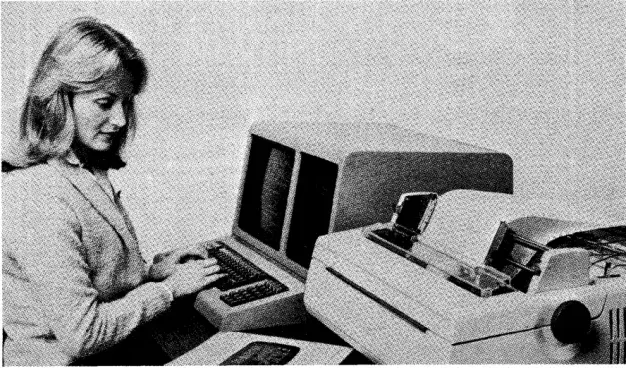
New post: WordStar: the pre-Microsoft Word days
WordStar was the hand I was dealt when I started working with computers back in the 1980s. It was also probably the cheapest word processor on the market, knowing my boss
https://md-handbook.com/blog/wordstar-pre-microsoft-word-days/
New post: The Markdown Link no. 12
Among today’s links are #markdowneditors Deepdwn and MarkLite, toolbar app Append, quick-capture app Kraa, and Mat Duggan plumbs the depths of the #filesystem
https://md-markdown.com/blog/markdown-link-no-12/
#markdown #Fountain #MSWord #WordStar #WordPerfect #Deepdwn #MarkLite #Append
 igor · intima.org
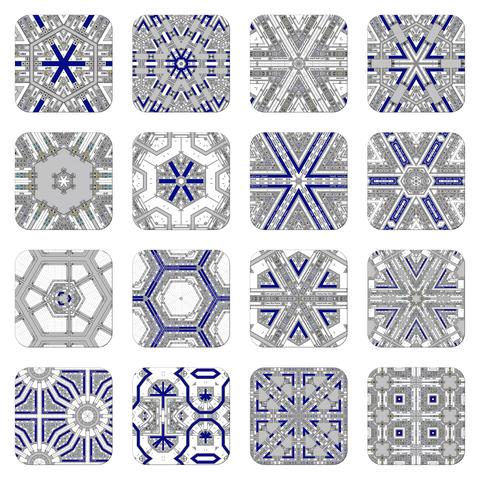
Ready for the exhibition: UV prints on aluminum composite panel, 30 × 30 × 0.5 cm, 22 iterations
 shr
shrThis was a great exercise for me. I've never done VBA in Word before. I'm probably going to automate a bunch more of the laborous actions I need to do in Word frequently.
In Word I do this a lot with images:
1. Set wrapping to top/bottom
2. Make image equal body width
3. Set image to follow text
4. Set image below text
5. Turn off allow overlap
6. Lock anchor
I finally decided to write some vba to do this:
It should work with any number of selected objects.
If you add this to the "Normal" template you can access it in any Word document. I also added it as a button in Word's toolbar. #vba #word #msWord #msOffice #scripting
 Jeff Porter
New post: European and open source office suites
If you, or the company you work for, are among the enlightened ones moving away from MS Office, here are some alternative apps to try
https://www.wordius.com/blog/european-and-open-source-office-suites/
#officesuites #European #opensource #MSWord #privacy #GDPR #PDF