 Alkalyne Solutions
Beyond the Hustle: How Smart Systems Create True Freedom for Business Owners
▸ https://lttr.ai/AgMCD
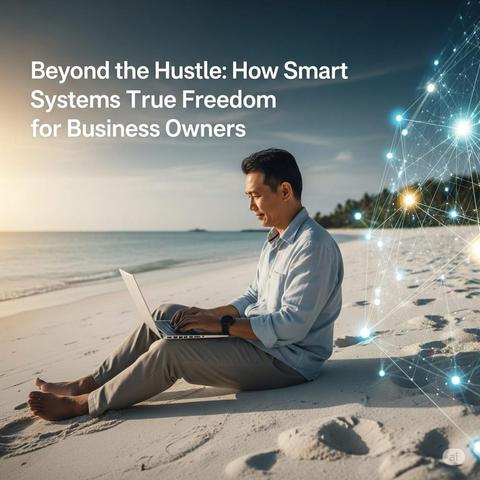
Beyond the Hustle: How Smart Systems Create True Freedom for Business Owners
▸ https://lttr.ai/AgMCD
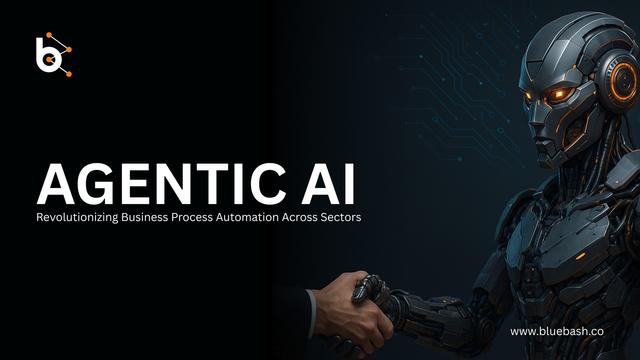
How Agentic AI Is Revolutionizing Business Process Automation Across Sectors
Unlock the future of enterprise efficiency with agentic AI business automation and business process automation with AI by Bluebash. From dynamic workflows to intelligent decision-making, Bluebash empowers businesses to automate at scale and adapt in real-time — reducing costs, boosting productivity, and accelerating innovation.
Read More: https://www.bluebash.co/blog/agentic-ai-business-process-automation/
#AgenticAI #BusinessAutomation #AIforBusiness #Bluebash #BusinessProcessAutomation #AIAutomationSolutions #USA
Top Tools to Enhance Small Business Productivity and Management
Reading Time: 8 minutes
Managing your small business’s back-office tasks doesn’t have to be overwhelming. I used to spend hours on tasks like updating spreadsheets and chasing approvals. But then, I found tools that changed everything.
These tools, like computer monitoring software and automation platforms, made my work easier. They turned chaos into order. Now, I can focus on growing my business instead of getting bogged down in routine tasks.
Imagine spending less time on manual tasks and more time on what matters. That’s what modern back-office solutions offer. With tools like Zapier for workflows and Trello for project tracking, I’ve cut down my daily tasks significantly.
Key Takeaways
Overview of Essential Back-Office Tools
Running a small business is a big job. Back-office tools make it easier by handling everyday tasks. Tools like employee monitoring software help teams work better and trust each other more. They make sure everyone is on the same page.
Key Features and Benefits
“Automation reduces manual work, letting leaders focus on strategic goals.” – 2023 Small Business Tech Report
Rising Trends in Employee Monitoring Software
Employee monitoring software is changing. It’s moving from watching over to helping teams. Now, it focuses on making work better, not just watching it.
Features like AI insights help managers fix problems fast. Real-time dashboards let teams change plans without being bossed around. This change is all about working together and being open.
Using these tools is more than saving time. It’s about growing stronger. By picking tools that help and don’t control, businesses can grow and succeed.
Understanding the Needs of Small Businesses
Every small business has its own unique rhythm. When I started, I found that generic tools didn’t fit. I needed solutions that matched my team’s needs.
Identifying Operational Challenges
First, we need to spot the pain points. Common issues include:
These problems are common among small businesses. We need to understand what drives efficiency.
Tailoring Solutions for Unique Needs
Generic software can be a bad fit. That’s where best employee monitoring software for small businesses excels. Tools like Teramind offer features tailored to our needs.
For example, activity tracking lets me focus on important tasks. It doesn’t mean I’m micromanaging.
“The right software doesn’t replace human insight—it amplifies it.”
Customizable dashboards and permissions make the tools flexible. This turns challenges into growth opportunities.
10 websites to streamline back-office operations for small businesses
When I started using automation tools, I saw how they changed my daily tasks. Tools like Zapier, Trello, and Calendly saved me hours. Here’s a list of tools that make work easier and help you focus:
Tools like RescueTime also block websites, helping me stay focused during deadlines. These platforms save time and change the game. They reduce busywork, freeing up space for creativity. Start with one or two, then add more as your business grows. The right tools can turn chaos into order.
Evaluating Computer Monitoring and Employee Oversight Tools
Choosing the right tools to monitor employee activity is key. It’s about finding a balance between keeping things productive and trusting your team. The best internet activity tracker should meet both your needs and legal standards.
Comparing Software Features
When comparing tools, look at these important features:
Ensuring Compliance and Security
Tools like Teramind and Hubstaff are great for GDPR-compliant data handling. But, security is a must. Look for AES-256 encryption and SOC 2 certifications. A Gartner review showed 68% of businesses now focus on audit trails for audits.
Transparent oversight builds trust, not distrust.”
My tests showed that tools with behavioral analytics and permission controls work best. For example, Time Doctor’s role-based access is a good balance. Always check how logs are stored and who can see them. Used wisely, these tools make back-office work secure and efficient, helping teams grow.
Related:
Advantages of Remote PC and Screen Monitoring Software
In my experience, screen monitoring software changes how teams work. It lets managers see what’s happening in real time. This way, tasks stay on track without constant checking.
Tools like Time Doctor or Hubstaff help spot problems fast. This cuts down on delays.
Using screen monitoring software doesn’t mean watching every move. Platforms like Teramind let you set up alerts for important stuff. This way, teams can manage themselves, and leaders can step in when needed.
These tools bring transparency. My team uses them to talk about progress in weekly meetings. It’s a move from suspicion to support. Managers can now find out where training is needed or if software is not working well.
Integrating Parental Control and Web Filtering Software
Parental control software is not just for homes. It’s a big help for small businesses too. These tools help manage web access and device use, turning distractions into productivity boosters. I’ve seen how custom filters cut down on downtime and protect networks from harmful sites.
Implementation Tips for Seamless Integration
Maximizing Productivity with Effective Filters
Setting up web filters to block unnecessary sites, like social media during busy times, helps focus on important tasks. Tools like SecureIT offer dashboards to monitor and tweak settings as needed.
Small businesses using these tools often see better task completion rates. For example, limiting time on non-work sites reduces procrastination. The trick is to balance control with openness, making sure teams feel supported, not limited.
Time Tracking Solutions for Windows: Best Practices
Getting your workflow right starts with the right tools. When picking time tracking software for windows, look for tools that fit well with what you already use. Toggl Track and Clockify are great because they’re easy to use and work well with Windows.
Setting Up for Success
First, make sure the software matches your team’s needs. Here’s how to get started:
Common Pitfalls and How to Avoid Them
Many businesses miss simple fixes. For example, not automating reports can lead to mistakes. Here’s what to steer clear of:
“The best time tracking systems become invisible to users—they just work.”
By keeping it simple and consistent, time tracking software for windows can boost your productivity. Small businesses can save a lot of time by following these tips. Let the tools help you, not hinder you.
How I Leverage Internet Activity Tracker for Better Productivity
Tracking online activity is more than just for work—it’s about finding balance. I use WebTimeTracker to catch bad habits like too much social media. It shows me how to save time by cutting distractions.
When my team works from home, alerts tell me when they switch tasks. This helps me adjust deadlines. For my kids, I use the same tool to block bad websites and make sure they take breaks. Here’s how it works:
“Productivity isn’t about control—it’s about guidance,” says the tool’s developer, stressing the importance of using it right.
By following these steps, I’ve made monitoring into a team effort. It’s the same for parents and managers. We share our screen time to show good habits. This way, one tool helps both work and family stay tech-savvy.
In-Depth Reviews: Sentrypc Reviews and Pricing
Small businesses look for reliability and value when checking Sentrypc reviews and pricing. My research shows both good points and areas for betterment. Let’s dive into what users say and the pricing details.
User Experience Insights
“The dashboard is intuitive, but some advanced features require training.”
— Anonymous user review, 2023
Comparing Pricing Models
Sentrypc has three plans for different business sizes: Basic ($10/month), Pro ($25/month), and Enterprise (custom quotes). Each plan includes more features like advanced analytics and priority support. You can try it for free before you buy.
When looking at Sentrypc reviews and pricing, think about your team’s size and needs. The Pro tier is a good choice for most businesses, as it offers great value without breaking the bank.
My research shows Sentrypc is great for small teams but might not fit large enterprises. Using it with other software can help create a strong back-office system.
Conclusion
Streamlining back-office operations is more than just using tools. It’s about changing how businesses work. I’ve seen how platforms like SentryPC and web filtering software make a big difference. They help businesses grow by cutting through the chaos.
Tools like remote PC monitoring and time tracking are key for growth. They’re not just extras. They’re the foundation for scaling up efficiently.
Web filtering software has changed how I think about security and productivity. It blocks distractions and keeps data safe. This turns digital problems into chances for success.
Every business has its own challenges. But the right technology can help overcome them. It aligns processes, empowers teams, and improves focus. Moving from manual tasks to automated workflows is essential in today’s fast world.
Don’t let old methods hold you back. Tools like remote oversight and web filtering software are essential for growth. Find what works for your team. Start small, grow smart, and see how technology helps.
Your business needs the clarity and efficiency these solutions provide. The future of back-office management is here. Adapt, integrate, and lead the way.
FAQ
What are the best employee monitoring software options for small businesses?
For small businesses, the top employee monitoring software includes tools for tracking time, internet use, and screens. ActivTrak, Sentrypc, and Hubstaff are highly praised for their wide range of features.
How can I monitor my kids’ computer usage remotely?
Use parental control software with web filtering and screen monitoring to keep an eye on your kids’ computer use. Norton Family and Qustodio are great for tracking online activities and limiting screen time.
What are some key features to look for in time tracking software?
Look for time tracking software with real-time analytics and easy integration with your systems. It should also have user-friendly interfaces. Features like reporting, project tracking, and employee management can boost productivity.
Can employee monitoring tools help improve productivity?
Yes, modern employee monitoring tools help improve productivity by giving insights into work habits. They help identify time-wasting activities and promote accountability. These tools aim to support, not spy on, employees.
How do I implement web filtering software in my business?
First, figure out what distractions you want to block and what your needs are. Choose a system that’s easy to use and fits with your IT setup. Start by setting clear policies and sharing them with your team.
What is screen monitoring software and how can it benefit my team?
Screen monitoring software lets you see what employees are doing on their computers in real-time. It helps keep team members focused and reveals workflow inefficiencies, boosting productivity.
Why is it important to tailor monitoring solutions to my business?
Tailoring monitoring solutions to your business is key because generic tools often don’t meet specific needs. Customizing software aligns better with your team’s workflow, making it more effective.
How can I ensure compliance when using monitoring software?
To ensure compliance, learn about local laws on employee privacy and data protection. Choose tools that manage data securely and offer clear consent options. Always communicate monitoring practices openly with your employees.
What factors should I consider when choosing software for blocking distracting websites?
When picking software to block distracting websites, look at ease of use, customization options, integration with your systems, and reporting features. These help track user activity and show how well the software works.
How does Sentrypc compare to other monitoring tools?
Sentrypc stands out with features like custom alerts, real-time monitoring, and easy integration. It’s great for both home and business use. Compare its pricing and user reviews with other tools to find the best fit for you.
#AccountingSoftwareForSmallBusinesses #BackOfficeSoftwareSolutions #BusinessProcessAutomation #CloudBasedOfficeManagement #DigitalToolsForBusinessEfficiency #OnlineToolsForSmallBusinesses #SmallBusinessProductivityTools #StreamliningBusinessOperations #TimeSavingBusinessApplications

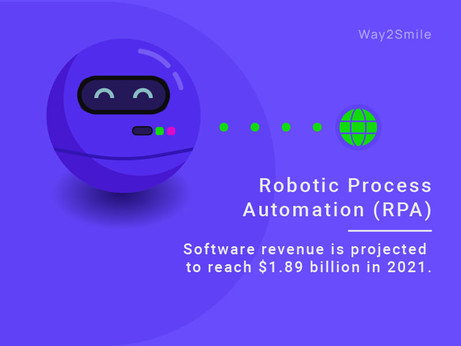
Global #RoboticProcessAutomation (RPA) software revenue is projected to reach $1.89 billion in 2021.
This indicates that the businesses are adopting #RPA to improve operation quality, productivity and revenue at speed during the pandemic.
To make RPA a part of your IT Operations, Reach Way2Smile Solutions UK, Digital Transformation Companies London - https://bit.ly/3zuMfPX.
#RPAServiceProvider #BusinessProcessAutomation #BusinessTransformation

Way2smile - An IT Consulting Company in UK offering Application Development, Cloud & Data Analytics Solutions for Startups, SMEs, and Enterprises. Let's Work Together to Digitally Transform Your Business for the Digital Age.
#RPA is expected to witness a CAGR of 33.6% from 2020 to 2027. RPA is undoubtedly the future of automation.
To leverage the power of RPA, Reach Way2Smile Solutions UK, Digital Transformation Companies London - https://bit.ly/3zC0SkD.
#BusinessProcessAutomation #RoboticProcessAutomation #RPAServiceProvider

Way2smile - An IT Consulting Company in UK offering Application Development, Cloud & Data Analytics Solutions for Startups, SMEs, and Enterprises. Let's Work Together to Digitally Transform Your Business for the Digital Age.
 Bluebash
 Ruth M
 heise online (inoffiziell)
 Way2Smile Solutions UK