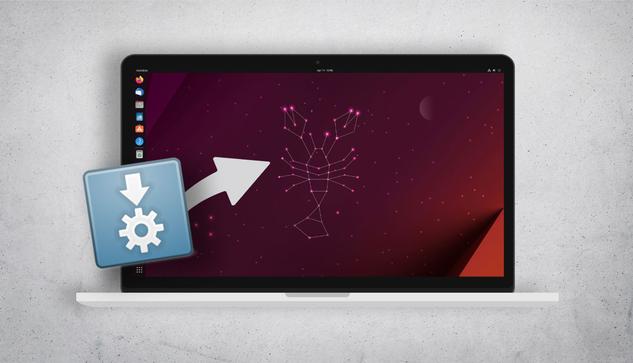
Ignition is a Modern Startup Applications Utility for Linux

I won’t lie: it’s easy to add or remove startup apps, commands, and scripts in Ubuntu. Just open the Startup Applications tool, click ‘Add’, and away you go. But while Ubuntu’s utility is adequate, it’s not as user-friendly as similar tools available elsewhere. Sure, Startup Applications is equipped with the critical customisation fields a user will need to curate a set of software/services to start at login — SSH agent, VPN app, password manager, backup script, resolution tweaks, and so on — but it’s rather rote. Take the way you add an app to start at login: Ubuntu’s Startup Applications 

#News #AppsOnFlathub #Libadwaita #Startup #SystemTools

 https://www.omgubuntu.co.uk/2025/01/ignition-startup-applications-app-linux-gtk

Ignition is a Modern Startup Applications Utility for Linux - OMG! Ubuntu

I won't lie: it's easy to add or remove startup apps, commands, and scripts in Ubuntu. Just open the Startup Applications tool, click 'Add', and away you

OMG! Ubuntu

AppImage Fan? Be Sure to Check Out ‘Gear Lever’

AppImages are great: a single runtime containing all of the required dependencies for the app to run, in a double-click binary you can run from anywhere on your system. And therein lies the rub. When I download an AppImage for software like Audacity, Kdenlive, etc., it’s to a folder or my desktop. To run it, I have navigate to the folder and double-click on the binary as unless I manually choose to create a .desktop launcher it won’t appear in any app launcher/menu. Solutions exist, of course. In 2022 I featured a terrific tool to integrate AppImages with Ubuntu easily. 
#News #Appimages #AppsOnFlathub #GearLever #Libadwaita

 https://www.omgubuntu.co.uk/2024/07/gear-lever-appimage-app-for-gnome

AppImage Fan? You Need to Check Out 'Gear Lever' - OMG! Ubuntu

AppImages are great: a single runtime containing all of the dependencies needed for an app to run in a double-click binary that can be run from anywhere

OMG! Ubuntu

Showtime: GNOME’s New Video Player is Now on Flathub

Were you excited by news GNOME plans to replace the Totem media player in its core software set with a new, modern, and actively maintained alternative called Showtime? If so, you’ll be pleased to hear that this promising replacement is now available on Flathub. This means you don’t need to set-up the GNOME Nightly repo and. then tussle with endless updates to the app and the underlying runtimes that it relies on. The initial release of Showtime on Flathub is built against the GNOME 46 runtime If you’ve installed any other GTK apps recently you likely already have that installed, 
#News #AppsOnFlathub #Gnome #Showtime #Totem

 https://www.omgubuntu.co.uk/2024/07/showtime-gnome-video-player-flathub

Showtime: GNOME's New Video Player is Now on Flathub - OMG! Ubuntu

Were you excited by news GNOME plans to replace the Totem media player in its core software set with a new, modern, and actively maintained app called

OMG! Ubuntu