It’s here 😉
I guess I know what I’m going to do for the next few evenings 🤣
It’s here 😉
I guess I know what I’m going to do for the next few evenings 🤣
In a blog entry, ‘Epsilon’ describes the assembly of its A1200NG system in its usual detailed and richly illustrated manner. In addition to the A1200NG board from Amigakit, a new A1200 case and one of the mechanical keyboards from amigastore.eu are used in the build.
The Register: AmiBrowser brings 21st century web to 20th century Amigas . “The new native 68K AmigaOS web browser leans on the machines’ underlying emulation system to offer modern facilities on a retro OS. Amibrowser from Amigakit tackles one of the requirements to use a 20th century retrocomputer in the world today: a modern browser.”
Another software update has been released for AmigaKit's A600GS emulator platform and the ARM-based A1200NG motherboard. It is available for download to registered AmiSphere customers and includes the following changes:
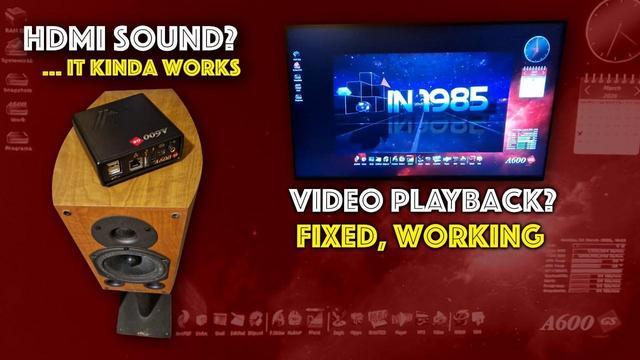
The video playback feature is now released in this update along with a new version of PlayMP3 and UnArchiver.
A1200NG/A600GS: As Amigakit announces, they have released "ArmMP3File.library" that uses native ARM code to decode MP3 files. In addition to the text-based player already available, it is hoped that an MP3 player with a graphical user interface using the library will be released soon.
The Arrival of the A1200NG – Unboxing, Installation and Usage
Hi everyone,
Thanks for visiting my blog. 🙂 In this post we’ll have a look at my new A1200NG, a replacement board for the Amiga 1200.
About the A1200NG
Some of you may remember that I published a review of the A600GS in December 2024. I’ve been pleased with this little computer and have used it for everything from productivity to gaming.
The A600GS next to the Amiga 1200When AmigaKit came out with the news that they were going to release a replacement board for the Amiga 1200 called A1200NG, I was intrigued. Since I already had an A600GS, I was on the fence for a while.
In the meantime, my original Amiga 1200, which I bought decades ago, started to get more and more unreliable. In its last days, it was a gamble whether it would turn on or not. I then decided to jump on the pre-order train and get the A1200NG to replace the motherboard.
I’m most likely getting the original board repaired in the future, but for the coming years, it is good to have something new and stable that will (hopefully) work without problems for a long time.
The price, including shipping for the pre-order, was EUR 188.
Fast forward to May 2025, I received a message saying that a package had arrived at the local Post i butikk (post office in a grocery store). It was from AmigaKit and contained the brand new A1200NG motherboard, as well as accessories (set for connecting the original floppy disk drive from my A1200, labels, and more)!
The package from AmigaKit.Before we look at some photos of the unboxing, here is some general information about the A1200NG:
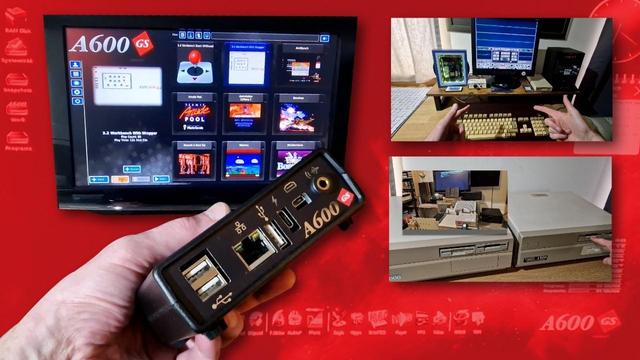
It is very similar in operation to the A600GS, since it has the same built-in menu and launcher for games, applications, and demos, as well as AmiBench.
The current price is approximately. EUR 191. There are optional add-ons that increases the price, as well as opting for more storage space.
Please have a look at the official webpage on the website of AmigaKit for more information about what is included and so forth.
https://www.amigakit.com/a1200ng-motherboard-p-91333.html
Now let us move onto the unboxing. 🙂
Unboxing
First, here are the photos of the unboxing.
The items were well protected! The A1200NG insulation layer on top, the two boxes below. Two nice boxes appears! Accessories Here you can see the new motherboard, as well as the backplate, HDMI-cable and the manual. The PSU and the floppy disk connection setInstallation
As previously mentioned, I had decided to use my old Amiga 1200 case for this project. The A1200NG allowed me to use the old floppy disk drive and keyboard as well, but also the CF HD I had connected to the IDE port. It also has the standard mouse/joystick port we all know from the classic Amiga’s, so you can use your old (or new) mouse as well. I prefer a wireless one, so inserted the adapter from Logitech and the mouse started working at once.
The case is quite worn. It has been with me since I was a student many, many years ago. Every time I’ve moved since then, I’ve had it with me. I’m sure some readers who have visited this site many times over the years will recognize it from older posts. 😉 It has been the home of several different turbo-cards, upgrades, hard drives, and so forth. It has even been to an Amiga demoparty! Now it will house the A1200NG. So please don’t mind the cracks and dents of it, it’s seen a lot during the years. 😉 Keep in mind the case actually looks better on the photos than in real life.
The old case My Amiga 1200 motherboard The new motherboard! Floppy disk drive installed. Keyboard installed. A1200NG inside! New badge! Serial 58. 🙂 First boot! It works! 🙂 The First Start Wizard appears. The menu is up and running! Updating to the latest firmware. The first launch of AmiBench!After the installation, it was time to get it configured software wise.
Here you can see I have installed several custom system setups. I have transferred the files from my old Amiga 1200 CF harddrive to the Work partition on the A1200NG, so that I can access it on all my setups. Downloads are available. Here you will find games such as Deluxe Galaga and Santatron. The sidebar menu. Time to add a game in ADF format. You can also add WHD-Load packages for example. Gloom Deluxe running! Here you can see different options when it comes to adding software. More options! Adding the racing game Nitro. Configuring the game. It is working! 🙂The installation went fine and everything works as it should, even the old floppy drive is still ticking along. 😉
I will not do a write-up of how to install the system in this post, but have noted some helpful pointers below that I hope will help.
For how to install, I recommend the manual, but most of all the videos made by Iowtheme.
Here is one from him of how to install the A1200NG in a case:
https://www.youtube.com/watch?v=j6YxyAYxRVc
Here is another with the First Time Wizard:
https://www.youtube.com/watch?v=tNXDDHl523M
Now, there are a few things which are important to remember when setting up the A1200NG (just like with the A600GS):
Summary
All in all, I’m very happy with the A1200NG. Using it is very much like the A600GS, except that I get the feeling I’m still using my old Amiga 1200. Having the original keyboard, the floppy drive, the same case, makes for a a very nice experience.
As of now, I’m customizing and setting up various systems (one for Workbench 3.1 with 68030, another for a more faster classic experience, configuring AmiBench, adding games and demos, and more..). I’m looking forward to experiment more with it in the coming months! 🙂
Hope you’ve enjoyed this post, and that you will come back and check out some other content here on the Old School Game Blog!
Thanks for reading and have a great day! 🙂
Best regards,
Puni
The British developer and distributor AmigaKit has set up a new blog for the announced ARM-based motherboard A1200NG to provide information about the product.
The motherboard was originally scheduled to be available in the first quarter of 2025, but the shop now lists April as the release date. The regular price for the board with a 64 GB MicroSD card is the equivalent of around 192 euros.