Structured - Daily Planner

1.1K Followers
1 Following
63 Posts
🚀 Create tasks in seconds
⏳ Plan your day and stay focused
👇 Download Structured for free on iPhone, iPad & Mac
Websitehttps://structured.app
App Storehttps://apps.apple.com/us/app/structured-day-planner/id1499198946?uo=4
Help Centerhttps://help.structured.app/
Introducing the all-new www.structured.app! Your favorite app just got a brand new website. Get ready for what's next on our web journey 💻.
Structured Cloud - Closed Beta

Tally Forms
@serenebabe we hope we can get your problem sorted out asap!
With the latest update, Structured is now also available on the Apple Vision Pro 👀. We have also revised the icon search and fixed some bugs and performance problems ✔️🔨. Update now!
@yuliyan with the current way the import is build, this is not possible
@yuliyan Imported calendar events are only editable in the calendar app. However, in Structured there is a shortcut that leads directly to the edit screen of the calendar for quicker access.
@sashk Thank you for your feedback, we are constantly working on improving the app. Of course, it is possible to set individual wake up times, just choose the day and edit the task. You can also visit our help center, there we have many guides and how tos for you.
@orangesunny you can join the beta in the Play Store. More information can be found here: https://support.google.com/googleplay/answer/7003180?hl=en. The roadmap is here: https://feedback.structured.app

RELEASE DAY!
Study with Subwords is now called @studysnacksapp !

Read more about the rebranding and tastiest update yet in the posts below, or get Study Snacks on the AppStore:
https://apps.apple.com/app/id6444380323
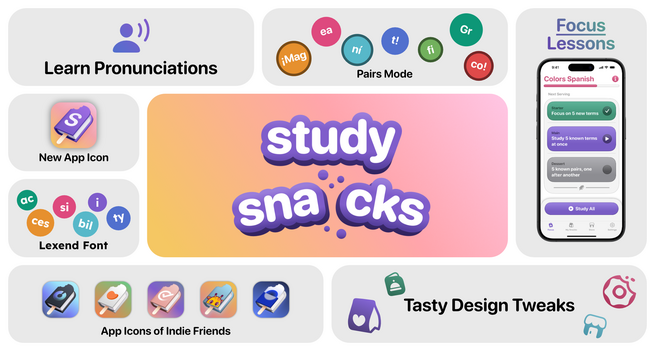
‎Study Snacks: Playful Learning

‎Turn learning into a word puzzle in Study Snacks! The idea is simple - you create a study list, like one for countries and their capital or English words and their translation into Spanish. Study Snacks will split these words into pieces and you have to put them back together. With multiple learnin…


App Store
@corycronin There is no build-in way yet, but you can use Shortcuts to achieve this workflow.