Think you’re productive? Most of us aren’t.
Distraction Cost Tracker quietly tracks your focus, distractions, and recovery time — fully offline, no login, no tracking.
See how much time apps and interruptions really steal, understand your day, and reclaim your focus.
Get it here →
https://ryyn.gumroad.com/l/DistractionCostTracker
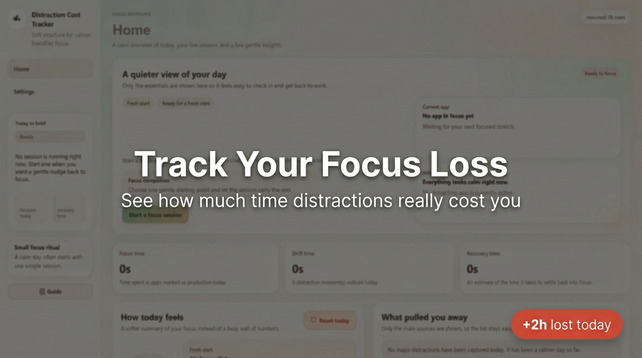
Distraction Cost Tracker
You’re Losing Hours Every Day Without Realizing ItMost people believe they are productive.But they never measure what actually breaks their focus.Every interruption has a cost: lost time lost momentum extra time to recover Distraction Cost Tracker shows you exactly where your time goes — and how much it truly costs you.What You’ll Finally SeeThis isn’t another productivity tool telling you what to do.It reveals what is already happening.With this app, you’ll discover: How many hours you actually lose to distractions Which apps break your focus the most How long it takes you to regain focus after interruptions Your real daily focus efficiency Once you see the numbers clearly, your behavior starts to change naturally.Features Automatic focus and distraction tracking Clean, minimal dashboard (no complexity) Focus session timer Real-time app detection Focus, drift, and recovery insights Works fully offline No account required How It Works Start a focus session The app tracks which applications you use Time is classified into: Focus Distraction Recovery You get a simple, clear overview of your day No setup. No configuration. Just clarity.Why This Tool Is DifferentMost productivity apps try to push you to do more.This one does the opposite.It helps you understand your current behavior first.Because once you see the real cost of distractions,you don’t need motivation — you need awareness.Why It’s Worth ItIf you recover even 1 hour per day, this tool pays for itself immediately.Time is your most valuable resource.This app helps you take it back.System Requirements Windows 10 or Windows 11 64-bit system Installation Download the ZIP file after purchase Extract the files Run the installer (.exe) Launch the app Important Security NoteWhen launching the installer, Windows may show:“Windows protected your PC”This happens because the application is not digitally signed yet.This is common for independent developers and does not mean the app is unsafe.To proceed: Click More info Click Run anyway The app runs fully offline and does not access your data.PrivacyYour data stays on your device. No data is sent to any server No tracking No login required LicenseThis purchase includes a personal-use license.You may use the app on your own device.Redistribution or resale is not allowed.UpdatesYou will receive free updates for future improvements within this version.SupportFor any questions or issues:[email protected] NoteYou don’t need more tools.You need to see the truth about how you spend your time.This app gives you that — clearly, simply, and privately.