
myapfelworld

12 Followers
35 Following
144 Posts

Wir blicken zurück auf ein Jahr der Umbrüche und der Notwendigkeit, Haltung zu zeigen.

2025 bewies, dass digitale Souveränität höchste Priorität haben muss.

Mit unserem sicheren digitalen Arbeitsplatz schufen wir eine Alternative zu Microsoft 365 & Co. Damit Ihre Daten weiterhin Ihnen gehören.

Lassen Sie mit uns das Jahr Revue passieren: https://mailbox.org/de/news/2025-bei-mailbox-sichere-kommunikation-braucht-haltung/

🎄 Wir danken für Ihr Vertrauen in diesem Jahr und wünschen Ihnen, Ihren Teams und Ihren Liebsten schöne bevorstehende Feiertage!

To make Mona’s magical Mastodon experience accessible to even more people, I’m pleased to announce that starting with Mona 7, features that help people share and engage — posting with photos and videos, favoriting, and reposting — will be free for everyone.
I’m happy to announce that Mona 7 will be available on the App Store later this year as a new app. I’ll share more details, including upgrade pricing, with you very soon.

Education is so important and not running after some narrative.

After 1945, Nazis worked unchallenged and protected in politics, security agencies, business and administration for decades.
Also, two founders of the Green Party were high-ranking Nazi "SA" people.

You don't need Elon Musk for your fears that Germany could become fascist.
So they were never gone!!! https://mastodon.social/@randahl/113898735126996279

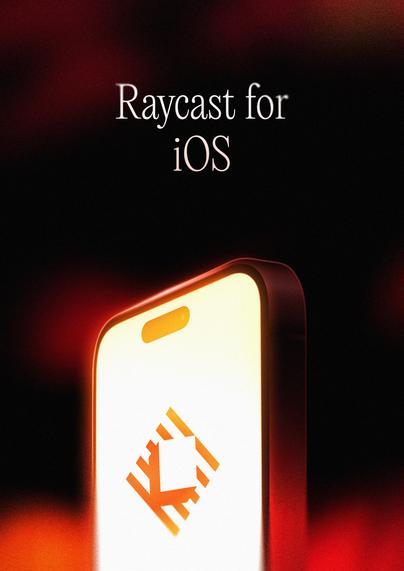
Want to be one of the first to try Raycast for iOS?

Join the waitlist 👉 https://raycast.com/ios

Raycast for iOS

Power of Raycast, now on iOS - AI, Notes, Snippets and Quicklinks always with you.

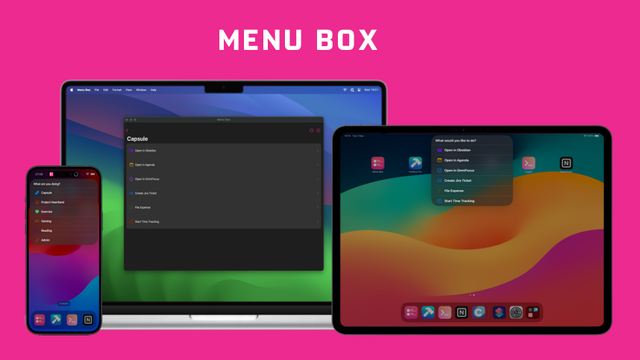
Menu Box is now available on macOS! https://apple.co/3ASfgdj
‎Menu Box

‎Menu Box allows you to create beautiful menus in Shortcuts, further customising your advanced Automations. Menus can be created using emojis, SF Symbols App Icons or your own custom images to create truly individual menus with near limitless options. Custom data attached to each menu items allows y…

App Store

We're very excited to be able to announce the official release of Menu Box!

Menu Box is an app designed to provide beautiful custom menus for use in your advanced Shortcuts. Menu Items are fully customisable, including allowing you to add an SF Symbol, an existing App Icon, or your own image, as well as allowing you to add a data payload to be read in via your Shortcuts.

Menu Box helps make your Shortcuts even more powerful and is especially perfect when paired with the Action Button to make your phone even more useful as you go about your life.

Find out more at https://menubox.app

LaunchBar 6.19 has been spotted in the wild. With much improved access to System Settings. And lots of deliciously redesigned icons.

https://obdev.at/launchbar/releasenotes.html

LaunchBar - Unleashed productivity.

Start with a single keyboard shortcut to access and control every corner of your Mac.

Objective Development

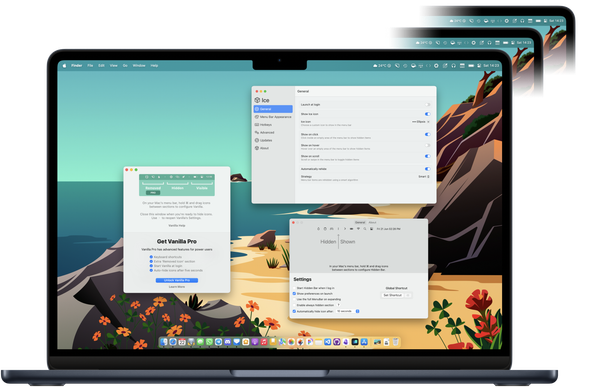
It's been hard to trust Bartender following its acquisition, so I’ve rounded up on @macstories some of my favorite menu bar utilities available right now + two tips to help manage the menu bar without having to install any third-party apps at all. 💻💡

https://www.macstories.net/roundups/managing-your-mac-menu-bar-a-roundup-of-my-favorite-bartender-alternatives/

Managing Your Mac Menu Bar: A Roundup of My Favorite Bartender Alternatives

For years, Bartender has remained one of the best ways to manage the Mac’s menu bar, especially on newer MacBook models with a notch where menu bar real estate is even more valuable. I reviewed the great Bartender 5 last year and came away impressed. Unfortunately, though, my relationship with Bartender is not in a

I wrote a @KeyboardMaestro macro to make it easy to enter macOS modifier key glyphs, along with some others—namely ⇧ ⌘ ⌃ ⌥ ⏎ ⇥, the arrow keys (← → ↑ ↓), and the  logo.

You can insert the characters or their HTML entities (for use on web pages), and flip between the two modes at any time.

https://forum.keyboardmaestro.com/t/macro-the-glypher-easily-enter-key-glyphs/36531

MACRO: The Glypher - Easily enter key glyphs (⇧⌘⌃⌥⏎⇥)

I use the macOS modifier key glyphs (⇧⌘⌃⌥) quite often, along with some others (← → ↓ ↑ ⏎ ⇥ ) not quite as often. Most times, I just insert the character glyph directly, but when working on web pages, I need to use the HTML encoding (⌘ = ⌘). Over the years, I've tried many different ways to make this as easy as possible, but I didn't really like any of the methods I either wrote or tried. I don't like using my mouse while writing, so I wanted a keyboard-centric solution that allowed for...

Keyboard Maestro Discourse