Juraj Antas

3 Followers
56 Following
134 Posts

If all you do in your tech career is:

1. When something is slow, you look carefully at the output of a profiler or a query plan & make measured suggestions about what to improve;

2. When something breaks badly, you gently but insistently ask what & why until you truly know, then the next time similar work is needed you bring up how to avoid doing what broke last time; and

3. When someone lacks info, you make them feel good for learning instead of bad for not knowing;

You will do good work.

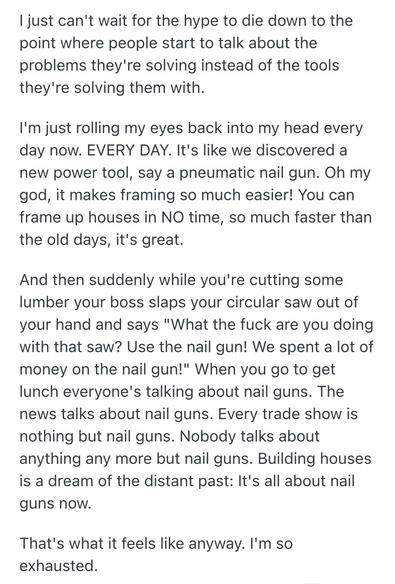
This comment sums up why I’m so tired of programming in 2026 pretty well
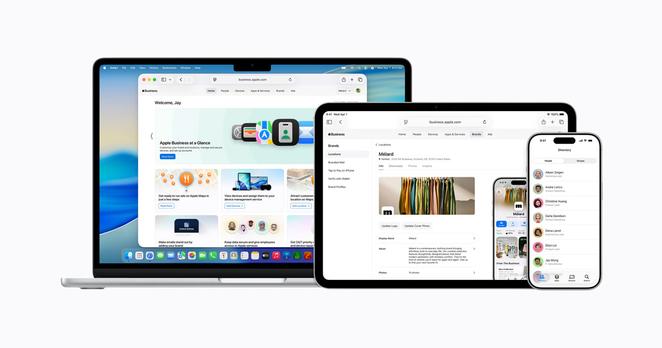
@marcoarment I think Apple just solved your device management question, for free: https://www.apple.com/newsroom/2026/03/introducing-apple-business-a-new-all-in-one-platform-for-businesses-of-all-sizes/
(Corrected misspelled device)
Introducing Apple Business — a new all‑in‑one platform for businesses of all sizes

Apple today announced Apple Business, a new all-in-one platform that allows companies to manage devices and reach more customers.

Apple Newsroom
Michael Tsai - Blog - Liquid Glass Is Permanent

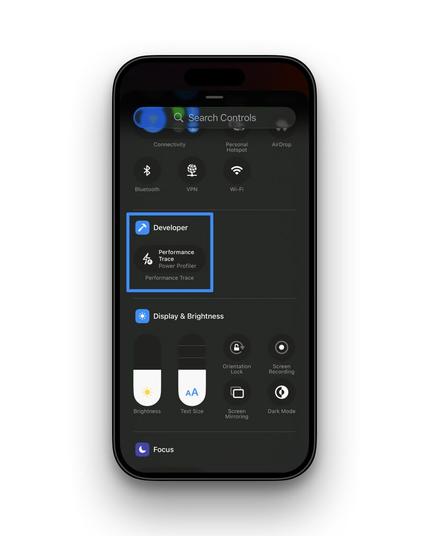
Stop tethering your iPhone to Xcode just to check battery drain. Vladimir Babin shared a great tip on how to measure energy impact directly on your iPhone using the hidden Developer settings menu! 🔋
🔗 https://www.linkedin.com/posts/ios-master_ill-admit-i-only-found-out-about-this-activity-7433223059341303808-6gQ4 #iOSDev #SwiftLang #Xcode
I’ll admit - I only found out about this recently! Here is a very handy way to check your app’s performance without Xcode. You can now measure battery drain directly on your iPhone and record a… | Vladimir B. | 11 comments

I’ll admit - I only found out about this recently! Here is a very handy way to check your app’s performance without Xcode. You can now measure battery drain directly on your iPhone and record a trace for Instruments without your Mac. Just a button press in the Control Center! How to set it up: 0️⃣ Step 0: Make sure Developer Mode is on (Settings > Privacy & Security) 1️⃣ Go to Settings > Developer > Performance Trace. 2️⃣ Turn on Performance Trace. 3️⃣ Set the mode to Power Profiler. 4️⃣ Find your app in the list and toggle it on. 5️⃣ Add Performance Trace to your Control Center in settings. Now you can just swipe down, hit record, and test your app "in the wild." When you're done, just AirDrop the file to your Mac for a deep dive. | 11 comments on LinkedIn

LinkedIn

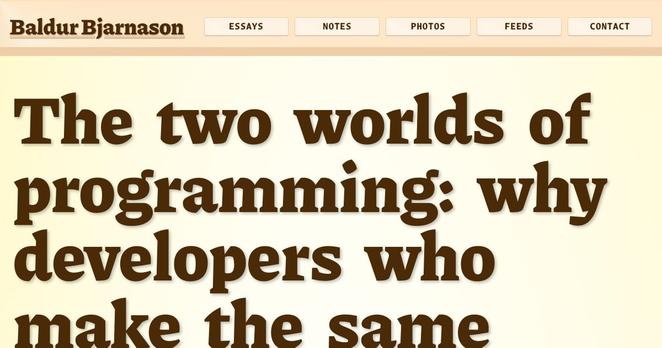
> When developers say that LLMs make them more productive, you need to keep in mind that this is what they’re automating: dysfunction, tampering as a design strategy, superstition-driven coding, and software whose quality genuinely doesn’t matter, all in an environment where rigour is completely absent.

https://www.baldurbjarnason.com/2026/the-two-worlds-of-programming/

by @baldur

The two worlds of programming: why developers who make the same observations about LLMs come to opposite conclusions

Writing at the end of the world, from Hveragerði, Iceland

i built an entire x86 CPU emulator in CSS (no javascript)

you can write programs in C, compile them to x86 machine code with GCC, and run them inside CSS

https://lyra.horse/x86css/

Someone wrote a CUDA compiler. I like the spirit of this: https://github.com/Zaneham/BarraCUDA

Addendum: there’s bad SwiftUI code, ignorant of modern API, bashing HStacks and GeometryReaders together until something works. That needs training to overcome.

Then there’s failures of the framework. Like how you can attach an alert to a button, but not if it’s inside a menu. Or how you can add toolbar items to a bare window on macOS but not on iOS.

Those are failures of “learn once, write everywhere” and Apple needs to be better about them. Too many caveats, too many gotchas.