 Peter Friese
🔗 https://www.linkedin.com/posts/ios-master_ill-admit-i-only-found-out-about-this-activity-7433223059341303808-6gQ4 #iOSDev #SwiftLang #Xcode
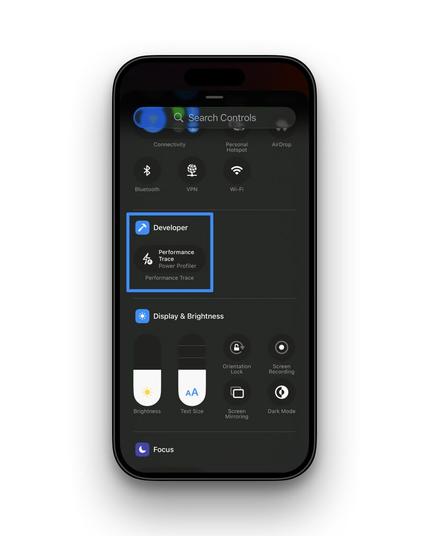
I’ll admit - I only found out about this recently! Here is a very handy way to check your app’s performance without Xcode. You can now measure battery drain directly on your iPhone and record a… | Vladimir B. | 11 comments
I’ll admit - I only found out about this recently! Here is a very handy way to check your app’s performance without Xcode. You can now measure battery drain directly on your iPhone and record a trace for Instruments without your Mac. Just a button press in the Control Center! How to set it up: 0️⃣ Step 0: Make sure Developer Mode is on (Settings > Privacy & Security) 1️⃣ Go to Settings > Developer > Performance Trace. 2️⃣ Turn on Performance Trace. 3️⃣ Set the mode to Power Profiler. 4️⃣ Find your app in the list and toggle it on. 5️⃣ Add Performance Trace to your Control Center in settings. Now you can just swipe down, hit record, and test your app "in the wild." When you're done, just AirDrop the file to your Mac for a deep dive. | 11 comments on LinkedIn
 Adam
Adam MΛTT
MΛTT