
847 Followers
217 Following
374 Posts
πŸ‘©β€πŸ’» iOS dev at @Spotify β€’ ✍️ sketchnoting β€’ ☝️ accessibility β€’ 🍍 pineapple on pizza β€’ πŸŠβ€β™€οΈ πŸ§— πŸƒβ€β™€οΈ sports β€’ 🧑 she/her β€’ views are mine
Websitehttps://fbernutz.github.io/
Twitterhttps://twitter.com/felibe444
Pronounsshe/her

I've been building an app, and I'm really excited about this one!

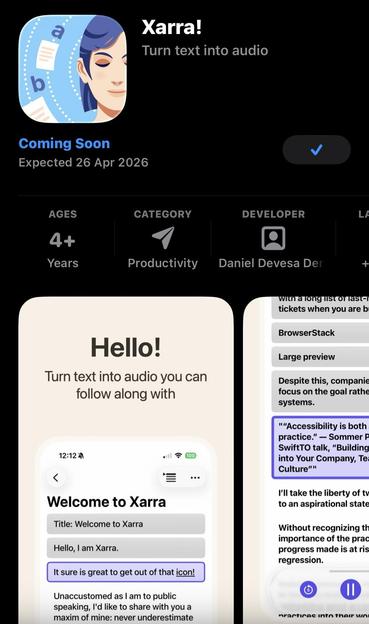
Xarra is a read-aloud app for iPhone and iPad. Paste text, import a doc, or share a webpage, and listen with word and line highlighting, chapters, and playback controls.

Pre-order now: https://apps.apple.com/gb/app/xarra/id6759402266

It started as scratching my own itch.
I struggle to stay focused reading long pieces of text. But when I listen and read at the same time, especially with highlighting, I stay engaged.
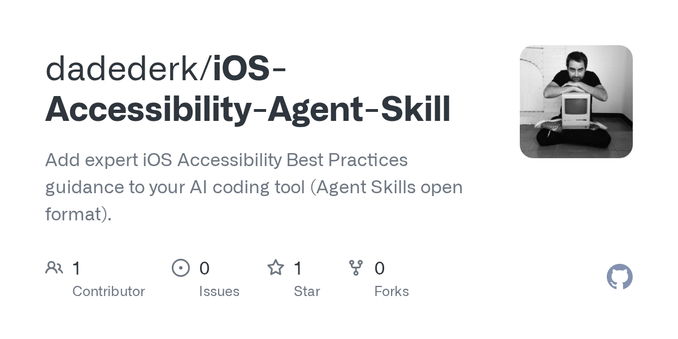
I've just published a first version of an Agent Skill for iOS Accessibility.

I first learned about Agent Skills from @swiftlee's video "Refactoring a Real App with Agent Skills in Cursor". And he suggested that someone should do one for accessibility. So I did.

I haven't been the first one to do it though! I'll link to them in the thread together with some thoughts on what I think this skill is, and what it isn't.

https://github.com/dadederk/iOS-Accessibility-Agent-Skill?tab=readme-ov-file

GitHub - dadederk/iOS-Accessibility-Agent-Skill: Add expert iOS Accessibility Best Practices guidance to your AI coding tool (Agent Skills open format).

Add expert iOS Accessibility Best Practices guidance to your AI coding tool (Agent Skills open format). - dadederk/iOS-Accessibility-Agent-Skill

GitHub

It's #InternationalWomensDay, so there's no better time to celebrate amazing women in the Swift community. Here are some sites I heartily recommend:

- https://nilcoalescing.com from @natpanferova
- https://danijelavrzan.com from @dvrzan
- https://tanaschita.com from @tanaschita

Nil Coalescing

Nil Coalescing
It’s been two weeks since I removed instagram from my phone and the time I saved by no longer scrolling through endless clips, I spent scrolling through old photos. Slightly better I guess but still addicted to scrolling πŸ₯²

New blog post! How I've been learning to develop more accessible iOS games while building RetroRapid!

Things like: controlling a racing game with musical notes, why level names matter, and more.

Feedback welcome!

https://accessibilityupto11.com/post/2026-02-22-01/

You may also notice that I've quietly revamped the site using @twostraws's Ignite framework. Have a look around and let me know what you think!

#accessibility #indieGame

Learning to develop more accessible iOS games

I started my journey in iOS accessibility about 9 years ago, when I was working at the BBC. I even dared to give a talk about it in App Dev Con in 2018. Years later, I’m pretty sure that I was just able to overcome my terror of public speaking thanks to the Dunning-Kruger effect. I was at that point where you’ve just started learning about something, become passionate about it, and vastly overestimate how much you actually know. It only takes digging a little deeper to realise how vast any topic is, and that one will probably never master it, but can just hope to be in a continuous learning process. And accessibility is no different. Not to discourage anyone! The truth is that a few basic tools in your toolbox can bring you a very long way towards offering a very good experience. As someone said, we are actually not in need of experts, but in need of basic knowledge.

Accessibility up to 11!
RetroRapid will support Dynamic Type in the next release. On a retro arcade game? Why not?! I'm having so much fun finding ways to make this as accessible as possible.

Hey folks - it looks like someone is impersonating me here on Mastodon.

The fake account is
James__Dempsey @ mastodon.social

If you get a follow request from that account, it is *not* me.

Mark your calendars for July 2026 because we have another conference in this hemisphere of the world friends!

No other than Calgary, Canada! And in the amazing rockies next to the national park Banff πŸ‡¨πŸ‡¦ πŸ”οΈπŸŒŠ

https://swiftrockies.com/

SwiftRockies 2026 | The iOS Retreat in the Wild

A practitioner-focused iOS developer conference at the Calgary Zoo. July 22-23, 2026. Request an invite today.

▢️ It's time to push play on something new!

⭐️ @swiftsonicconf
is a new iOS & Swift conference coming to Nashville November 20-22, 2026!

🎀 Community-driven, focused on real-world iOS and Swift stories, and shaped like a music festival.

πŸ‘‡πŸ» More info in the replies!

This documentation from Apple settles what Apple's official guidance is on colour contrast - you only have to support sufficient contrast if increase contrast, bold text, and reduce transparency are enabled.

I, nearly every accessibility expert I know, and most legal interpretations of WCAG disagree with this interpretation.

https://developer.apple.com/help/app-store-connect/manage-app-accessibility/sufficient-contrast-evaluation-criteria

Sufficient Contrast evaluation criteria - App Store Connect - Help - Apple Developer

Learn how to implement and test Sufficient Contrast accessibility to enhance user experience, and decide whether to highlight your app's support on the App Store.