TheComputerGuy

@compguy96
68 Followers
54 Following
266 Posts
๐Ÿ’ป ๐ŸŽฅ ๐Ÿณ๏ธโ€๐ŸŒˆ
YouTubehttp://www.youtube.com/thecomputerguy96
Blueskyhttps://bsky.app/profile/compguy.bsky.social
@fifo Especially when you get that score on the real computer with all drivers installed
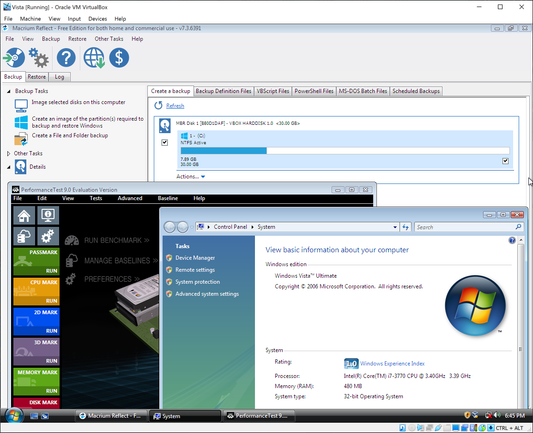
BTW the apps were not crashing because of no service pack. They work in a VM on a newer PC. The video also shows they still crashed on Windows 7 SP1
Windows Vista had a bad reputation because when it was new, most people had computers like this. It's slow and it doesn't look pretty https://www.youtube.com/watch?v=lx2nKtFPYhk
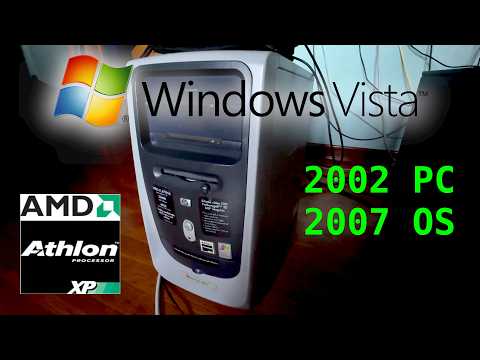
Windows Vista on a 2002 AMD Athlon XP

YouTube
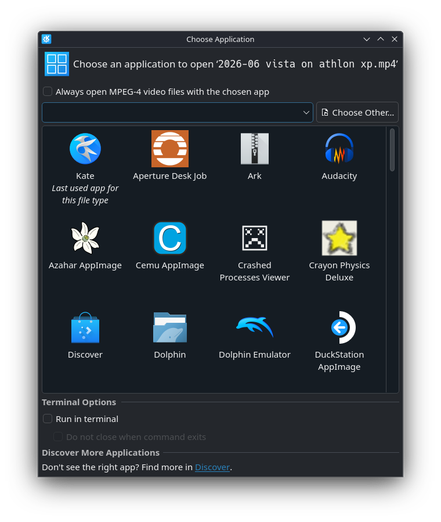
Another thing that the last SteamOS update did was delete Haruna media player that was previously included. Installing VLC from Discover (software centre) was no problem though
@amd Brilliant! Thank goodness they fixed it quickly
SteamOS 3.8.11 released to fix getting stuck on the Desktop Mode lock screen

With the huge SteamOS 3.8 update now out, a few hiccups were expected - but thankfully, theyโ€™ve already patched one of the major annoyances.

GamingOnLinux
@gamingonlinux I replied to that thread with a few details like the SteamOS version. Hope this gets solved soon!
@gamingonlinux No but thanks.
@amd No it doesn't.
Screen locking is on by default if you set a password in desktop mode.
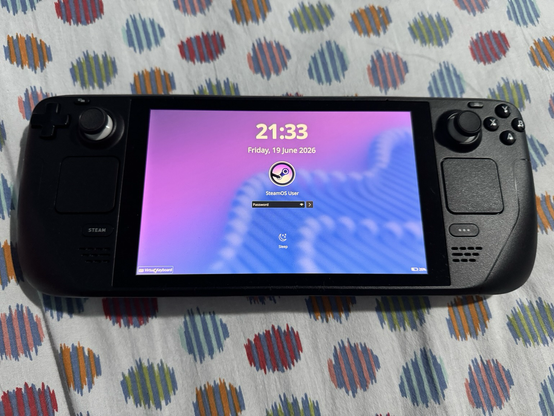
The virtual keyboard in the KDE Plasma lock screen (button on bottom left) is supposed to pull up a very simple keyboard which is different than the Steam+X one. It worked before the update, but now it does nothing
Updated to the newest version of SteamOS, which switches the Linux windowing system from X11 to Wayland. Now the virtual keyboard in desktop mode lock screen does not appear, making unlocking impossible without connecting an external keyboard.
This is a specialised distro made for this hardware, and it still has stupid little issues. I try my best to enjoy Linux, but things like this are why I still use Windows #steamdeck #steamos