#redline #stealer #affiliate This affiliate has ran the malware on their own PC! Can you believe that?
| https://twitter.com/brutebee | |
| GitHub | https://github.com/brutebee/ |


| https://twitter.com/brutebee | |
| GitHub | https://github.com/brutebee/ |
#redline #stealer #affiliate This affiliate has ran the malware on their own PC! Can you believe that?
How to find out a Windows Server Instance has been activated legally?
How do you guys check if Windows has been activated using illegal methods like cracks and hacking tools?
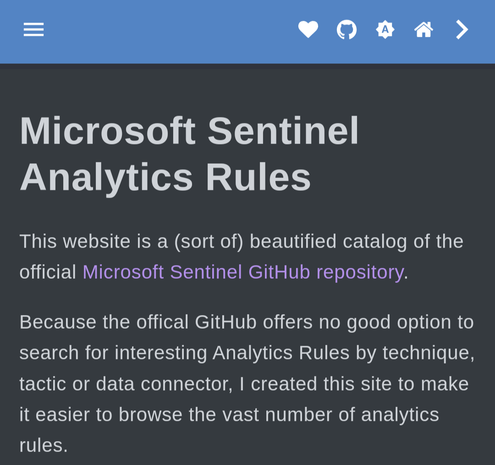
Hello mastodon #infosec friends, I built a new website to better search for #Sentinel #AnalyticsRules.
https://analyticsrules.exchange
It is a searchable and filterable list of all Analytics rules in the public repository built automatically twice a day.
Feedback welcome
did you know the following url takes you to Mastodon NGINX welcoming page instead of twitter?
http://www.twitter.com@3284751399
Did you know you can block allow unwanted IP's from accessing your exposed SSH/SFTP servers?
Let's say for instance your client ip is 172.16.0.20/16 and you don't need add the netmask to it.
There is a file responsible for it and using Debian 9 in this example we only need to make changes at '/etc/hosts.deny' and at '/etc/hosts.allow'
Want to deny access to everyone? Simple, add the line 'sshd: ALL' to the file '/etc/hosts.deny'
Want to deny access to everyone but your client IP?
Add the line 'sshd: 172.16.0.20' to '/etc/hosts.allow'
Want to deny access to everyone but your subnet? Let's say for instance your client ip is 172.16.0.20/16
Add the line 'sshd: 172.16.' to '/etc/hosts.allow'
Let's block all Russians IP's from attempting SSH/SFTP 🤣.
This is just one example and your server won't be fully protected without proper patching and furthermore security measures.
Let's start the weekend with a fun #infosec project? 😀
Let's practice our #ThreatHunting 🔍 and #IncidentResponse skills!
Install #SecurityOnion🧅 at a VM:
https://docs.securityonion.net/en/2.3/first-time-users.html
Then follow along with their recent quick #Malware analysis blog posts:
https://blog.securityonion.net/search/label/quick%20malware%20analysis?m=1
 Fabian Bader