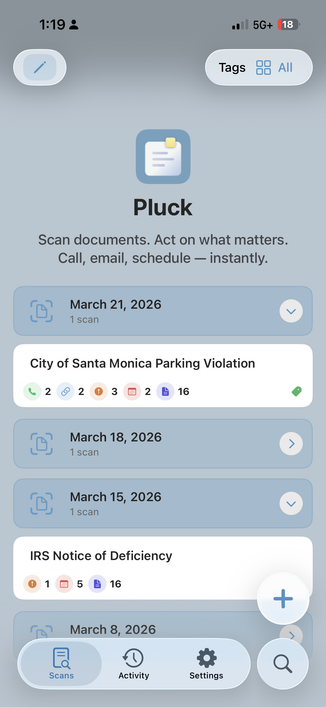
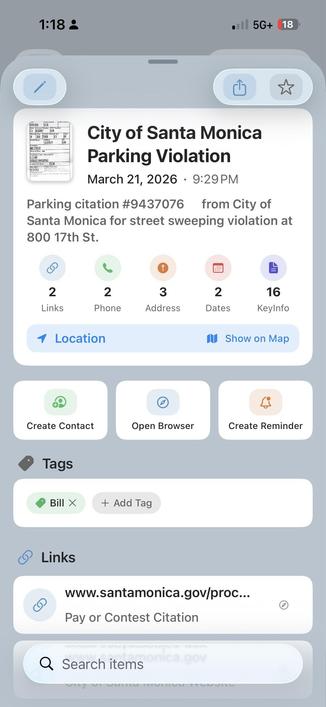
Pluck v1.0 is out !
Give it a try, the smart scanner ;)
https://apps.apple.com/us/app/pluck-smart-doc-scanner/id6759709513

VFX Supervisor at Sony Imageworks
Indie App Developer:
Upwords for iOS and Android
Pluck v1.0 is out !
Give it a try, the smart scanner ;)
https://apps.apple.com/us/app/pluck-smart-doc-scanner/id6759709513
Our latest collaboration with Netflix finally announced
https://www.cartoonbrew.com/feature-film/charlie-vs-the-chocolate-factory-first-look-260063.html
@viticci Wondered about this. I’m part of that problem ( sent you a beta recently )
Spend years learning to code for Apple frameworks, writing apps the old fashion way. Now with the flood of vibe coded apps it will be much harder to get noticed in the store.
That said, my recent effort was to build a modern SwiftUI app with Claude Code. I’ve always thought ‘I like coding’. But I found out, I don’t like to code, I like to create things. Letting Claude code for me has been fun.
So I’m torn.
I’ve been diving deep into #ClaudeCode to see if I could build a modern SwiftUI app. Started as a simple idea but it’s evolved into something useful.
The app is Pluck. It’s a document scanner that analyzes scans (with AI) to extract key details.. phone numbers, account numbers, emails, events etc. These details are organized and presented as one-tap actions.
If you’re interested I have a TestFlight beta here: