Štěpán Rešl

123 Followers
59 Following
137 Posts
Data Platform MVP | #PowerQuery Enthusiast | #AzureSynapse | #CZSKPPUG lead | #DataBrothers
Lead Technical Consultant | Don't say something cannot be done, or someone who doesn't know will come and do it.
Twitterhttps://twitter.com/tpnRel1
LinkedInhttps://www.linkedin.com/in/%C5%A1t%C4%9Bp%C3%A1n-re%C5%A1l-464084152/
GitHubhttps://github.com/tirnovar
DataMeerkat - Bloghttps://datameerkat.com/

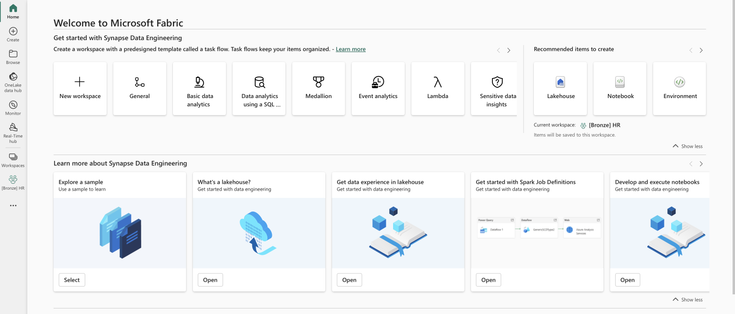
Why? Firstly, Taskflows took 50% of window space once you open the workspace. It takes around 75% of the window width in quick-create options. Recommended items now have just 25% of space, and this was the quickest option for importing notebooks after #PowerBI switching from a Data Engineering perspective.

I understand that this feature can be helpful, but is it that crucial that it should take that much space? For our purposes, we use multi-workspace architectures that this feature doesn't support. Even if it would support it, we might use it only in the master or architectural workspace, which would help us have a complete overview. We don't need it in the rest of the workspaces.

Is there something I have missed, and would it benefit me to add more clicks to the process of importing my notebooks from this view? A similarther that should be viewed in the workspace. Its view is always open when I open a workspace, and my choice question is whether to close seems to be not respected. #MicrosoftFabric
How do you orchestrate notebooks in Microsoft Fabric? Are you using Pipelines, Airflow, API, or notebookutils?

I have published an article about this topic, and mainly, I have focused on notebook utils and used DAG.

Link: https://datameerkat.com/orchestration-fabric-notebooks-with-dag

#MicrosoftFabric #PowerBI #Notebooks

Orchestration Fabric Notebooks – Data Meerkat

How to manage individual notebooks to efficiently utilize shared environment resources?

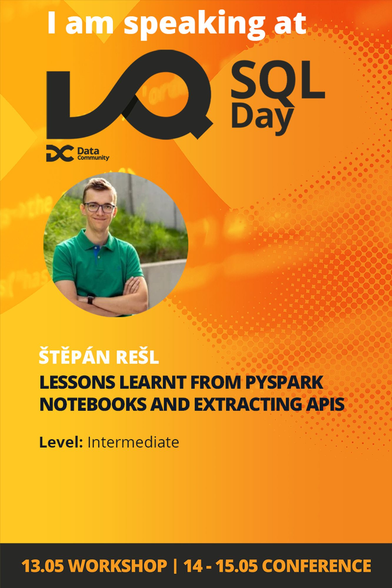
In a few days, I will be speaking on #SQLDay . I am very much looking forward to having my session about notebooks here. This will be a very different session style from the one I am doing regularly. I hope that you will enjoy it.
#MicrosoftFabric

#NotebookEverything

A conference full of data visualization, procedures for creating stories from them, UX, manipulating perception and reducing distracting perceptions, and context switching. This was all about the Viz.Fo conference that took place last week. All I can say is... WOW!

It's a surreal experience that was very different because it also targeted a slightly different audience. In combination with the beautiful atmosphere of the Faroe Islands, it simply could not turn out other than great. I can't wait for the next year.

#PowerBI #DataViz

Because there are so many possibilities for template structures in Power BI, I have prepared an article about different options and what you can use them.

Let's check this new article: https://datameerkat.com/power-bi-templates

#PowerBI #MicrosoftFabric

Power BI Templates – Data Meerkat

".pbit" files are well-known in the Power BI world. But this is not the only type of "template" we can encounter. It depends on the scenario we are trying to fulfill.

I needed to add dynamic recalculation and hiding of the BASE value if it is 0. As you can see from a gif, it is incredibly fast. #DAX + #SVG = #Datavisualization

@jaypowerbi ~ It is full of WINDOW and OFFSET functions 🤩

This weekend, I will have a session on @databash_live about #PowerQuery and custom functions.

Would you like to join? Here is a link: https://databash.live/

#PowerQueryEverything

DATA BASH – The Fun Data Community Conference

Woohoo! I have finally had some time for #SVG, so I have finally updated my Waterfall, which can now work fully dynamically with Categorical or Continuous values + it updates its axis dynamically based on + and - in the whole scale of the chart. #PBICoreVisuals #PowerBI #DataVisualisation #DataViz

Are you using Sharepoint Lists? Do you want to get the data its data into your Lakehouse?

Check out this article that compares three options for data ingestion: Copy Activity, Dataflows, and Notebooks. Find out which one suits your needs best! #MicrosoftFabric
#PowerBI

https://datameerkat.com/copy-activity-dataflows-gen2-and-notebooks-vs-sharepoint-lists

Copy Activity, Dataflows Gen2, and Notebooks vs. SharePoint Lists – Data Meerkat

Excel is not a database... so Sharepoint is not a database. But that doesn't mean that people don't use it that way often, and even if they don't, we need to get the data out of them to use it.

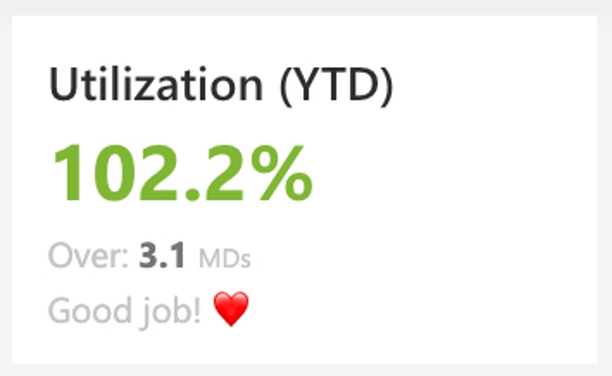
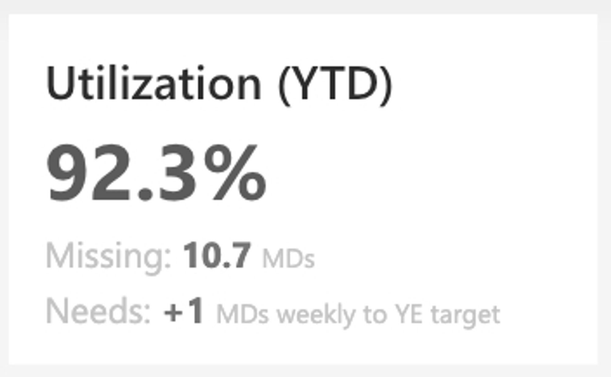
If everyone in your company has their KPIs and the ability to track them, it is very easy to track their performance. If you add some small insights to help your people better plan their work to achieve these KPIs or offer them a vacation, performance will increase. #KPIDriven #DataViz #PowerBI