
129 Followers
0 Following
54 Posts

The App That Opens Apps.

Free from Mothers Ruin Software, since 2020.

Websitehttps://www.mothersruin.com/software/Apparency
Developerhttps://tech.lgbt/@thebittergreen

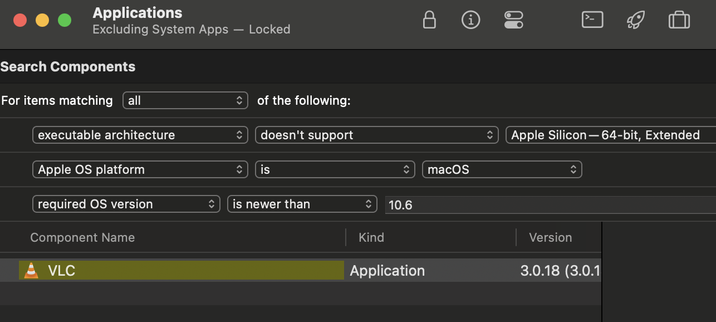
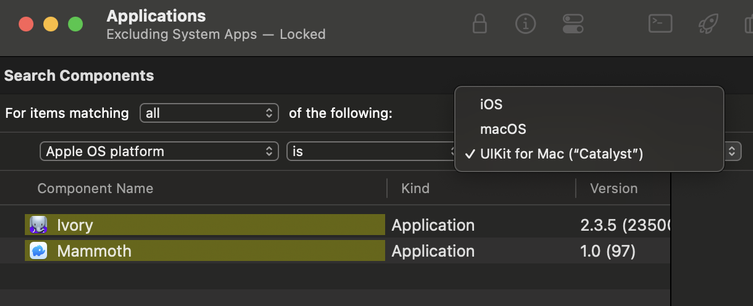
There are also some new rules available for the Search Components command.

You can now search based on processor support, macOS version requirements, and/or Apple platform type (including Catalyst or iOS).

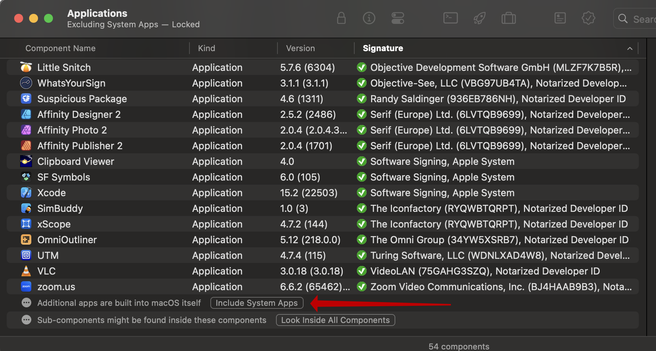
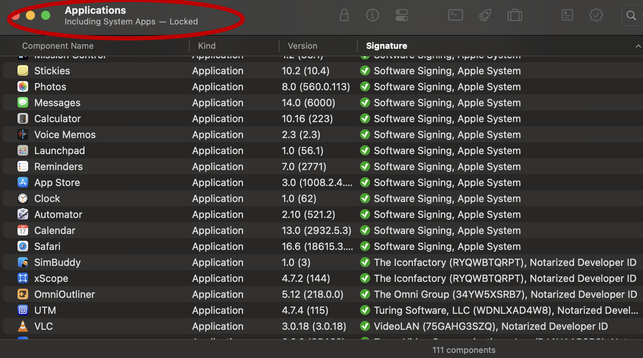
Also, if you open the standard macOS Applications folder, you can now opt to include the built-in system apps, for a more Finder-like view of available apps.

Scroll to the bottom of the component browser for the "Include System Apps" button. The status of system apps is also now shown in the titlebar.

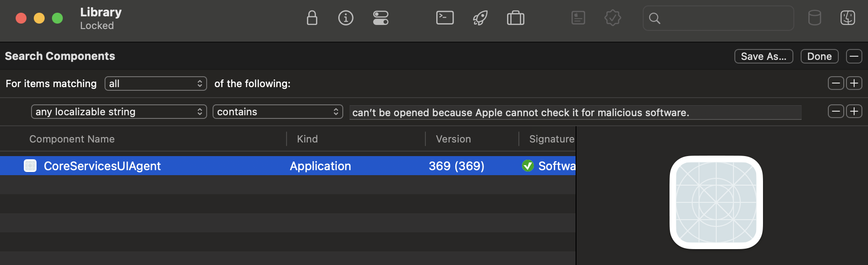
Naturally, you can also search for components with a specific localizable string, using a rule in the Search Components command.

This can be helpful if you're trying to find which component implements a particular bit of UI, based on a label or dialog message.

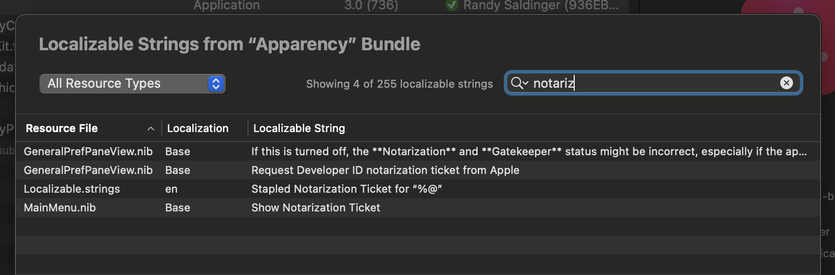
Next up: the Localizable String inspector. These are strings that appear in an app's UI, defined in such a way that they could be localized into another language (even if they haven't been).

This includes any strings and stringsdict files. Also, compiled nib files in the "Base" localization (the only ones that clearly delineate localizable strings).

You can filter and sort the strings here, and use the context menu to reveal the source file, or open it in Archaeology.

You can also go crazy and open something like /System/Library, say if you want to do a search across "all" of the system components. Where I quote "all" simply because the system has tendrils in many other places.

Speaking of which, try opening /System/Volumes/Preboot to see what's in the various cryptexes.

The only folders that Apparency will refuse to open are volume mount points (except Preboot), and the directories that contain them (like /Volumes), because madness that way lies.

That's all very well and good, but what if you want to search across multiple apps?

Apparency now lets you open a folder directly. This will show you all of the components (apps or otherwise) that are inside that folder.

Of course, you can then search across the entire folder, in the same way that you'd search a single app.

Also, you can now sort on the Signature column in the component browser, which is a quick way to group apps with interesting status (like expired certificates).

If you've constructed a particularly interesting or complex search, you can also save it for future use.

Just give the search a name, and you can re-apply it to anything else you open in Apparency, just by picking it from the View menu.

First up: the Search Components command. Open a complex app, and use search terms to find specific (sub)components.

You can do a quick search on the name, but way more interesting, you can search on attributes such as Info.plist keys or values, entitlement keys or values, and even on string literals that are found in the executable.

This uses a standard macOS rule editor, so you can construct a search with multiple criteria, plus Boolean operators, to narrow down the results.

Version 2.1 adds a new inspector for bundle resource files. This can be especially useful for when macOS reports that an app is "damaged” (Apparency now shows this as "Bundle resources modified”). Quickly narrow in on the problem resources -- or use it to inspect the resources of any component, damaged or not.

https://www.mothersruin.com/software/Apparency/update.html

Apparency | Update

If you use the Open System Component feature, this will now find components in standard macOS directories, like /usr/bin or /System/Library/CoreServices, which can be less awkward than navigating there in the Open dialog. Also, there is a new Preferences pane to allow you to customize what gets searched here.