129 Followers
0 Following
54 Posts

The App That Opens Apps.

Free from Mothers Ruin Software, since 2020.

Websitehttps://www.mothersruin.com/software/Apparency
Developerhttps://tech.lgbt/@thebittergreen

This release also includes a bunch of bug fixes that I've been sitting on, and figured I should make available before the state of the world, of Apple software, of Apple leadership and of software engineering entirely sap my will to develop. 😳

https://www.mothersruin.com/software/Apparency/relnotes.html

Apparency | Release History

Apparency 3.2 attempts to surface the naming tricks that Apple plays with the "Creator Studio" apps, which is how you can wind up with two apps next to each other that appear to have the same name.
https://www.mothersruin.com/software/Apparency/update.html
See the full list of changes in 3.1 here:

https://www.mothersruin.com/software/Apparency/relnotes.html

Apparency | Release History

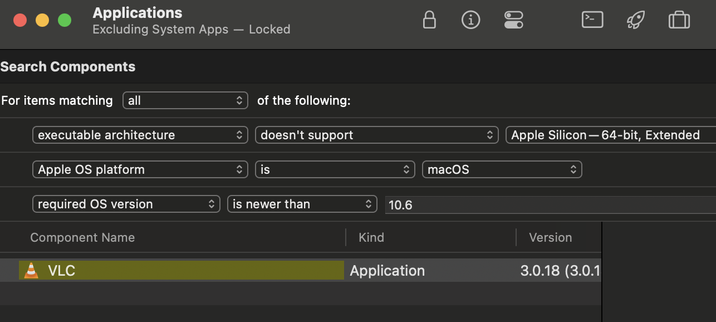
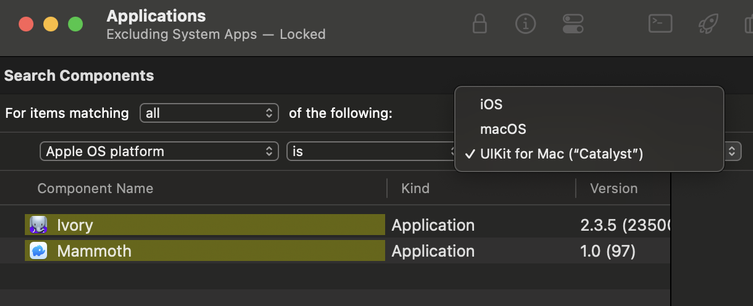
There are also some new rules available for the Search Components command.

You can now search based on processor support, macOS version requirements, and/or Apple platform type (including Catalyst or iOS).

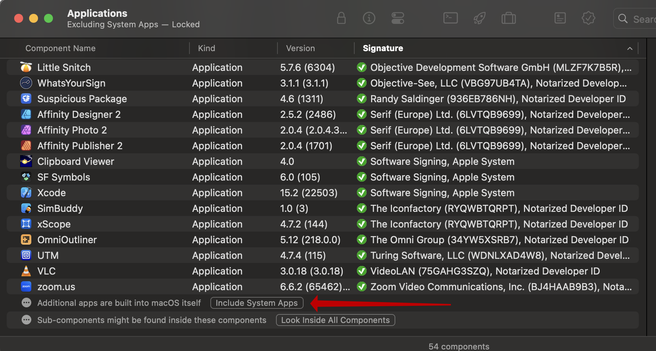
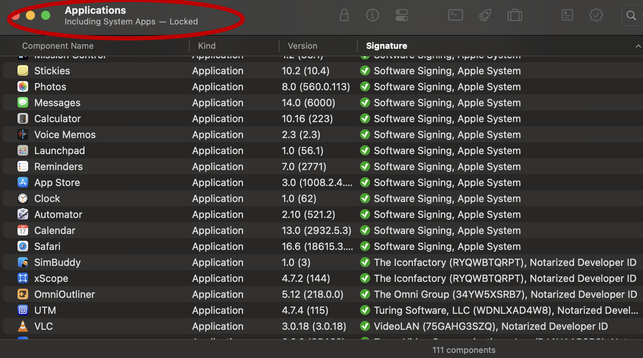
Also, if you open the standard macOS Applications folder, you can now opt to include the built-in system apps, for a more Finder-like view of available apps.

Scroll to the bottom of the component browser for the "Include System Apps" button. The status of system apps is also now shown in the titlebar.

What's new in Apparency 3.1?

Apparency now notices when components change on disk, and automatically updates its component browser. This is especially useful if you open a folder, and then add, remove or update apps inside -- no more stale information!

https://www.mothersruin.com/software/Apparency/update.html
Apparency | Update

There are a bunch of other, smaller changes. Check out the release notes for all the gory details.

Apparency 3.0 requires macOS 13 or later. It supports macOS 26 (but no, it still doesn't adopt “Liquid Glass” ...)

https://www.mothersruin.com/software/Apparency/relnotes.html

Apparency | Release History

One more: if you've used Open System Library with String Literal, you know that it searches only in frameworks and dylibs. This is relatively fast, since it uses the DYLD shared cache, but it does miss a lot of the system.

Now there's a pref to let you search "all system components" instead. This takes a bit longer (particularly on the first search, since it does some caching of system binary locations), but it can still be useful if you're trying to hunt down where something is implemented.

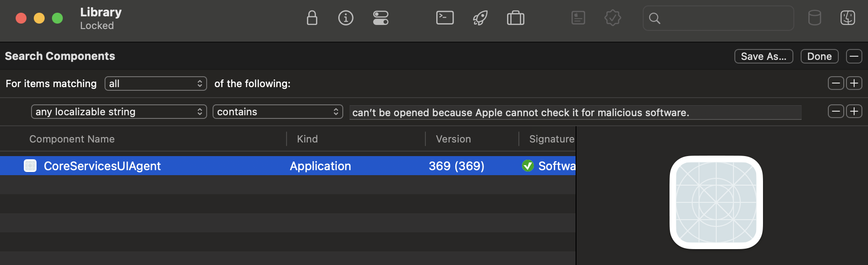
Naturally, you can also search for components with a specific localizable string, using a rule in the Search Components command.

This can be helpful if you're trying to find which component implements a particular bit of UI, based on a label or dialog message.

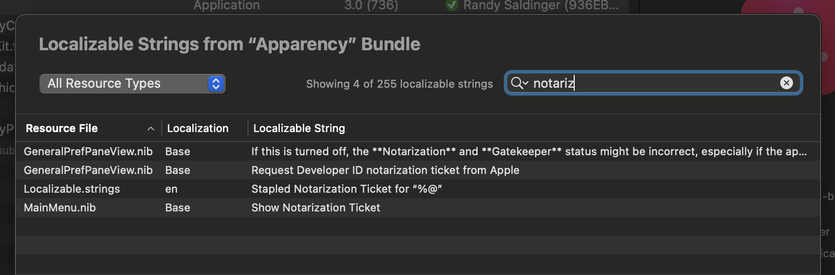
Next up: the Localizable String inspector. These are strings that appear in an app's UI, defined in such a way that they could be localized into another language (even if they haven't been).

This includes any strings and stringsdict files. Also, compiled nib files in the "Base" localization (the only ones that clearly delineate localizable strings).

You can filter and sort the strings here, and use the context menu to reveal the source file, or open it in Archaeology.