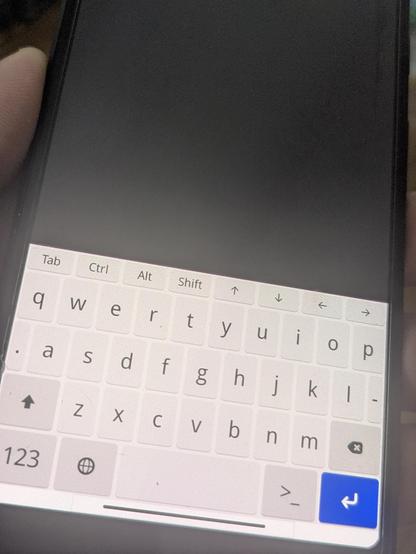
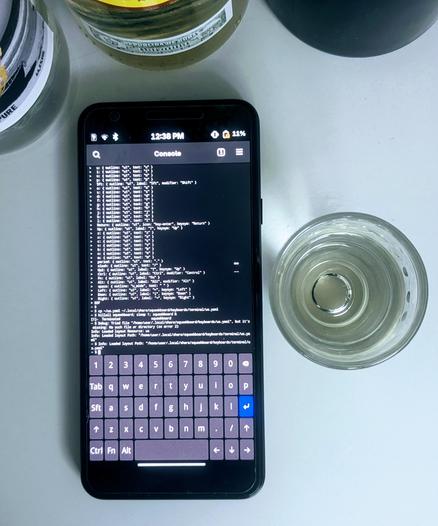
I've bounced from PostmarketOS to Droidian, then back to Ubuntu Touch. Even though UT is arguably less 'pure' (due to its reliance on libhybris and Android HALs) compared to pmOS’s mainline-first stance, the keyboard's terminal integration is just superior. At the end of the day, I’ll take a stable, usable shell over a 'pure' system with a subpar input experience.
#UbuntuTouch
#droidian
#postmarketOS
#linux
#terminal
#GooglePixel3a
@dangnghiatrung The only mobile keyboard I've found to be acceptable for terminal usage is Hacker's Keyboard on Android (my go to keyboard for probably 15 years now and not changing). I don't want gestures and I don't want important keys shoved off to secondary pages or suggestion rows. I do want a functional shift, control, alt, tab, and arrow keys. On #postmarketOS with #phosh and #squeekboard I made my own YAML layout that is a mix between a physical layout and Hacker's Keyboard.
@CalcProgrammer1 Thanks for the tip! I didn't realize that level of customization was possible with YAML. I've been sticking to Ubuntu Touch mainly for the stability, but your setup sounds like the perfect solution for terminal work. I'm definitely going to give it a try!

@dangnghiatrung It's only possible on Squeekboard which is no longer the default OSK for Phosh (it's been replaced with Stevia, which does all the things I do not like on mobile OSKs like predictive text, gesture arrows, and moving all the terminal keys to the suggestion bar). You can install Squeekboard manually which uninstalls Stevia. Then you drop layout files in .local/share/squeekboard. My custom layout is here:

https://gitlab.com/CalcProgrammer1/squeekboard-layouts

Adam Honse / Squeekboard Layouts · GitLab

Calc's custom Squeekboard layouts

GitLab
@CalcProgrammer1 Thanks for the advice, Adam! I reinstalled Squeekboard to replace Stevia, and it automatically loaded a great layout with Tab, Ctrl, Alt, and arrow keys—exactly what I needed for terminal work. As shown in pic, it works perfectly for my setup.
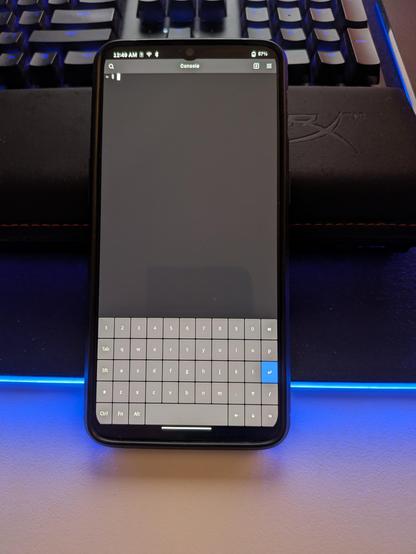
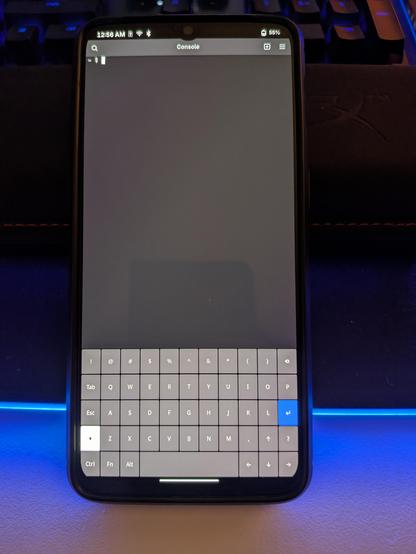
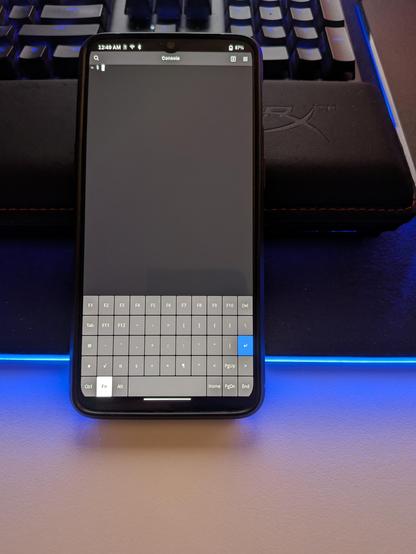
@dangnghiatrung Nice. The default Squeekboard terminal layout isn't bad but I took mine a bit further with my custom layout. Here's what mine looks like (main page, shift page, and Fn page). The Sft button is the Shift modifier, as it is treated separately from the Shift layer.
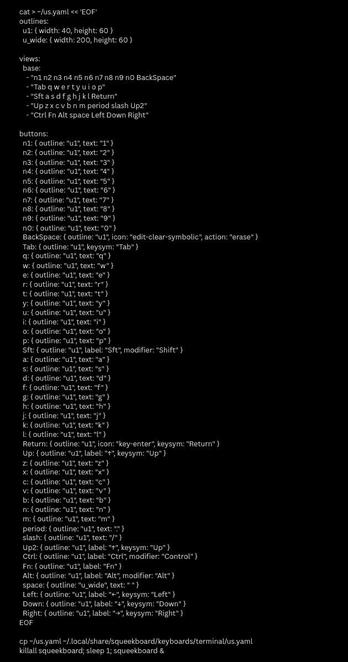
@CalcProgrammer1 Finally finished the keyboard layout for my Google Pixel 3a. Drawing from the button layout shown in your pic, I was able to generate the configuration and get it running with Squeekboard using this heredoc script. Cheers with a rum shot! 🥃