The HTML cat is out of the Web Audio bag. I've finally released HYPERBLAM.

It’s my system for sampling, processing, and sequencing sound and music directly in HTML.

https://hyperblam.how

Hyperblam Docs Home

Documentation for HyperBlam. Make HTML make music.

HYPERBLAM

* This is dependency free. No Tone.js or other dependencies. It's built from the ground up. It has taken... quite a while.

* It’s not a JS library. Nor is it a single Web Audio instrument. It's HTML if HTML was built for sound design and music.

* It's experimental. Not experimental as in "a throwaway idea" but experimental as in made *from* and *for* experimenting. It's my way back into enjoying playing with web tech.

* With support, there's plenty more HYPERBLAM could do.

@heydon Amazing! Pity it doesn’t work in Safari though.
@rudigermeyer Thank you, but could you please not say unqualified stuff like that? It works in my Safari (Desktop). What specific problem are you experiencing?
@heydon OK, sorry. I did take care to test it with desktop Safari, but no luck. Works beautifully in Firefox.
@rudigermeyer Weird. Works in iOS and macOS for me. Okay, well thanks for letting me know. I'm investigating. Any errors in the console?
@heydon All I can see is a warning about HaydonCaps.woff2 being preloaded but not used within a few seconds from the window’s load event.
@heydon I updated the OS (still on Sonoma! – for reasons) and Safari to the latest and it worked briefly, but now again not. (Guess I was previously on Safari 26.4, now 26.5.) The examples are great BTW! Really nice work!
@rudigermeyer Thank you! I'll try to get it more stable in Safari.
@heydon I get the little audio player at the center of the screen, but no sounds and no animations. The little speaker icon in the Safari search window does light up when I click on the play triangle though.
@rudigermeyer Hmmm. Would you mind seeing if this demo works? (it doesn't use the native audio player) https://hyperblam.how/examples/07-tape-emulation/
Tape emulation

Documentation for HyperBlam. Make HTML make music.

HYPERBLAM
@heydon It works fine on my iPad, but for some reason not on my iPhone.
@rudigermeyer Potentially silly question: was your iPhone set to silent? I vaguely recall Safari just doesn't do web audio at all if the device is set to silent. @heydon
@jcsteh @heydon
It was set to silent. Have since switched that off, but now it doesn’t seem to be loading, just get loading… where the audio player used to be (on the phone).
@jcsteh @heydon After switching off the silent button, the non-native demo above is working.
@rudigermeyer @jcsteh I have fixed the `<media-blam>`/`<audio>` examples, I believe. I had to explicitly call audioContext.resume() on the `play` event. Check out this example: https://hyperblam.how/examples/05-babys-first-blam/
Baby’s first blam

Documentation for HyperBlam. Make HTML make music.

HYPERBLAM
@heydon @jcsteh Yes, all the examples seem to be working fine now! 😃
@rudigermeyer @jcsteh Phew!!!! I owe you one. Free copy of my font?
@heydon @jcsteh No worries. You’re welcome! Desktop and iPad are good, but with the phone I have to flip to landscape orientation to get the examples working. Once they’re running I can change back to portrait and it continues to work. Something with the animations it seems.
@heydon @jcsteh Actually it’s the little audio player that doesn’t show until changing to landscape. Once it appears and I can tap on play, I can change back.
@rudigermeyer @jcsteh Hmm which example/page are you looking at?
@heydon @jcsteh The first 5, up to and including Baby’s First Blam
@rudigermeyer @jcsteh Oh yikes! Really appreciate you going through and testing this. I think my `<audio>` implementation is a bit unstable. The examples with non-native instrument elements seem fine. I'll play around. Thanks again.
@heydon Excellent stuff, this is very very cool.

@heydon @heydon

Oooh thanks, that looks great!!

I found a couple typos:

--> In
<echo-blam
feeback="0.5"
cutoff="2000"
>
</echo-blam>

You meant feedback?

--> there's a dead link in the gain guide: https://hyperblam.how/examples/06-a-light-lo-fi-listen-with-lfos/

@artsun Thank you!! I'll fix that now.
@heydon that view transition is lovely.
@realms Cheers! It doesn't always seem to work, but looks great when it does.
@heydon Absolutely wild. And it's running smoothly in my browser, which I find is usually a challenge for any audio processing. Fantastic work Heydon!
@chriskirknielsen Thank fuck! Cheers, Christopher. I am just ironing out some Safari weirdness. I *hate* Safari with a passion, but it seems that only the early `<media-blam>` / `<audio>` based examples are affected.
@heydon I did a quick test of a few of the demos in Safari (v18.6, on macOS Sequoia) and didn't notice any issues for what it's worth.
@chriskirknielsen Thanks so much for playing around with it. I seem to have fixed the (intermittent / tough to isolate) issue by applying `audioContext.resume()`. This jolts Safari into activating the context for the `<media-blam>` exampls.
@chriskirknielsen Incidentally, the only performance issues I experienced were with visualization, not the audio itself. SVG filters and repeated CSS animations for graphic equalizers = no way hose
@heydon Didn't notice anything there either but I've certainly come to similar conclusions in the past, sadly. SVG filters need more love!

@heydon very cool! I hope to have time over the summer to experiment with this!!

Thank you!

@wonshu Let me know if you make anything with it!

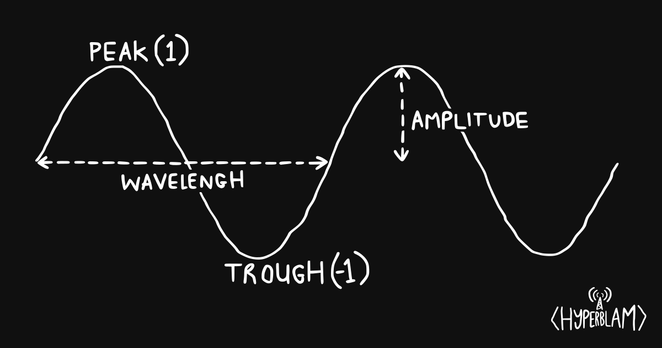
@heydon Audio stuff goes way over my head, but I'm going to enjoy reading through this later and play around - I really appreciate you writing the guides with the diagrams and all 🤩

I'm blown away by the website as a whole though, the aesthetic is on point. Love the lil view transitions and SVG filter effects you've got going on. I'm going to need to spend some time in DevTools mode to do some learning for sure.

@heydon look I have no clue about sound etc but the design is 🔥 and I had fun playing with it. Well done!
@nicelady That's what it's all about! ❤️

@heydon this is a piece-of-resistance! I've had great fun playing with the demos on my phone, all working nicely. Will have an extended play later tonight!

You should be very proud of this!

@toychicken Thank you, Leigh. If there's anything unclear about setting it up to run yourself, let me know.

@toychicken @heydon

Damn. DOUBLE damn!
Ditto: "You should be very proud of this!"
"Quite some time ..." eeeeya!

@heydon
Ooohhhhhhh. This looks really interesting. Straight away the pan and detune got me thinking about binaural beats and my AarDHD project.
I might have to have a play with this to create some interactive stuff on https://aardhd.uk
Good work.
AarDHD

AarDHD creates binaural beats and functional music for focus, calm, and concentration. Designed for people with ADHD and autism but useful for anyone stressed or anxious.

@theaardvark If you do, please let me know how you get on. I hope it's quite straightforward, but I'm the only one really using it so far 😅
@heydon the chocolate rain example was so good
@gsuberland Cheers! Spent a lot of time getting that realistic scratch sound. It's been a very specific obsession for ages, having tried many times to do it in Logic.

@heydon that looks super exciting!

Are there any super minimal examples for people who are not used to writing html pages but want to toy around with this way to interact with the webaudio api?

e.g. html documents which are mostly stuff inside the <audio-blam> </audio-blam> and which start to play right away?

I understand that the interactivity and visualization are helping to show what is happening (also I like the stype of the web page), but at the moment I am wondering if there is UI stuff I need to learn first before I can write down audio sketches in hyperblam.

@fleuron Hi! Thanks for the interest. You can try following this setup page to begin with: https://hyperblam.how/guides/get-started/.

To see how the elements actually work together, I would step through the examples (https://hyperblam.how/examples/)

Let me know how you get on. If it's not easy to use, that's my fault, not yours.

Get started

Documentation for HyperBlam. Make HTML make music.

HYPERBLAM
@fleuron (just view the source to see all the HTML; there's no compilation step so what you see is what you get)

@heydon I really appreciate that you're taking your time.

For me, the current technological barrier is not (yet) understanding how the elements interact, it's more getting a local file to make any sound. The guides and examples look great to expand on once I have a "hello world" kind of html file to start with.

I followed the https://hyperblam.how/guides/get-started/ guide, downloaded the zip, unpacked it. I have a folder where I put my html files and this folder has dist/hyperblam/hyperblam.js.

In my local copy of "I wear many hats", I replaced

<script type="module" src="https://hyperblam.how/static/hyperblam/dist/hyperblam/hyperblam.js"></script>

by

<script type="module" src="dist/hyperblam/hyperblam.js"></script>

This leads to a blinking "...loading" instead of the play button.

Upon inspecting the page, this might be caused by some security feature of my firefox: https://developer.mozilla.org/en-US/docs/Web/HTTP/Guides/CORS/Errors/CORSRequestNotHttp?utm_source=devtools&utm_medium=firefox-cors-errors&utm_campaign=default

Get started

Documentation for HyperBlam. Make HTML make music.

HYPERBLAM
@fleuron Ahh. Yeah, I think you've done everything right, but you will need to run a local server to make it work (not just run it off the file system). If you are not familiar with that, I'll give some recommendations.
@fleuron Just seen this simple (and free) bit of software: https://simplewebserver.org/
Simple Web Server

Create local web servers in just a few clicks with an easy-to-use interface. Download for Windows or macOS.

@heydon thanks for the quick diagnosis. I will look into either running a local server or using some place to host my html file, like codeberg pages.

I'll report back if I encounter anything too scary to tackle alone.

@fleuron Actually, I think I might set up a CodePen that you and others can fork. Will work on that ASAP.

@heydon

<3

Coming from strudel, a REPL is just the kind of thing which is very inviting to start to play with the code to make sounds.

@heydon thanks for the recommendations!

ended up using caddy and managed to make a simple beat with a low pass on the kick, an echo (!) on the snare, and some other effects on a clap and the high hats.

I want to look into the grammar of chains and lfos next, but not today.