 Peter Bui
After some reflection... I've decided to stick with #ubuntu for another two years and have upgraded all my machines (3 desktops, 4 servers) to 26.04 by doing:
$ sudo do-release-upgrade -d
On the desktop side, things went pretty smoothly and I only had to do the following after the update completed:
1. Resolve some configuration file conflicts, notably rsnapshot, nginx, and grub. For these, mostly used vimdiff afterwards to merge the maintainer's version into the local file.
2. Update apt sources in /etc/apt/sources.list.d. During upgraded, all third party repos are disabled and so afterwards, I had to go and re-enable or update them. Fortunately, I only had a few: google (chrome), steam, and weechat.
3. After updating, Ubuntu pro was not enabled for some reason (though I was enrolled and registered). To fix this, I did: "sudo pro enable livepatch" which also enabled the ESM repos.
That said, not everything was perfect:
1. On my laptop with a 1080p LCD, the default scaling was set to 125% instead of 100% due to it being a smaller screen (14in physically). I did not appreciate this... but I think once you set it to 100% it will be remembered.
2. The OSD for switching inputs is too small and so the text is truncated as shown in the video
3. Epiphany (aka #gnome web) was only version 49 and the font rendering was... blurry. Because of this, I switched back to #firefox (crazy I know) both on the desktop and mobile.
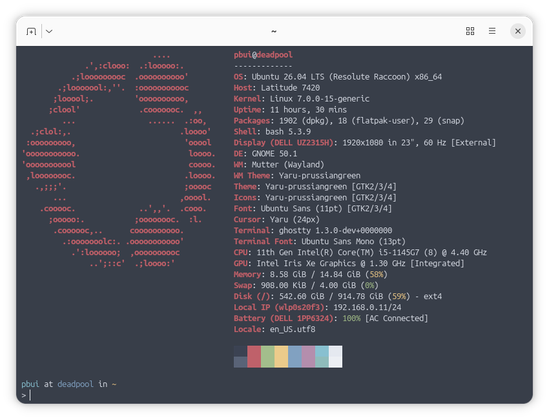
4. I am not a fan of the new default terminal ptyxis, so I installed #ghostty and am using that instead. My issues with ptyxis is that the window decoration does not follow the default color scheme and that it tries to do a bit too much. I did make a custom palette for ptyxis but it still did not behave right (ie. dimming), so I'm just using #ghostty (despite it having a bug with opening off centered with custom window width/height).
On the server side, the upgrades appeared to be fine... until I realized things were not working. In particular a few services stopped working due to #apparmor
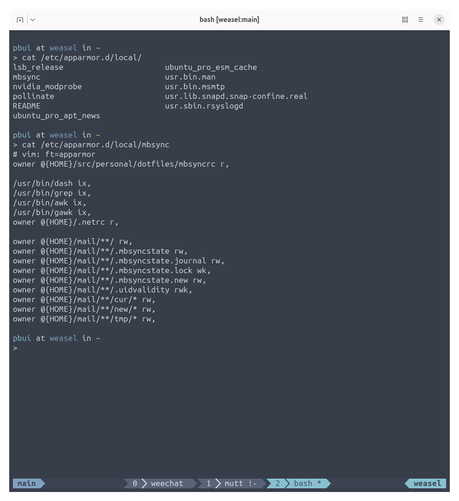
1. I had to write a custom apparmor profile for mbsync as shown below.
2. For wireguard and znc, I could not figure out how to write an appropriate apparmor profile, so I installed apparmor-utils and then did "sudo aa-complain" on the corresponding apparmor profiles to put them in complain mode (ie. audit but don't enforce)
I think this last part (the stricter apparmor profiles) will probably bite a lot of people... particularly if you tend to use custom file locations for data and configs, so be warned!
Despite these hiccups, things appear to be running smoothly for now... :}