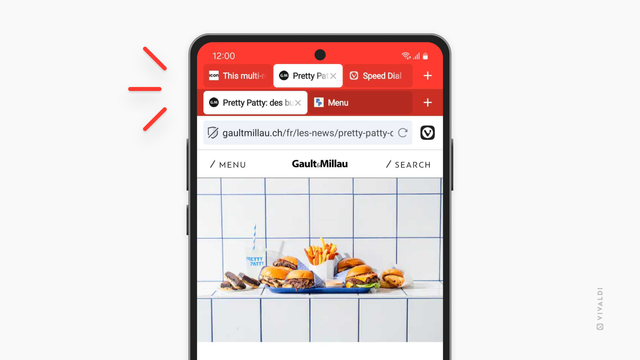
On a functional question...

Can anyone who uses @Vivaldi on an #Android device tell me how I can close *and reopen* tab groups? I feel I'm being dense.

Firefox forks save "tab groups" as "Collections" of bookmarks, which is a close enough for now. But I don't want to close a Vivaldi tab group and lose the tabs either.

#Vivaldi #vivaldiAndroid #VivaldiBrowser

I'm still undecided on which mobile browser will be my default, but much will hinge on tab groups. I haven't found a #Firefox fork for Android which includes container tabs, so relying on plugins for cookie isolation etc.

While there are more browsers out there, trying to differentiate one fork from another, in terms of privacy has been difficult.

The #Vivaldi / #Waterfox / #Midori combination still has no clear winner.

P.S. Just in case someone points it out, I know Vivaldi isn't a Firefox fork. Which might be why I can't find the feature in question, because it's unfamiliar to me.

@FibroJedi

To close Tab Stacks, open the Tab Switcher, tap the 3-dot menu in the top-right corner of the stack and select Close. This will remove the stack from the open Tabs view and from the Tab Bar.

To reopen a stack, go to the Tab Stacks view in the Tab Switcher. There you see all your open and closed stacks. Tap on the stack to reopen it.

There's also an option to delete stacks. In case you did that and want to reopen a deleted stack, check the Closed Tabs view in the Tab Switcher.

Some relevant Help pages:

* Tab Switcher - https://help.vivaldi.com/android/android-browse/android-tabs/
* Tab Stacks - https://help.vivaldi.com/android/android-browse/android-tab-stacks/

Tabs on Android | Vivaldi Browser Help

Managing all your tabs in the mobile version of Vivaldi is easy using the Tab Switcher.

Vivaldi Browser Help
Fab, thank you. I thought I was being dumb.

When you need to keep so many features needed in a modern browser, but squashed into a phone screen, it must be tricky figuring out the best places for buttons.

I hadn't noticed that the [<number of own tabs>] in the bottom right was a button 🤦. Thanks again.

Oh, one last question, and as I can't find a browser for Android with this feature, I'm not looking for miracles.

In desktop Firefox (not chromium) forks, there's "container tabs" and groups. These allow you to isolate session cookies within the group, so cross-group tracking isn't possible.

Is this sort of function in-built in Vivaldi in general tracker blocking?

Could "cookie containers" be added to tab groups somehow? Thanks for humouring me.