 pixelroiber
 petersuber
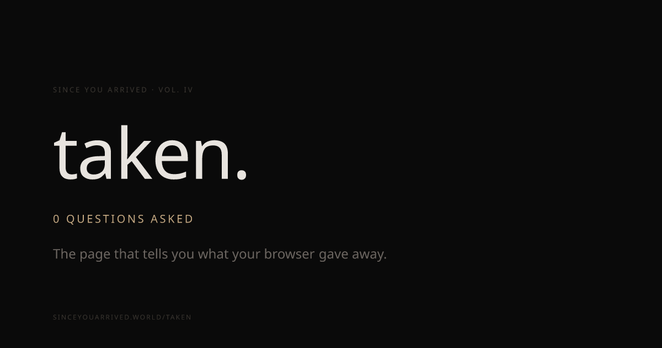
Great idea: A web page that simply shows you the info your browser shares about you and your system whenever you open a web page.
https://sinceyouarrived.world/taken
 DDForschungswerk
@petersuber I love these kind of things to use in seminars, it helps to easily illustrate data collection that otherwise stays invisible.
 TomWilsonYEG
@petersuber
Got my location wrong.
Everything else is information needed to communicate:
Language
Browser
Screen stats
Time zone
Battery level is denied
Some cookies stored because but it doesn't realise they are erased on app closure
…
Got my location wrong.
Everything else is information needed to communicate:
Language
Browser
Screen stats
Time zone
Battery level is denied
Some cookies stored because but it doesn't realise they are erased on app closure
…
 EvilKiru 🇮🇸 he/him
The reason it got your location wrong is because what it's actually detecting is the point at which your computer connected to your internet service provider.
Mine was also wrong, but only off by one state. At other times, other sites that purport to know where you're located have been off by as little as half a county. Only once has such a site actually identified the township I'm in, but never the actual town.
 D4v
D4v Maggie Maybe
@CTHW @petersuber it had my location as Los Angeles, which is incorrect, but then in the next paragraph it knew I was in the same time zone as New York, which is correct.
@maggiejk @petersuber
Same here.
And when I tried to input a different name for date/time it kept the VPN server time.
Same here.
And when I tried to input a different name for date/time it kept the VPN server time.
 Alison Meeks
@petersuber Very interesting! Great share.
 Meznor
@petersuber it got a bunch wrong about me
Browser, OS, ISP, battery. All wrong.
 Rodrigo Faustino
@Meznor @petersuber What protection tools do you use?
 Gwendolyn
@petersuber the EFF already made this years ago, with more features and much more usable, and also not made by some weird LLM company: https://coveryourtracks.eff.org/
 groxx
groxx@gwen @petersuber and without being dramatically ominous at every chance. I have no idea why so many people are sharing this.
 Blackoverflow
@petersuber
Well, got blocked by Vercel (Error 99)...
If I can't reach the website, it won't get info from me. 
 Ben Ramsey
@petersuber @blogdiva The @eff also has https://coveryourtracks.eff.org, which seems less fearmongering and more focused on how to resolve your gaps.
 GrumpyDad 🇺🇦🇵🇸
@petersuber Is there any way to block or fudge that info?
 Andreas K
@grumpydad @petersuber Depending upon how brutal you want to be.
Basically it's called fingerprinting, and it comes with the joys of Javascript -> Javascript today is quite powerful -> but sadly that implies that it has access to quite a bit of your hardware -> and different hardware & software carry "information" in a statistical sense.
But yes, different browsers and extensions provide different levels of anti-fingerprinting support. Starting the extreme with LibreWolf.
But LibreFold in it's default setting also means that it will start in certain default window sizes (so the window/screen size cannot be used for fingerprinting), by default the Canvas API is disabled that many websites use for Image manipulation or rendering complex stuff, ah, and it defaults to reporting UTC as your timezone, so you get half the year the correct time if you live in London, UK.
And yes, the moment you start to customize your browsing experience with extensions, you become
again more fingerprintable. There is no magic here. The EFF site (if memory serves) has one useful aspect, it shows you how unique your fingerprint is -> how many browsers configs like yours showed up in the month or so at their website. If there are millions others, you are relatively safe. If there only 50000, less so. If there are only 10 other browsers like yours, … -> if it's unique, then it does not matter if you use a VPN or Tor.
That's why you should use the Torbrowser with Tor, btw.
That's why you should use the Torbrowser with Tor, btw.
@yacc143 Well, i am using Librewolf and I have some of the settings down, but I'm really interested if there's a good way to fudge the output in some way to give false/random info
@yacc143 I'll take a look at the eff site
@grumpydad Hard.
Because the Info is for the most part runtime info about what APIs and objects (e.g. fonts) are available on the browser runtime.
and that makes it hard to decide. Let's lie about this and that -> is the website querying that information for fingerprinting, or because it's preparing to render its UI?
One misconception that many people still have is that on PCs/laptops browsers primarily use IP-based geolocation. So if you run a VPN to Antarctica, Google will show you the Antarctica page.
Sadly, that's not exactly the truth. If you have Wifi on your device (e.g. a laptop) and you allow the browser to tell the location, it will usually use the same techniques of using the available WLANs to triangulate your location.
Trust me, 2 years ago or so, I was literally setting up my new work laptop during my vacation, and my internet was USB tethering via an EU-roaming mobile. So I truly knew that I had a direct connection at the mobile network gated connection back to the home network, and I had an Austrian IP. For some reasons I ran a regulator-based net speed test, and it asked me in the browser for location permission, and trust me I was quite surprised that it was capable of telling exactly which vacation
bungalow we were in (the bungalows had each their separate Wifi IDs). I double checked, because I was rather irritated, but yes, Chrome uses available Wi-Fi networks to estimate its location if they are available. That's more or less what "rough position" is on Android.
In a way it's completely transparent; it asks for your permission. In another way, it's completely misleading, as few people realize how precise it is in most cases.
@petersuber Hmm, “Your browser is Chrome.” Sorry, Chrome-based. Which is true for about 90+% of users not on Rotten Fruit™️ devices.
Interestingly, my box will be almost perfectly fingerprintable via the iGPU and 4K touchscreen, sigh, back to LibreWolf for my private surfing, I wonder. Sigh.
Interestingly, my box will be almost perfectly fingerprintable via the iGPU and 4K touchscreen, sigh, back to LibreWolf for my private surfing, I wonder. Sigh.
 Volker
  🌻🟩
🌻🟩@yacc143
firefox was the only of three browsers i tested, who refused to tell GPU and battery state.
firefox was the only of three browsers i tested, who refused to tell GPU and battery state.
@frubizym Sadly, Firefox is also the browser that I experience in the past 12 months more and more, the good old 1990s "not IE, install IE and come back" experience. Just that it's mute, and I cannot be sure if it's my whole load of extensions (adblockers & co) or just Firefox, but surprise surprise, if it's something I really need, and I start up chromium just for the one website, it surprisingly often works. And that sucks.
 Harald
 Levka
Levka Nabor
Nabor@petersuber Nothing new, only a page that tries to scare people.
sinceyouarrived.world/taken claims to expose browser tracking – but pulls the very trick it accuses: framing mechanics as betrayal.
"Your device volunteered…" = HTTP headers.
"Battery API hidden from you" = Firefox removed it to protect you.
"Browser masked your GPU" = that IS anti-fingerprinting.
Protection reframed as suspicion, protocol as confession, capability as act. Outrage as aesthetic, not awareness.
sinceyouarrived.world/taken claims to expose browser tracking – but pulls the very trick it accuses: framing mechanics as betrayal.
"Your device volunteered…" = HTTP headers.
"Battery API hidden from you" = Firefox removed it to protect you.
"Browser masked your GPU" = that IS anti-fingerprinting.
Protection reframed as suspicion, protocol as confession, capability as act. Outrage as aesthetic, not awareness.
 BUND-SB
"your attention is a commodity " ..
 Barbara Wagner
@petersuber ??? Browsing with Vivaldi is Chrome????
 Quantium 40
@BarbaraWagner Same here with Firefox. Some Browsers mask as Chrome for such tracking reasons.
 r3vilo
@BarbaraWagner @petersuber Vivaldi practically is Chromium. It uses the Blink engine. Every Chromium based browser is shown as Chrome in those tools. For that reason something different is better, but unfortunately the options are limited. I still hope @servo is the solution.
 shonin
@petersuber Thanks! Added this to the link collection here: https://manzokuan.blogspot.com/p/information-for-future-envirohealers.html
 ZorroX
@petersuber quien maneja esa web? Igual os están sacando datos , vosotres sabréis
 Lioh
Lioh@petersuber Peter, it is shocking. Sadly I did not find any information on that page on how to prevent that. IP is clear, I could use a VPN, but e.g. the gyroscope? I did not even know it reports without my knowledge.
 Mason Loring Bliss
@petersuber I was encouraged by how much it got wrong.
 LonM
LonM@petersuber "You prefer light interfaces — your operating system told us."
The website is in dark mode. To scan for this and refuse to comply is the most evil thing on this page.
 FrostDaemon
@petersuber wow. Using a degoogled phone tried with iode browser and brave. Using my normal VPN it got my location correct as well as everything else being correct or real close.
Switched to tor and it got location from there, but the timezone was still correct so kinda pointless.
Kinda crazy using a degoogled phone, privacy browser, VPN, never logged into any type of big tech and it still shows enough info to track you across the web easily.
Switched to tor and it got location from there, but the timezone was still correct so kinda pointless.
Kinda crazy using a degoogled phone, privacy browser, VPN, never logged into any type of big tech and it still shows enough info to track you across the web easily.