I recently switched to #Linux Mint. I mean, the reasons are obvious so I will save that for a different time. What really struck me was just how easy it was to actually do it. Problems were minor and mainly due to the fact that I have an Nvidia card in my laptop.

Aside from that, I was up and running quickly. Apps I wanted, (including Steam,) were easy to find and install. There were a couple apps that I needed to find replacements for, like Notepad++.

Yesterday, I deleted my #Windows drive.

@Some_Emo_Chick Welcome to the Linux Mint community.
@Some_Emo_Chick What are you using for personal finance software?

@TimWardCam @Some_Emo_Chick I'm using https://kmymoney.org/ for around 20 years or so.

If it is needed, I'm not using online banking with it, so I can't say anything about this topic.
But the double-entry accounting principles helps to keep a good financial overview.

If you maybe are looking for other alternatives on Linux for example for Quicken here some other suggestions:
https://alternativeto.net/software/quicken/?license=opensource&p=2&platform=linux

the BEST Personal Finance Manager for FREE Users, full stop.

KMyMoney: The best Personal Finance Manager for free users

KMyMoney
@db_geek @Some_Emo_Chick I looked a few years ago and didn't like what I found. I may have missed things I suppose - I was essentially looking for a Quicken replacement for Windows at the time. (I'm now using JioSoft Money Manager which is OK so far as it goes - reporting is rather limited but as you can get directly at the database you can in theory generate your own reports.)

@TimWardCam @Some_Emo_Chick I don't know Quicken or Money Manager, so I can't say something about the differences.

The KMyMoney data can be stored in SQLite or PostgreSQL databases, so theoretically additionally reporting functionalities would be possible.
I already tried this and looked into the data model, but it was not so easy to understand it.

@db_geek @Some_Emo_Chick Ah yes, last time around I ruled out systems that required me to install my own database, which some did. If it uses SQLite by default out of the box that's fine (that's what Money Manager does) - I don't need multiple users.

@TimWardCam Yes, not for every application a "big" RDBMS is necessary.

Especially like PostgreSQL, which needs an upgrade process when switching to a new major version.
I don't know, how many selfhosting users are considering this, when running docker-compose file number 30 including a PostgreSQL database.

BTW, the default storage of KMyMoney is a XML file.

@db_geek Yeah, I looked at one option which used an XML file. Not only did this worry me in terms of resilience and scalability, but the killer for that application (whichever one it was) was that you had to explicitly save the file after you'd done some things!!!

This may or may not be a tolerable model for someone coming to personal finance software for the first time, but it's not useful to someone migrating from Quicken, where you're used to just being able to close the window any time you like and any work you've done has already been saved.

@TimWardCam I think GnuCash and Homebank are both viable options but I don't have a recommendation yet.
@Some_Emo_Chick Last time I looked at GnuCash I didn't like it, but that was a number of years ago now and I don't remember what it was I didn't like. Homebank I've not heard of.
@Some_Emo_Chick @TimWardCam I think the best software for personal finance still is Microsoft Money ... yeah... M$ ... I purchased my Money99 back then, I ran it on W98 then W2K then WXP and now on W10 via VM .... almost 30 years of personal finances in a 1040 KB file, fantastic. then probably the software was too good, they made a shitty version afterward and then discontinued it
@Some_Emo_Chick I just replaced Mint with Zorin on an old laptop, before sending it to friends who're done with MS's BS. I only chose to replace Mint, because Zorin is my daily driver, so it'll make remote support easier for me. Mint was my intro to Linux, which made the Win transition a breeze. Zorin's pretty straightforward, so I'm hoping it won't turn them away from Linux.

@DukeDuke @Some_Emo_Chick

I started by Ubuntu and never looked back.

The main issue when switching to Linux is usually the applications, and they are basically the same on any distro.

Choosing a distro is a matter of taste more than custom. If you barely use the start menu, and love mobile interfaces, Gnome-like interfaces may be the perfect choice. If you are one of those that classify all their apps in folders inside their start menu, you will hate it and will prefer something like Mint or KDE.

As a first distro, from a technical standpoint any Ubuntu based distro (Ubuntu, Mint, Zorin...) is a good choice because hardware support is usually a breeze and there are plenty of applications available.

Watching videos showing the different desktops and trying distros without installing (using a live USB or a virtual machine) is advisable, but time consuming. If you are happy with what you have, there is no point. And recommend others what you use is a good thing; finding that your Linux expert friend have trouble fixing something for you because you are using a different distro can make people get tempted to go back to Windows.

@Some_Emo_Chick welcome to the freedom

@Some_Emo_Chick

Mint is a very good distro (as is LMDE) although I am on Ubuntu, mainly due to hardware compatibility on my MacBook Air

@Some_Emo_Chick I use Obsidian for now to track notes I need.

@idahobucks I use obsidian as well but for text editing and coding I am now using Sublime.

Several people have suggested Kate which looks interesting and I am checking out.

@Some_Emo_Chick thanks, I will look at both today
@Some_Emo_Chick my goto text editor is Kate
@Some_Emo_Chick
Older Notepad++ does work on WINE (I don't know about newer ones).
KATE is very similar and maybe better. I used Notepad++ on WINE (2017), and then changed to KATE.
Deleted Windows partition in 2017.
I used this (instructions are wrong)
https://learn.microsoft.com/en-us/sysinternals/downloads/disk2vhd
on an 2002 XP Laptop and a 2015 Win7 tower (Legacy boot) to make files for Oracle Virtual Box on Linux, but I hardly use them. I also used the BIOS Win10 Key (can be read in Linux) as key to install Win10 also as a VM.
Disk2vhd - Sysinternals

Disk2vhd simplifies the migration of physical systems into virtual machines.

@raymaccarthy I am using Sublime as my text editor and coding app
@raymaccarthy @Some_Emo_Chick Current Notepad++ versions still run fine in wine. But obviously one will HAVE to switch to #emacs!
@root42 @Some_Emo_Chick
Then you can chat to the Doctor (Eliza) if you use emacs.
I'm a sad person because I use nano in the console and KATE for non-Libre Writer tasks even though I used UNIX and clones before Windows NT.

@root42 @raymaccarthy @Some_Emo_Chick

That's a bit much for me as yet, so I'm just using geany.

@Some_Emo_Chick I left Mint as I had an AMD graphics card, and the kernel they used at the time didn't support it. So now I use Cinnamon on Ubuntu.

@angela @Some_Emo_Chick Er, even if the kernel didn't have amdgpu built in, you could just install the dkms module... There is no "doesn't support AMD GPUs" in Linux. That's not a thing.

Mainline Ubuntu itself (and its immediate derivatives like Xubuntu/Kubuntu) is... not ideal these days... Corporations aren't going, shall we say, ideal directions lately... (That's not a x distro is better than y distro statement, that's a "you'll be much more at risk of them pulling something bad" statement.)

@nazokiyoubinbou @Some_Emo_Chick Okay. I'd thought that the AMD kernel driver wasn't available until the 6 releases, and at the time, Mint was still on a 5 release. And, yeah I don't use snap, only debs or flatpak.
@angela @Some_Emo_Chick As far as I know the dkms has been available for a really long time. However, amdgpu is now stock in the kernel with no dkms needed and that's newer.
@Some_Emo_Chick Linux Mint is probably the only one which never gave me problems (i installed it only in my VM), apart from the constant need to clean old version files.

@Some_Emo_Chick

I like geany for an editor that reminded me of notepad++. I'm not a programmer, and my needs are modest, so it may have failings I didn't notice, but I liked it.

I now use whatever my desktop provides. Mousepad on xfce, and kate on plasma.

@lxskllr I am using Sublime. Works well for coding and text editing.

@Some_Emo_Chick

I'm not a newcomer (on Linux for almost 30 years and on Unix on Uni workstations before).

I recently installed Mint on a computer, and it's nice and easy. Almost full recommendation.

The tiny things, I don't like is that, it doesn't restore my windows after a shutdown and that cinnamon is not as customizable as KDE-Plasma.

However: These are truly First World Problems.

@mina @Some_Emo_Chick I really wish more things would catch up to KDE in customizability... You're 100% on the nose with that. Closest I've seen in the not-KDE varieties is LXQT and even that is severely limited. (Well, maybe I just have specific wants in customization.)

@mina @Some_Emo_Chick

You should find Plasma (KDE) in Mint's software manager afaik.

@Lucomo

I know. But it's not as baked into the system as in distributions which are aimed at Plasma (Kubuntu, OpenSuSE et al.).

@Some_Emo_Chick

@mina @Some_Emo_Chick
Those 2 problems are solved with kubuntu and by the way mint is based on it

@paelnever

I know.

I have been a Kubuntu user for far more than a decade.

In Linux, you can always tweak things.

But, if you go for Mint as a beginner (which is a good choice) you should go for the flagship desktop, the one the system has been build towards, not one set on top of it.

@Some_Emo_Chick

@mina
Don't know if i fully understand you but if you are trying to say that Kubuntu is KDE on top of ubuntu is not. Kubuntu is a completely independent branch developed from the ground based on KDE. In fact almost all the gnome libraries are missing on a Kubuntu system except those needed to run GTK programs.

@paelnever

I was speaking about Mint.

On Mint, KDE is set on top. On Kubuntu it's at the heart of the distribution.

@Some_Emo_Chick you could actually use Notepad++ on Linux thanks to Wine. But if you don't need any particular feature that is endemic to Notepad++, I guess there's more than enough sensible Linux editors.
@blotosmetek I am well aware of emulation and translation layers. My goal was to try to use as much native apps as possible. I went with Sublime for text editing / coding.

@blotosmetek @Some_Emo_Chick Using stuff through Wine can be a pain if you have to, for example, open external files.

Which, uh, is kind of Notepad++'s thing.

(My biggest complaint isn't so much that you're using Z:\ to access stuff by a full path in most configurations, but that awful dialog it uses to do so.)

I've found alternatives for most things these days, but there are just a handful of very specialized tools I rarely have to use (things like game modding tools are never made for *nix sadly — I sure wish they were) and that file open/save dialog in WINE is the absolute worst. Clearly a total afterthought where they didn't think people would use it very often...

Anyway, whenever a native option will do it's always preferable. WINE is always a stopgap for tools.

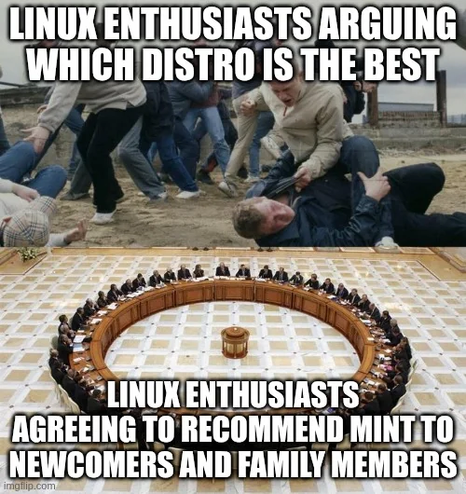
@Some_Emo_Chick Rofl, I love that meme image.

I do not in any way disagree with it. 😆

@nazokiyoubinbou @Some_Emo_Chick

I'm sorry but i must disagree. I KNOW kubuntu is even better for new users, specially those who come from winslop

@paelnever @Some_Emo_Chick The point of Mint is that A. it's simple, B. it's clean so users who switch to it won't have to switch away in a hurry later.

Everything *buntu fails B horribly. Even putting aside the corporate stuff and that we live in the Age of Enshittification so corporate stuff is an active and present danger, just some of the choices they make like trying to force people to use snap are going to cause problems and confusion for new users.

I'd argue *buntu fails A a little bit, only really succeeding in it just by being so big that so many things support it.

Anyway, it sounds like you just like KDE. There are better options for that. Heck, technically you can install KDE on a Mint system.

@nazokiyoubinbou @Some_Emo_Chick

If by "simple" and "clean" you mean less options and less possibilities of personalization yes, that's true. Certainly cinnamon is way underdeveloped than KDE. The existence of more options doesn't mean an environment feels "dirty" or difficult to learn for new users, specially in an environment as polished for ergonomy and usability as KDE. Options are just simply there and you can explore them or not if you wish. Obviously you can't explore the options you don't have.

I don't know what "corporate stuff" are you talking about in Kubuntu but i must remember you that mint is based on the same packages coming from the same corp than Kubuntu, so any possible "corporate stuff" will be in both distros.

Kubuntu doesn't fail, not even "a little bit", is solid as a rock. If you don't like to use snap packages you are not forced to. The Discover package manager let you handle even flatpak packages and their updates.

It sounds you just like the lack of options of cinnamon. There are better options for that, you can install cinnamon on a Kubuntu system and enjoy the most extensive hardware compatibility (by default) of all distros.

@paelnever

If by "simple" and "clean" you mean less options and less possibilities of personalization yes, that's true.

I'm going to put aside that you're trying to turn this into a personal attack and point out that no, I did not mean anything about KDE vs Cinnamon here. We're talking distros, you're talking desktop environments. You can run a desktop environment of your choice on virtually any distro, but the distro is the underlying thing, so is the important aspect. If it does bad stuff, you're screwed.

Anyway, go look into the details of Canonical. It will get worse. You know it will.

Putting all that aside, right now is a time when people need to be getting away from corporations. I mean, that's literally the key aspect of getting away from Windows.

@paelnever

Kubuntu doesn't fail, not even "a little bit", is solid as a rock.

Language barrier? I meant it doesn't meet the criteria I specified that are the reasons so many recommend Mint.

Most Linux distros are basically stable. I was not stating that *buntu distros are unstable. I was stating that they fail to meet criteria of not doing bad things that users new to Linux will have to figure out how to deal with.

I do, however, still stand by my argument that the chief reason they're "easy" is just that they are well supported by third parties. You'll get that from practically anything Debian based too. Just avoid stuff like Arch probably.

As (mainline) Mint is built on Ubuntu's base, it enjoys the same third party support.

@paelnever Just as a side note as a point of clarity, I actually prefer and run KDE personally. I'm writing this from a KDE-Plasma session on a Debian-based distro right now. But I also bear in mind that the average user seems to get frightened by having too many options. I don't like Cinnamon's lack of options about certain things like some basic windowing stuff, but it does strike a better overall balance. When introducing a new user, I guess, yes, fewer options can be a good thing (to a certain extent!) KDE is better for us power users who know what we're doing, but for many people having the DE hold their hand more is appreciated. Heck, that's practically GNOME's whole philosophy (sorry GNOME people, but seriously, it's so Apple...)

Mint and Cinnamon are a great STARTING place

@nazokiyoubinbou
I'm going to put aside you started talking as if i don't know what i'm talking about while i'm a Linux user since 1995 and i tested most of the distros currently existing and most that don't even exist anymore. Also i'm going to put aside that after demonstrating you i know what i'm talking about telling you can install cinnamon on kubuntu you still trying to "teach" me saying that i can run any desktop in any distro. Nooooo, You don't say, really?
I'm not trying to turn this into a personal attack, YOU ARE.

Ok so you don't like the fact canonical is a corporation, i get it. I don't like corps either but the world is what it is. The computer you are reading this on is made by a corp, do we dump all computers? The 99% of the Linux kernel developers are paid by corps, do we delete all Linux ISOs. As i said (and you olympically ignored) the majority of the packages in any mint system are packed and maintained by canonical as well. If you want to follow your own argument you should stop using mint for exactly the same reasons.

@Some_Emo_Chick It's amazing how thoroughly Mint dethroned Ubuntu as the default entry point.

@hellomiakoda @Some_Emo_Chick

Re: Ubuntu losing popularity:

Almost as if clutching onto unpopular decisions like some kind of cult leader would lose you status in the community, huh.

Who'da thunk it? ;)

@rl_dane @Some_Emo_Chick Ubuntu went from being my go-to to being the Microslop of the Linux world.

@hellomiakoda @Some_Emo_Chick

Yeah, they stole that "crown" from RedHat, methink. ;)

@hellomiakoda
Even kubuntu is dethroning ubuntu. It was a huge mistake to pick gnome as the environment for the main flavor.
@Some_Emo_Chick oh dude, you don’t need a Notepad++ replacement in Mint. Mint comes with Xed
@Some_Emo_Chick I got it back in January, Cinnamon version. For some reason, I couldn't keep Windows installed on my PC, so I just erased it. Haven't regretted it once.