#emacs users - how messy is your env/conf? do you know what all of your custom code/conf do? do you have shortcuts/functionality that hasnt been used for years? oh and what os+de are you using? Do you ever mix up commands like yank/paste shortcuts when in other envs?

@hell
My conf has actually shrunk over the years. A long time ago it used to be all organized in sections with comments to recall why I did something, but nowadays it's so simple just reading the name of each configured variable is enough.
It's around 130 lines of code, including commented-out statements and blank lines for spacing.
And yeah, I definitely use the wrong key chords more times than I want to admit, outside Emacs.

@vanni yeah the thing about using comments was a head scratcher for me. do you ever regret not making them C-c and C-v when you began - or maybe a better quuetion: should I?
@hell
My primary issue with keys is movement, especially C-a and C-e: I *rely* on jumping to the start or end of a line in my normal workflow and seeing the whole text highlighted when I just wanted to move backwards is a real slap to the face.
Back when I started I used the defaults... I followed the built-in tutorial, I simply memorized the basics from there and ended up keeping the defaults.
There is really no answer on whether you should change bindings, the whole point of Emacs is that you can configure it to suit your needs, not the other way around! You can change them as many times as you want, your choices will not be sent to some analytics server, it'll be just you and your editor. ;)

@hell Not so messy — all things in each configuration file are sorted as described here: https://eugene-andrienko.com/it/2025/10/10/emacs-ditch-use-package.html

And yes, I know what all things in my Emacs configuration do — all unkown things were examined with the help of <f1>-f or <f1>-v, so this way I found a lot more interesting knobs, rather than I was expect.

Unused shortcuts/functionality exists … in one file with settings for EmacsEverywhere plugin. When I will end reading Gnus documentation and complete rewriting Gnus-related configuration — then the time to rewrite or delete beforementioned file will come  

OS: FreeBSD, DE: AwesomeWM

Yes, I'm always mix these commands and keybindings. One day I'll return to the StumpWM, where I have some Common Lisp code to use Emacs keybindings in various X applications, like Librewolf 

Why and how I ditched use-package?

The use-package. It is a very popular part of Emacs software, which can be met in the various configuration examples, installation instructions for other packages, etc. TOC    Pros Cons Switching from use-package to "old-school" configuration Loading packages Delighting modes Hooks Keybindings Configuration variables Code Modes Custom faces Note about readability Results Notes Pros I've used this package even before it was added to the Emacs distribution. First, it helps me to install packages on the fresh computer — they will be installed automatically after first Emacs launch.

Dragon’s notes
@evgandr why freebsd? im thinking of hoping from arch to openbsd
@hell I just was tried it few years ago on another machine, got a very good vibes of #Slackware from 2005 era, and then installed in on my laptop without any thoughts 
@evgandr tired of which?
@hell Uhm, English is not my native language, you mean "tried"? 

@hell OS+DE is Linux Mint and Cinnamon at home, Mac OS at the office. I strongly prefer Linux.

Emacs config is pretty clean and well commented. Some config code is approaching 7 years old now. I feel like I should maybe delete a few things, like some of the Org Mode stuff I no longer use.

The key to a clean init.el is

  • using use-package.
  • try to avoid MELPA and install direct from Git repos when I can. My Emacs package manager only installs from ELPA or Non-GNU ELPA.
  • prefer to use built-in features as much as possible. Don’t install lots of stuff.
  • keep custom Emacs Lisp functions in a separate file.

@ramin_hal9001 "try to avoid MELPA and install direct from Git repos when I can. My Emacs package manager only installs from ELPA or Non-GNU ELPA."

Genuinely curious. What's the issue/advantage here? Is MELPA unreliable somehow?

@hell

@jameshowell @ramin_hal9001 @hell Speaking for myself, I am just stubborn about using only ELPA or nonGNU ELPA.
@tusharhero @jameshowell @ramin_hal9001 @hell Same! Also, if thing (plugin) works without problems and satisfies me — I never update it — don't want unnecessary and/or breaking changes in my precious Emacs OS 

@tusharhero But what's the objection to MELPA? Lack of licence requirement? Lack of quality control?

@ramin_hal9001 @hell

@jameshowell @ramin_hal9001 @hell

1. genuinely a chore to enable it, so I don't want to rely on packages there too much.

2. yeah nonGNU and GNU elpa have a higher guarantee of being free software.

3. Also not a fan of MELPA updating to latest everytime (I think it follows latest commit?) Though there is a melpa stable.

@tusharhero @ramin_hal9001 @hell Okay, totally get it. Never had the version/update thing bite me ... that I know of

@jameshowell yes, I will confirm that what @tusharhero said is the reason I avoid MELPA. ELPA and NonGNU ELPA are much more stable.

The MELPA packages all pull from GitHub and other public Git forges anyway, and as far as I know, there is no vetting or any attempt to make sure the latest version of a package will play nice with others. That being the case, I prefer to clone the repository myself and install it from my local clone so I can control when it is upgraded. The only problem is that MELPA would take care of dependencies for you, but if a package you are installing has lots of dependencies hosted across various Git repos (as opposed to depending on built-in Emacs packages or NonGNU ELPA packages), it might be a package you should consider not having in your init.el at all.

MELPA might be OK for newer users as a convenience, but I think they should be aware that if they do use MELPA, upgrading external packages can on rare occasions break parts of Emacs if you use it.

@hell

Thanks for the thoughtful and thorough reply, @ramin_hal9001. You bring up some issues I had not thought about. Hmmmmm

@hell @tusharhero

@hell This is mine. Not sure how it is size-wise compared to others', but I wrote almost every line in it and everything is commented 
https://github.com/OpenSauce04/dotfiles/blob/master/.emacs.d/init.el
dotfiles/.emacs.d/init.el at master · OpenSauce04/dotfiles

Personal config files. Contribute to OpenSauce04/dotfiles development by creating an account on GitHub.

GitHub
@hell I definitely mix up commands in other envs, including yank/paste, and especially using `C-s' instead of Ctrl+F when searching a web page in a browser.

@blackerby @hell I've suffered with this for years (obviously not the only one), but I'm now running Firefox 149.0 (the one Mozilla build for Debian)

It has about:keyboard where you can change to Ctrl+s for page search.

For a while I was sometimes still hitting Ctl+f accidentally, but I've recovered now :-D

@ecadre @hell Brilliant! Just made that change.

@blackerby
@ecadre

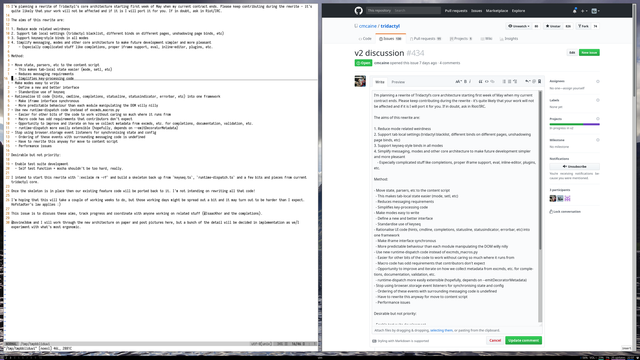
Some years back I tried Tridactyl firefox extension[1]. By default it uses vim bindings, but there are config files to make it have Emacs bindings[2].

It worked relatively well.

Also, perhaps have a look at the Nyxt browser [3] which is written in Common Lisp and has built-in Emacs keybinding support.

1. https://addons.mozilla.org/en-US/firefox/addon/tridactyl-vim/

2. https://github.com/jumper047/tridactyl_emacs_config

3. https://github.com/atlas-engineer/nyxt

@hell

Tridactyl – Get this Extension for 🦊 Firefox (en-US)

Download Tridactyl for Firefox. Vim, but in your browser. Replace Firefox's control mechanism with one modelled on Vim. This addon is very usable, but is in an early stage of development. We intend to implement the majority of Vimperator's features.

@hell
I'm _relatively new_ Emacs user as I've been using it only for about 4 years, and started my own config about 3 years ago.

My config is imho very clean, easy to understand, and maintainable.

My approach is to keep the default bindings as much as possible, try not to use packages that are diverging from Emacs style of things. The config also loads a private config folder that I do my testings there.

https://codeberg.org/mehrad/.emacs.d

1/2

.emacs.d

This is my attempt to put together my own emacs config.

Codeberg.org

@hell
If some package or config works well, it can be moved to main one.

My OSs are Arch and Fedora Kinoite, DE is KDE Plasma. I have configured Emacs bindings in some other applications like Zathura, imv, and I sometimes use Nyxt browser which natively supports most Emacs bindings. In my KDE Plasma I also have bound Super+Shift+e to open dired as my file manager 🤓

2/2

@hell Debian GNU/Linux & Gnome.

My #Emacs init is exported from an Org file, so it is pretty well organised for my purposes with comments/links etc. There's also an archive section for stuff I might want to use again or draw inspiration from.

I don't change it much these days apart from export settings. I tend to use the built-in stuff over external packages. I find this keeps things more steady. The last major thing I did was to switch to Black in Eglot for Python, & that was a while back.

@hell I have actually forget to write custom code into a file (just directly evaluate it and use and forget about). I am pretty sure I know all the custom code I have, and I sometimes purge things I dont use and sometimes move them into packages. I have a org based literate configuration. I am using GNU with KDE. I actually don't have that problem.
@hell and if you are curious about how old of an Emacs user I am, I think I started with Spacemacs in 2022.
@hell i guess a major factor in avoiding much mess is use-package.