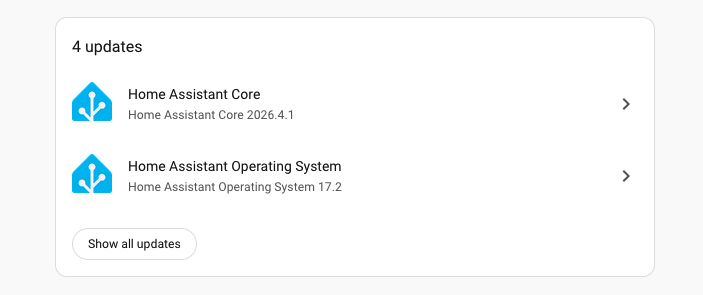
Perhaps an esoteric #HomeAssistant question, but when both the Core and the Operating System of my HA instance want to update, is it better to do OS before Core or vice versa?

Both orders seem to work usually, but is one choice pushing my luck more than the other?

(I do a backup before proceeding of course)

@ottaross Neither is working for me. I'm getting the Docker rate limiting error, and I have no idea why or what to do about it.

#HomeAssistant

@TimWardCam I tried OS before core, then got a fail due to "Do Supervisor first" then tried Supervisor update, which also failed due to "too many requests."

Perhaps everyone's doing it at the same time. Doing a reboot, and waiting a bit perhaps.

@ottaross So does it use some globally shared Docker service account? If so that would explain the symptoms, and I would indeed expect that there's nothing I can do about it except wait. Doesn't sound very scalable.

#HomeAssistant

@TimWardCam Yeah sure seems like a bottleneck there somewhere.

@TimWardCam If you register your own Docker Hub account, the anonymous rate limit doesn't apply

It's in the docs here

https://www.home-assistant.io/more-info/dockerhub-rate-limit/

Docker Hub Rate Limit

Docker Hub is rate-limiting how many pull you can do.

Home Assistant

@greem Yeah, I read that, but that seems to suggest that the rate limiting is per IP address, which means other things within my home.

Looks like I don't already have a Docker Hub account, not sure I CBA to create one just for this. I'll try again tomorrow instead perhaps.

Getting Supervisor update fails with this message:

#HomeAssistant

@ottaross supervisor update i have the error too.. reboot and its dont show the update any more... i think there is a fail in HA
@ehtron I tried the reboot without it getting any better. Perhaps an update storm happening. I'll give it a few hours. :)
@ottaross Maybe the github is being rate limited?
@JSCybersec Thwarted by its own success.
@ottaross Worked for me, but it took a long time.
@ray Must've squeaked through the barrage. 😄
@ottaross I had the same questions, so cloned the drive and I tried it both ways but it seemed to make no difference. I've had bad failures updating in the past and the only conclusion I've come to is absolutely do a backup
@ottaross I normally try to do the updates in the order in which they are delivered, i.e. oldest first. That has seemed to work just fine so far!

@droyls That seems to be sensible - looking at the bottom-up ordering of this current update though, the Supervisor is 2nd, and item 1, 3, and 4 all fail, saying "do supervisor first."

Perhaps offering a "Do all these updates" button would be helpful and let the system guys impose their preferred ordering, if it matters. 😃

@ottaross
TL,DR: doesn't really matter.

Update the one with an active security advisory first. Otherwise it might (but doesn't have to) be more reasonable to update the OS first, as if there is any dependency between those two, it's core depending on os, not the other way. However, there is possible a scenario, when os stops providing something the old core depends on, henceforth creating an implicit reverse dependcy. Personally I would consider that as a maintaining malpractice. And if os support is removed, then its usage from core is removed first, then some time is granted for all to update the core, then it's being removed from os.

But overall, if there are no security consideration it shouldn't really matter. Just don't lag behind the recent versions too much.

@agturcz Makes sense.

Yeah, I think there's a sweet spot, of not updating immediately after release, but not leaving it ten releases behind.

This morning seems it's too early for the Supervisor updates. 😦

@ottaross FWIW, I've an automation to skip every .0 release of core 😊