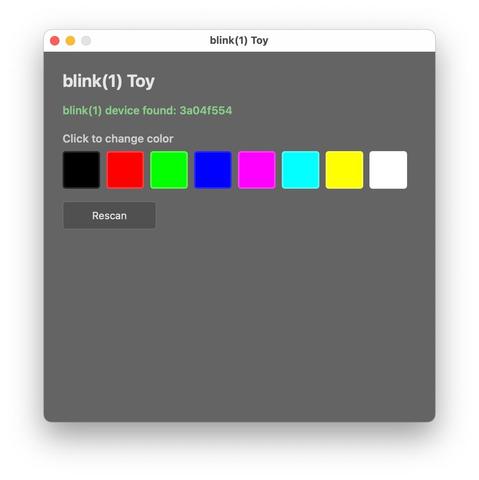
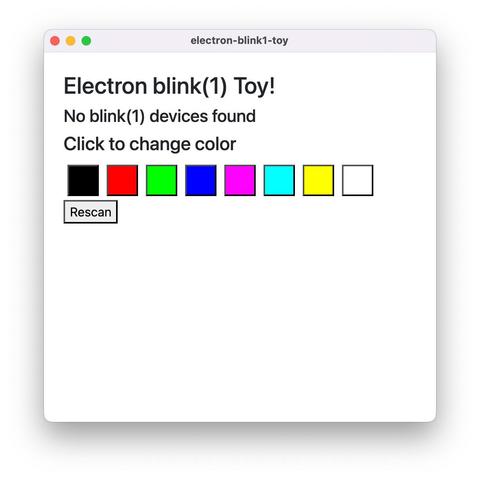
Dangit I think I might need to actually learn Rust. In Electron, a minimal app to control blink(1)s weighs in at 285 MB on disk. An equivalent Tauri Rust app is 5.5 MB!
https://github.com/todbot/electron-blink1-toy/https://github.com/todbot/tauri-blink1-toy/
@todbot could it be done as a regular web app? If not, I've used Bun to create simple web apps that need to run CLI commands. This one, for example, compiles to ~64 MB: https://github.com/jasoncoon/mac-power
@todbot Bun can compile to Linux, macOS, and Windows, all arm64 & x64: https://bun.com/docs/bundler/executables
They're working on making the compiled executable files even smaller.
Single-file executable - Bun

Generate standalone executables from TypeScript or JavaScript files with Bun

Bun
@jasoncoon Interesting! I’ll look into it, thanks! The actual app I’m targeting makes use of many OS-level features (custom menus, taskbar icons, etc) and has background services to deal with network events. But if I can do that in Bun, I’d be stoked. Rust is cool but a big lift for my brain. I don’t like Javascript but at least I understand it
@todbot I haven't tried it yet, but this might be another option: https://blackboard.sh/electrobun/docs
Electrobun Documentation - Build ultra fast, tiny, cross-platform desktop apps

Complete documentation for Electrobun - build ultra fast, tiny, cross-platform desktop applications with TypeScript.

@jasoncoon Just spent some time porting my little toy app to electrobun. It’s kind of scam for my needs. The build result has a small download size (18 MB), but which turns into 74 MB on first run, with another 84 MB hiding in “~/Library/Application Support”. So the resulting 155 MB is around the same as an Electron app. But with a lot more hassle because you cannot use native Node modules. I’ll be interested to see how it evolves.
@todbot oh interesting. Do you know if that's using the default system webview, or with CEF bundled?
@jasoncoon looks like it’s using WebKit (I’m testing on Mac) so I’m not sure why it needs so much. Tauri/Rust is definitely still the winner in true small app size since it does use the native OS’s webview

@todbot @jasoncoon fwiw I can really recommend the Tauri framework, I found it amazing how easy it was to bundle and ship a signed desktop app compared to doing it manually.

Doesn’t really fix the “need to learn Rust” problem, but I can at least vouch for an impressive and pleasant experience along the way from the framework side of things :)

(I’ve been using Tauri professionally/at work for about a year)

@todbot If you're already good with C++, maybe consider wxWidgets?

While a bit more than a blink example, this little program I wrote a couple years ago weighs in at 6.5MB for a static linked Windows app. Linux build is smaller, and MacOS larger but due to universal binary (both ARM64 & X86-64).

https://github.com/PaulStoffregen/Phazerville-Screen-Capture

Great thing about wxWidgets is you get a native GUI app on all 3 systems. It's the GUI toolkit KiCAD uses. If you know and like C++, wxWidgets is really worthwhile.

GitHub - PaulStoffregen/Phazerville-Screen-Capture

Contribute to PaulStoffregen/Phazerville-Screen-Capture development by creating an account on GitHub.

GitHub
@PaulStoffregen oh wow, I used wxWidgets a *long* time ago! I know Arduino/embedded C++ and the more “real” C++ stuff is just too out there for me. Glad to see it’s still around tho! I remember liking it better than Qt (which I ended up using for a huge app for other reasons)

@todbot wxWidgets isn't the simplest, but with it's relatively new Bind() function building a small GUI takes relatively little code. You can see that little app has under 200 lines for the GUI, but manages to implement a window with a few small menus, graphical copy & paste, and ~30Hz screen update from a USB device.

Huge advantage of C++ is you get best access native OS APIs. If you look at usb.c in my app, it has native WIN32, Linux udev, and MacOS IOKit to discover and use USB devices.

@todbot @PaulStoffregen WxPython is worth a look: cross platform, you can make an .exe with PyInstaller.
@todbot 1.2 mb helloworld for Golang. add CLI to control USB blink might not add much. plus GUIs are antipatterns lol