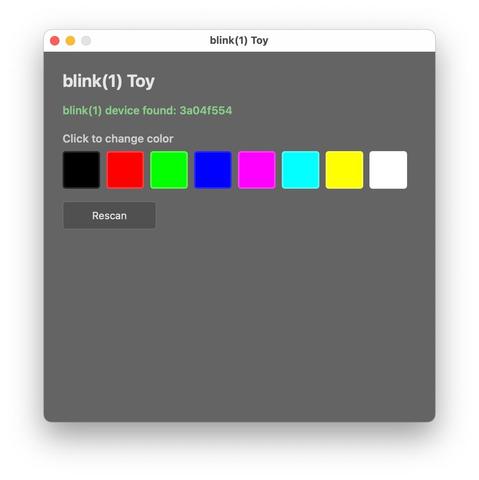
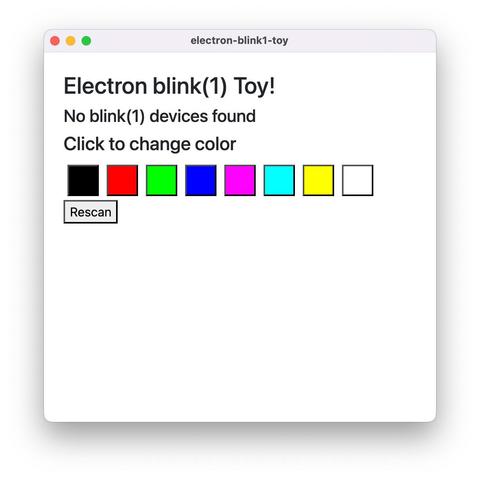
Dangit I think I might need to actually learn Rust. In Electron, a minimal app to control blink(1)s weighs in at 285 MB on disk. An equivalent Tauri Rust app is 5.5 MB!
https://github.com/todbot/electron-blink1-toy/https://github.com/todbot/tauri-blink1-toy/
@todbot If you're already good with C++, maybe consider wxWidgets?

While a bit more than a blink example, this little program I wrote a couple years ago weighs in at 6.5MB for a static linked Windows app. Linux build is smaller, and MacOS larger but due to universal binary (both ARM64 & X86-64).

https://github.com/PaulStoffregen/Phazerville-Screen-Capture

Great thing about wxWidgets is you get a native GUI app on all 3 systems. It's the GUI toolkit KiCAD uses. If you know and like C++, wxWidgets is really worthwhile.

GitHub - PaulStoffregen/Phazerville-Screen-Capture

Contribute to PaulStoffregen/Phazerville-Screen-Capture development by creating an account on GitHub.

GitHub
@PaulStoffregen oh wow, I used wxWidgets a *long* time ago! I know Arduino/embedded C++ and the more “real” C++ stuff is just too out there for me. Glad to see it’s still around tho! I remember liking it better than Qt (which I ended up using for a huge app for other reasons)

@todbot wxWidgets isn't the simplest, but with it's relatively new Bind() function building a small GUI takes relatively little code. You can see that little app has under 200 lines for the GUI, but manages to implement a window with a few small menus, graphical copy & paste, and ~30Hz screen update from a USB device.

Huge advantage of C++ is you get best access native OS APIs. If you look at usb.c in my app, it has native WIN32, Linux udev, and MacOS IOKit to discover and use USB devices.

@todbot @PaulStoffregen WxPython is worth a look: cross platform, you can make an .exe with PyInstaller.