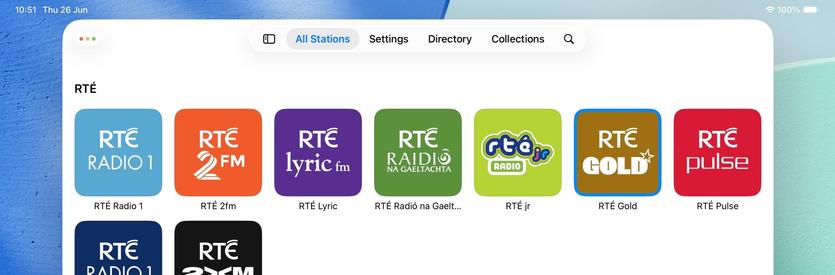
So what if I sacrifice the morphing tab bar, but hide/show a tab bar when the sidebar is opened/closed instead? That way I can keep my custom sidebar logic and ornamentation, but also have a unique middle posture layout 🤔
It's an option — probably the most sensible one — but I'm undecided
Broadcasts progress journal: I am starting to wonder if maybe I should just put all my energy into the redesign instead of continuing to support iOS 18. Whatever way I cut it, this is going to be Broadcasts 4, and I feel like it won't have the same impact when it doesn't look or feel very different (on the legacy OSes). I still have a lot to think about, and I'm at the stage where everything looks ok but is completely broken and probably will stay that way for a while 😂
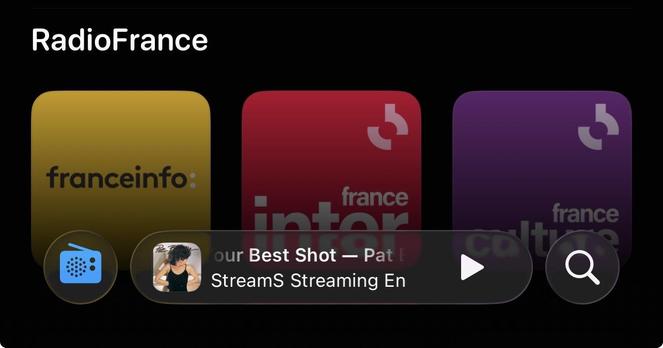
I have been making slow progress at building out the new Broadcasts UI, but I'm not at all sold on the level of glass in the bottom bar that Podcasts and Music use. I'm not tearing it out and building something custom, in the hope that Apple makes some decisions to fix that in its own apps first (that I can follow). In the meantime I've been building things that aren't immediately visible, like multi-select
I am, of course, keeping my new UI working in UIDesignRequiresCompatibility mode, in case of emergency, even though I don't think I'll be supporting older versions of the OS with this release. And maintaining the legacy UI too 🥲
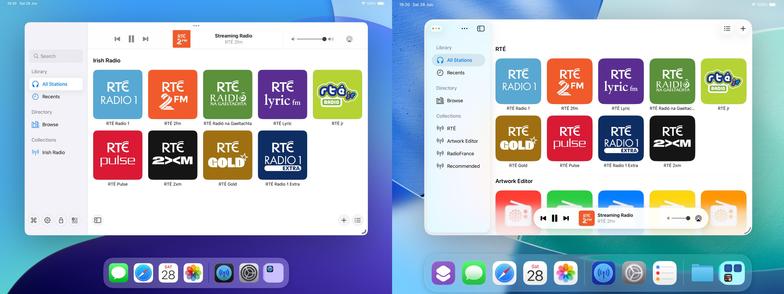
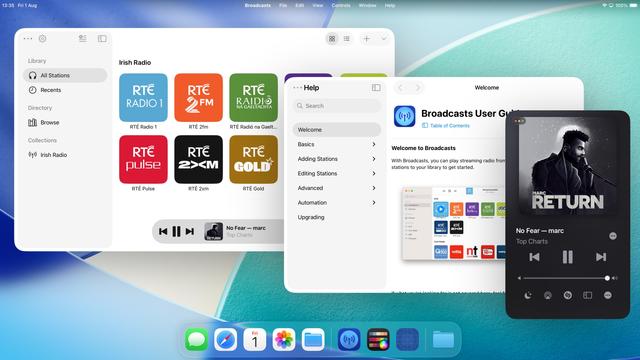
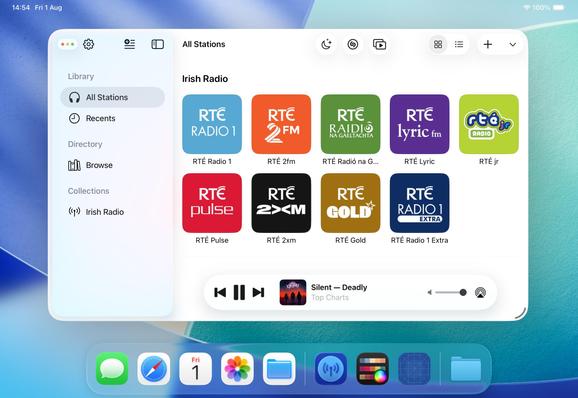
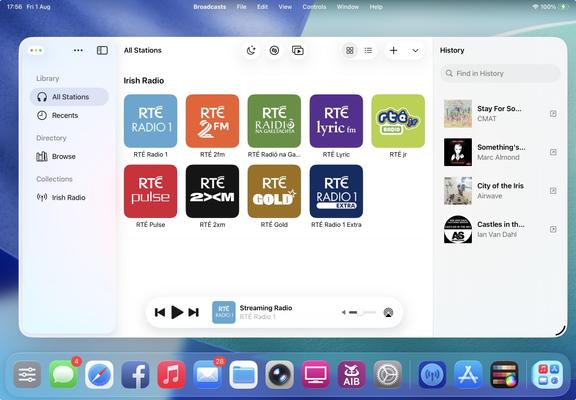
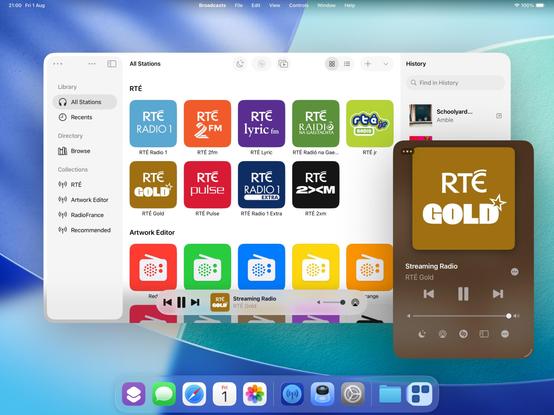
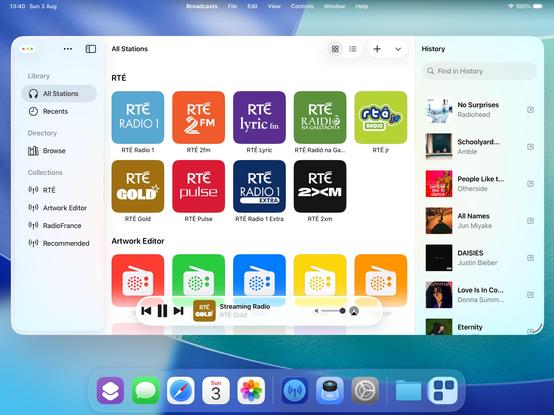
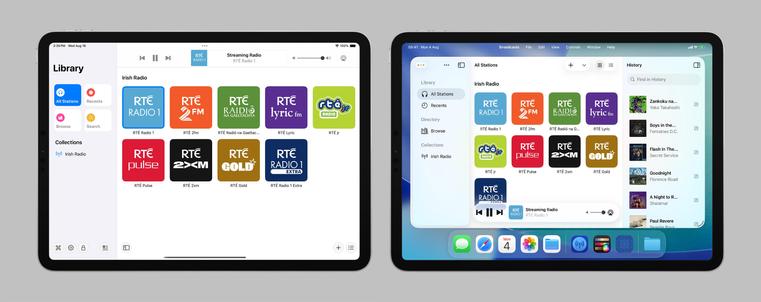
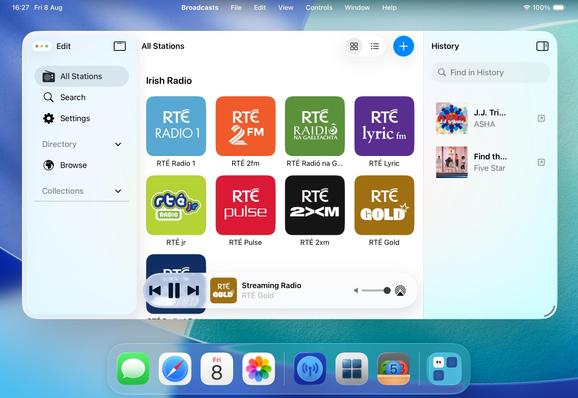
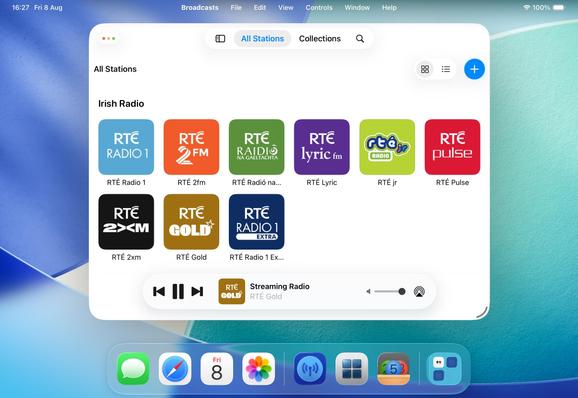
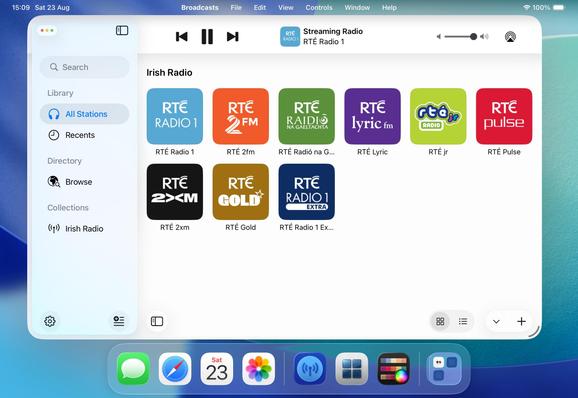
Broadcasts is already a very different app on iOS 26 compared to what it was on iOS 18, especially on iPad, and I'm not even a significant fraction through my redesign. Designing for iPad now very much feels like building a desktop app, and it just makes me want to expand on all my features in ways I wouldn't have thought of doing before
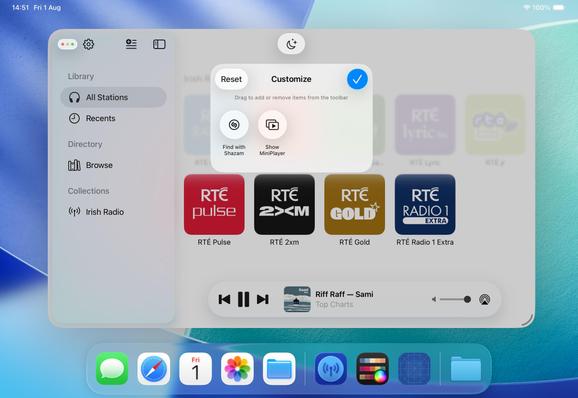
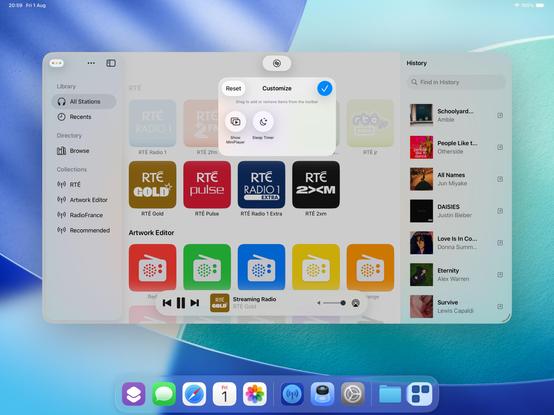
I'm not wholly convinced yet, but I'm experimenting with making the toolbar area in Broadcasts customizable. Empty by default, but you can put extra buttons in there if you want them. Feels like something I should start doing in my apps, but maybe not /this/ particular app
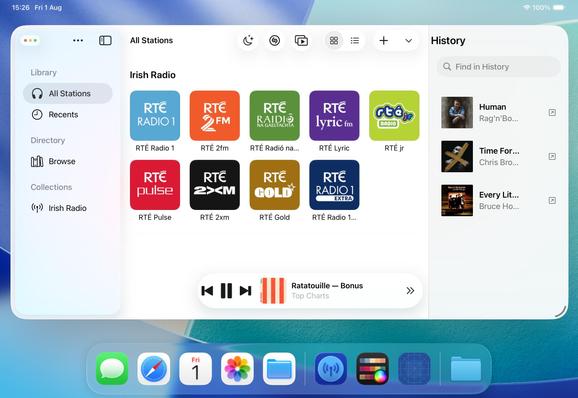
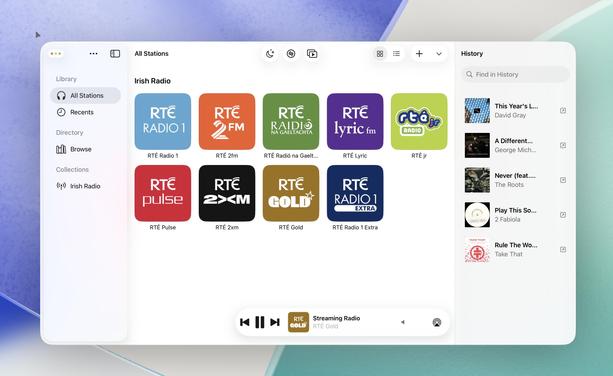
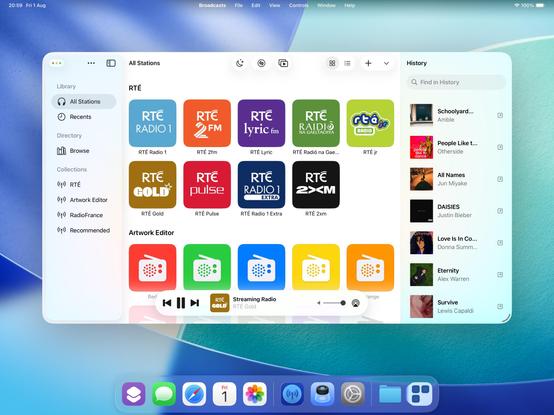
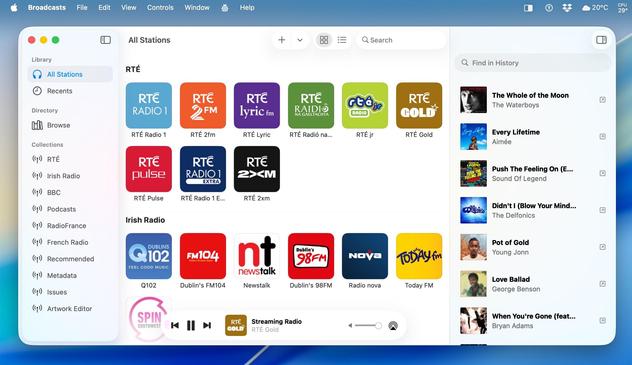
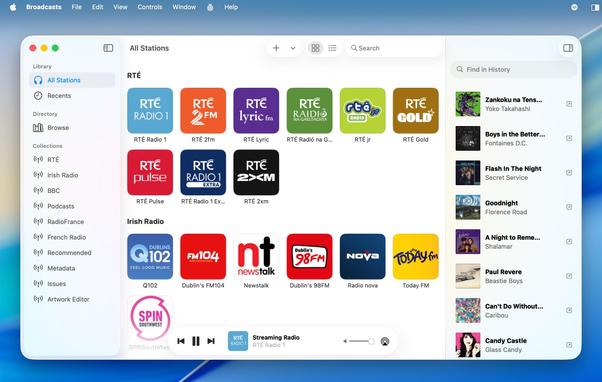
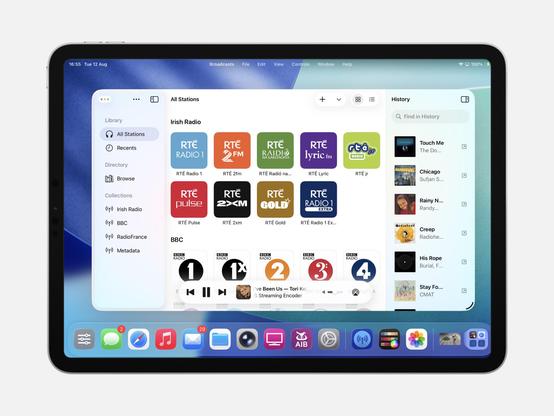
Another aspect floating around my head is the inspector panel, a new option in UIKit. I haven't figured out if it's something I want in the app, or if it is what would I put there. History is an interesting option, however…
UINavigationController's alternate titlebar modes are kinda pretty. It's making me want to actually try this inspector panel thing. Bigger, better apps, for a bigger, better iPad
With this, Broadcasts now persists track history to disk, something I've been meaning to add for months
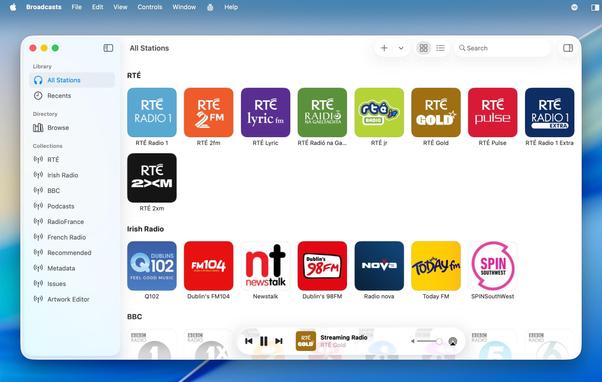
Broadcasts' three-column layout is quickly becoming canon in my head, and nobody has tried to talk me out of it yet 👀
There comes a moment in every major update you build where your app really starts to fork from the previous version and it becomes hard to imagine going back. I'm starting to feel that way about Broadcasts 4 now. At the time everything I did felt like tiny changes, but looking back now I'm like "wait, I did all of that since June?"
The question remains, will anybody actually like what I've done, or was I on the wrong path from the start 😅
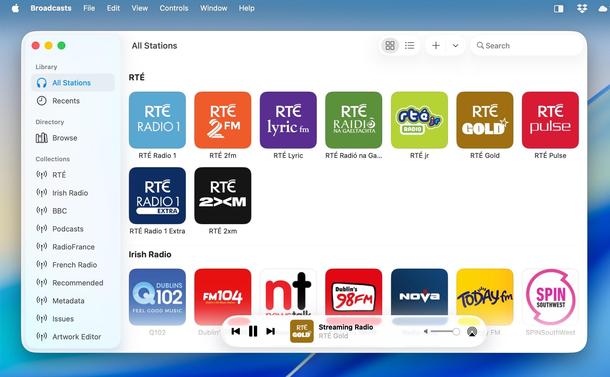
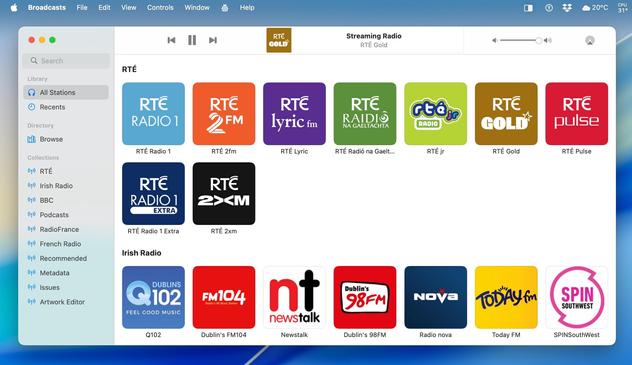
The intent is for Broadcasts on iPad to be closer to the Mac version than ever before. Some of this is predicated on Apple getting iPadOS 26 into a reliable state, which is a little up in the air right now, but I'm continuing to build under the assumption that they'll get there
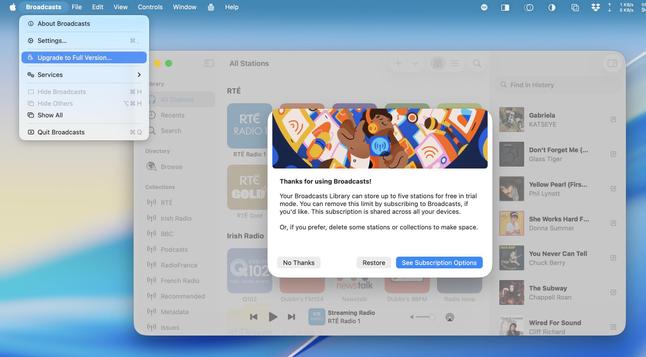
The most important thing I need to do for Broadcasts 4 is move the monetization to a subscription model (for new users only), something I've been talking about for way too long at this point and just been too afraid to pull the trigger on.
And I think part of that is going to involve making the app iOS 26-only — if I'm going to offer subscriptions, I don't want that to tie me down to supporting older versions of the OS indefinitely, when this is very clearly a line-in-the-sand update year
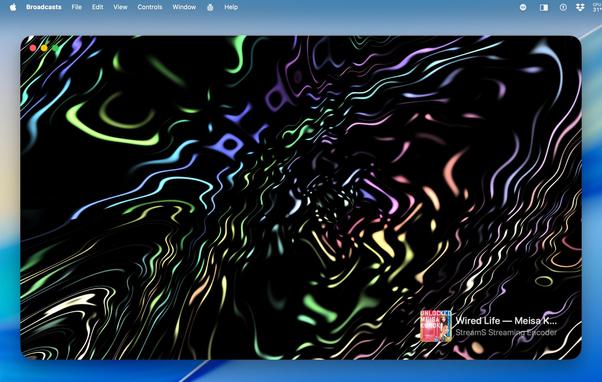
I figured I should take another pass at my 'iTunes Visualizer' idea, now that I'm armed with ChatGPT in Xcode. It took a lot of convincing to have it write a Metal shader for me, but I kinda like the results? Metal shaders are very much a case where I haven't got a clue what I'm doing. Sadly I can't get actual audio buffers from streaming audio using system APIs, so I can't actually wire it up to anything. It's basically just a screensaver
Broadcasts' visualizer mode is just one of those things that I teed up forever ago and didn't know how to execute. A lot of things coming home to roost now with iPadOS 26 that I have better ways to integrate them
I think people have been asking for this.
I am slowly forming a better picture of what a 'Broadcasts 4' is. I'm not even close to finished, and there are large parts I haven't started on still, but it's starting to feel meaningful as I slot things together. Compatibility mode is rapidly succumbing to bitrot as I approach the point of no return
There is an alternate timeline where this is what became Broadcasts 4. A timeline without crunching for six months to port to visionOS, without despair at an iPad platform vision with seemingly no future, without disgust at Apple's handling of antitrust issues, all of which combined I lost a good 18 months to
https://mastodon.social/@stroughtonsmith/110899816310922687
"Broadcasts 4" vs Broadcasts 4
Today I finally pulled the trigger and started work on gutting Broadcasts old core root layout code and replacing it with something modern. In short, everything is broken, and there's no going back — the app won't function again until I rewrite it all, piece by piece 🥲
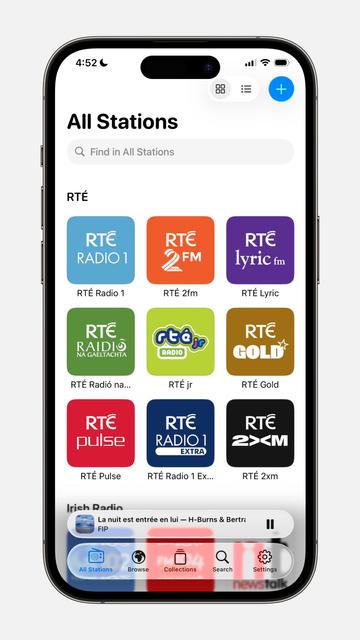
It may look similar to before, but this really is a significant restructuring of the UI around UITabBarController, unifying the layout with the iPhone version of the app. Trying to see if this is viable, and, if it's not, I can revert today's work and pretend it never happened
I think the tradeoffs of using UITabBarController are piling up to the point where I will have to revert my Broadcasts rework from a couple days ago. It can't really support my UI in this seed, and I doubt updates will make it viable by September — and if I do wait for it, it'll halt all my forward progress on the update in the meantime. It was definitely worth attempting, but I can see it's not giving me what I want
Spent the day rewriting my playback toolbars in Broadcasts, and ripping out a whole lot of overengineered generalized code and replacing it with much more simple specialized code. This is the first time the iPhone build has been functional since WWDC. Not super hot on the iPhone version so far, even if it's just what Liquid Glass looks like
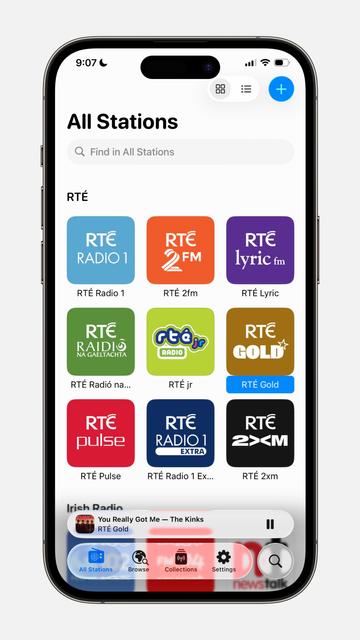
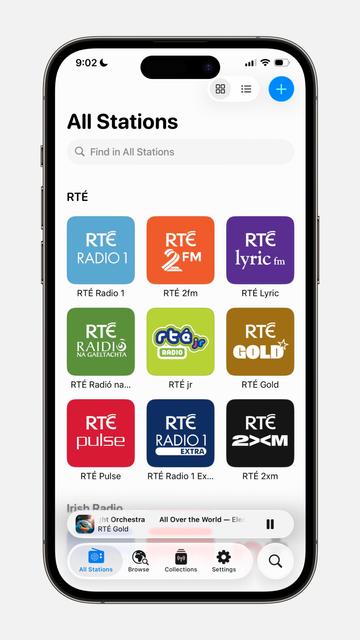
I made two tiny changes and it transformed how I feel about the Liquid Glass in my iPhone design
1) I use 0.99 white/black instead of systemBackgroundColor
2) I added a stronger fade underneath my tab bar
Both of these changes could trivially be implemented by Apple
The difference in legibility seems dramatic
Here's a before and after, just with the fade layer added. The earliest betas of iOS 26 were more like this by default, with the strong progressive blur effect at the bottom, but they disabled it all in beta 3 to try to hit performance targets. I have a feeling we're going to see a lot of developers pull last-minute tricks to try to 'fix' their Liquid Glass
After thinking about
@marcoarment's comments, I've been debating dramatically scaling back my plans for iOS 26 to 'just' a visual update. Even still, I'm not confident updating the app with the new design language is going to leave users with a better experience than not-updating it. I feel like I need space between what I'm working on and the launch of Liquid Glass to see where everybody else lands, first. I very much want to see how Apple tries to salvage things in 26.1 and beyond
There is a ton left to do in Broadcasts before I can even start pushing it to TestFlight — it is the most changed of any of my apps, touching a lot of the parts of the system that look or behave badly even at this late stage.
Plus, it adopts the new Music/Podcasts design, and I want to see how people react to Apple's, first 😅
At the moment I'm not targeting 26.0 or September, as I want to get everything else out the door before I turn my attention back to it. It will be done when it's done
Finally fixed a layout blocker in Broadcasts that has been plaguing me since WWDC and sapping me of energy 🫠
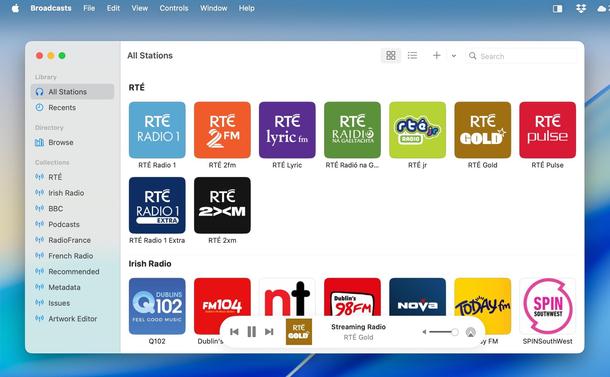
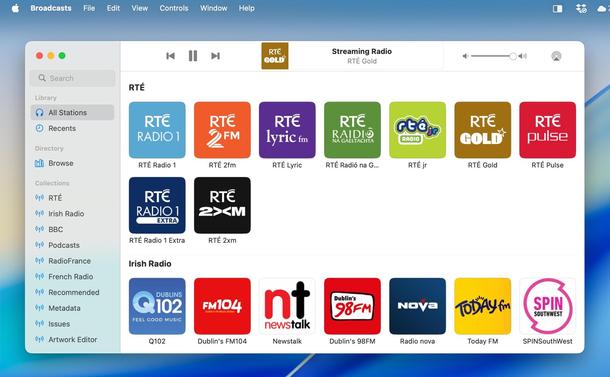
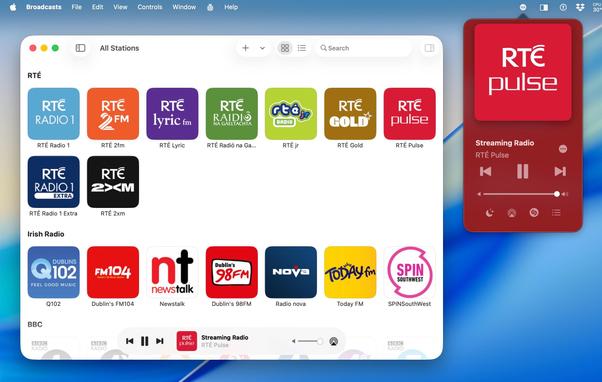
On the topic of progress, today I've been mapping out the refreshed Search UI in Broadcasts on macOS, which follows the Podcasts app in form and function. I think the Mac version of Broadcasts is the nearest to a TestFlight-ready state, though there's still a bunch to clean up
"Why doesn't the last-played station automatically pre-load at launch?"
Good question. So now it does. Same amount of clicks, but no need to scroll
You ever come across a one-line-of-code change and wonder 'how the heck did I not know this?'
Today's example: setting .accessibilityTraits = .header on your collection view section headers.
Now you can navigate blisteringly fast between them with VoiceOver, like I've enabled in Broadcasts
StoreKit 2 actually seems legit; am in the process of migrating Broadcasts over to it, and it makes everything about licensing so much easier. I was spurred on by how easy and straightforward Coppice's subscription code was, so I can finally do the work I've been dreading (for two whole years) in Broadcasts
Shook the cobwebs out of the ongoing Broadcasts 4 project today, and pushed past a roadblock. Back to giving it my full attention now the juices are flowing again. Too many metaphors? Perhaps…
Broadcasts 4 is an iOS/macOS-26-only app, and I definitely needed some distance from the September release, both to wait for bug/design fixes and to gauge the response to Liquid Glass — especially with the then-growing crescendo of naysayers on the Mac. There’s only so long I can hold off though, and it’s made it difficult to respond to bug reports
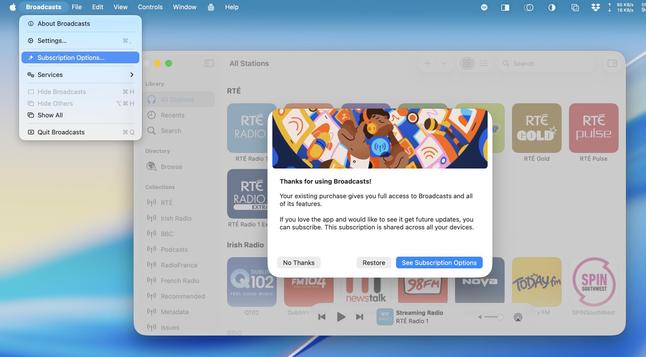
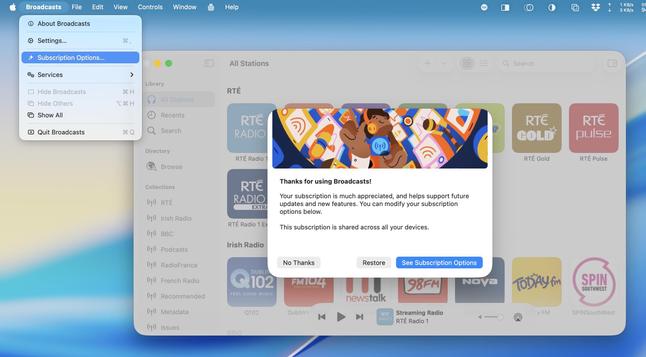
The three states of Broadcasts' new purchase model (may not be final wording or layout):
1) No purchase
2) Existing IAP with optional upgrade to subscription
3) Subscriber
Completely noninvasive grandfathering for existing users. Maybe I should be smarter about that — alas. It gives me plenty of levers to pull in the future, should circumstances require
There's been a bunch of changes I've wanted to make in Broadcasts that could have shipped earlier but instead have become tied up in Broadcasts 4. With Apple's upcoming SDK requirements, it's pushed me to go back and get Broadcasts 3 compiling in Xcode 26, with UIDesignRequiresCompatibility, rather than being locked completely out of being able to patch things. Just in case.
The next major update pass for Broadcasts is just going to me deleting 7 years of code that doesn't matter anymore 🥲 Can't wait
@stroughtonsmith While you're at it… can the conversion of custom station ID images to JPEG be fixed?
Obviously assuming this isn't automatically happening on the OS level.
@gummibando they're processed as JPEG to reduce sync overhead and cap iCloud storage usage. You wouldn't want to set a 100MB RAW photo or something
@stroughtonsmith But I would want to set my custom-made, Sketch-exported, pixel-perfect PNGs … which almost certainly have smaller file sizes (less than 200 kB combined for 15 station IDs) than the JPEG conversions, which also produce noticeable artifacts.
 Steve Troughton-Smith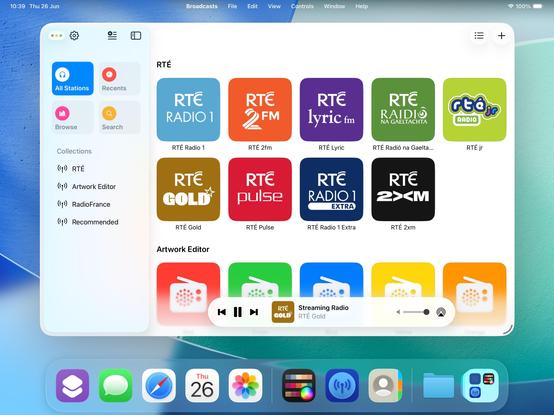

 Oliver Busch