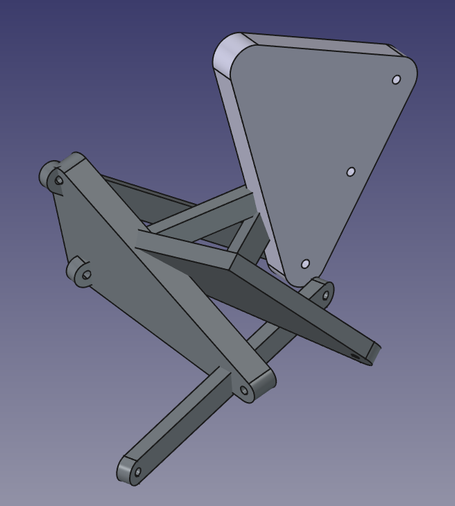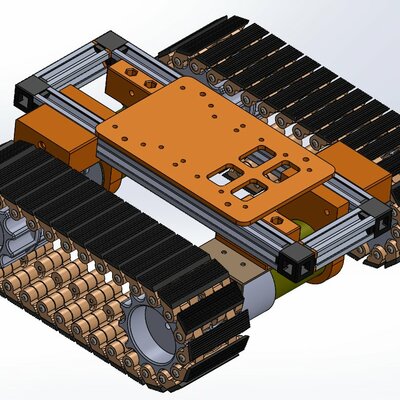
I gave mechanisms in the Assembly workbench another try in the newly released #FreeCAD v1.1 but sadly it still completely breaks all the joints when you try to move a part in a mechanism like this. Am I missing a trick here?
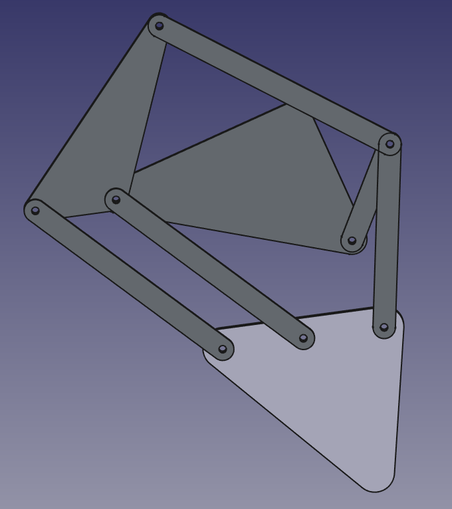
@drfootleg I created a new model using some arbitrary dimensions for the linkage lengths. I then put it together in the Assembly workbench using just revolute joints. My assembly doesn’t break?
@drfootleg However, if you drag a component too far, it can “break”. This is simply due to the possibility of multiple geometric solutions. How is FreeCAD supposed to know which one you want? This also happens in SolidWorks. One way to overcome it is to limit how far a given revolute joint can go. This reduces the possibility of the solver jumping between the multiple solutions.
@chrishuck I had a mixture of cylindrical and revolute joints. I've tried converting them all to revolute but as soon as I add the fixed constraint to the main triangle part everything snaps out of the plane the parts are in. Here is my file if you want to have a play:
https://www.transfernow.net/dl/20260330tmBjyPLi
"FreeCAD Carpentoid Assembly" (Carpentoid test v1.1.FCStd) is available for download

Click to download the transfer "FreeCAD Carpentoid Assembly" (1 files, 124 KB) with TransferNow

TransferNow
@chrishuck Also all the joint constraint markers have moved a long way from the assembly, so when I snap to view all, the assembly is tiny on screen as the joint markers are miles away. I don't know how that happened. For comparison, this mechanism behaves very well in Solidworks which I also use. But I would really like to be able to share my project in #FreeCAD if I can get it to work.

@drfootleg I will take a look at your file and see if I can determine what is going wrong. The videos I showed were done in v1.1. I don’t know if that has anything to do with it, but I’ll let you know what I find out. It will be later today at the earliest.

I’m a SolidWorks user in my day job, and sometimes the Assembly workbench workflow in FreeCAD throws me because of decades of doing things a certain way…

@chrishuck My CAD is all hobby self taught, so I'm always learning new tricks. For example I had never looked into restricting the range of rotation of joints in either CAD program, but will now you mentioned it. My latest test was in FreeCAD v1.1 on Windows. I open the file I sent, select the assembly object in the tree, select the triangle and add the fixed constraint to it and things immediately twist out of plane.
@drfootleg I think there must be some conflicts of assembly constraints that are causing it. Sometimes it is because the assembly is over-constrained, much like the warnings in sketches. The solver doesn’t know what to do, and it can be frustrating. At least SolidWorks will tell you if a constraint can’t be solved before you apply it. Or, it will give you the option to apply it anyway an “break” the assembly.