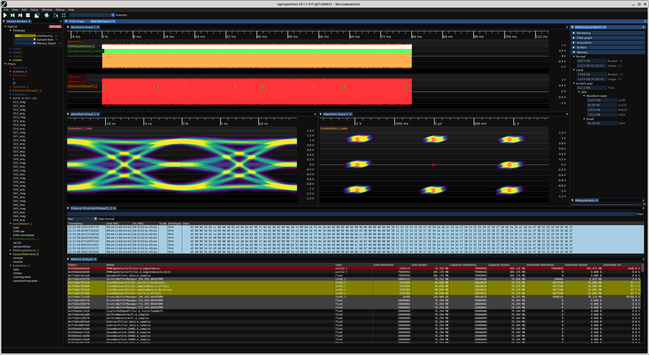
As part of the ongoing effort to reduce VRAM bloat in ngscopeclient I've added some nice debug tools (currently accessible by Window | Memory Analysis but that will probably get moved to the debug menu at some point) to show you the full list of AcceleratorBuffer objects along with a bunch of metadata.

Haven't figured out how to right align the column titles but this is a debug visualization so not a huge priority.

Rows with more than 10% overhead (capacity > 1.1*size) are color coded yellow, and more than 100% red. This lets you quickly zero in on buffers that are much larger than the data they're holding.

You can see the CDR PLL buffers have huge overhead, with ~40 MB of used data in a 305 MB allocation. One of the scratch buffers is 305 MB and only using 160 kB.

This is an unfortunate necessity of parallel filters, you have to allocate a buffer big enough for the largest possible output since you don't know the actual number of packets/clock edges until the shader runs.

One thing I'm considering for the worst offenders is to switch to an iterative algorithm: allocate say 1/16 of the theoretical maximum output size to start, and have the shader return an error if the buffer is too small. Then iteratively double the output buffer allocation until there's enough space.

This will result in an extra O(log N) allocations and shader executions the first time the shader runs but assuming the data is pretty consistent, should be O(1) after startup and save a lot of VRAM.
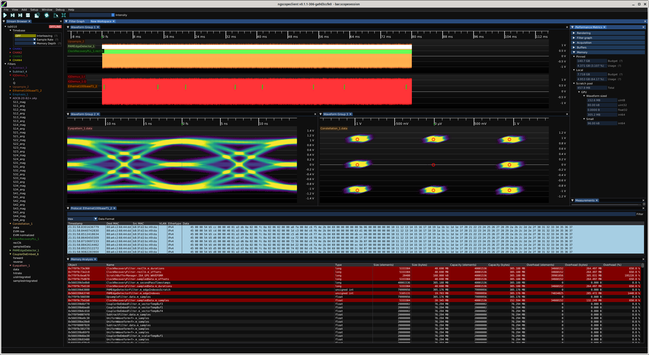
The other thing, easier to do (which I'm working on now) is to make more use of ScratchBufferManager so that these temporary buffers get reused across multiple filter blocks rather than each block having its own scratch space that's wasted once it finishes running

The baseline for this demo uses 4.952 GB of VRAM and 4.371 GB of host side memory.

Some initial tweaks to reuse buffers between filters actually made the host memory usage slightly worse (4.595 GB) on this test since some previously GPU-only scratch buffers ended up getting CPU-side allocations added to them. But in different filter graphs using different mixes of data, it could be a big improvement so I'm keeping the changes.

Generally VRAM is the limiting factor anyway, not CPU RAM consumption.

Updated the color coding to not highlight overhead on scratch buffers, since these get shared by multiple shaders and so the amount of overhead in the most recently executed shader does not necessarily mean space is being wasted.

The biggest offender by *far* in this demo is the CDR PLL. Between the recovered clock and sampled data sparse outputs we have north of a gigabyte of wasted VRAM (allocation larger than the actual used space).

So that's going to be the next target for optimization.

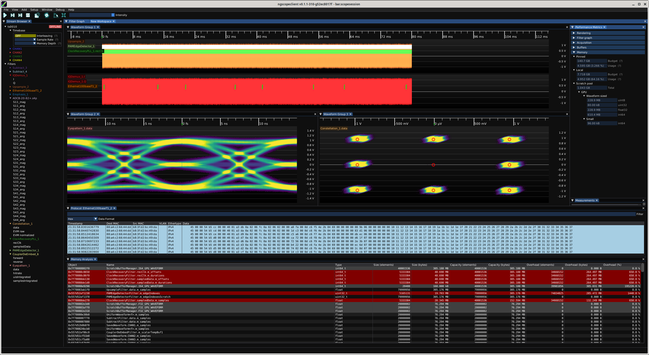
And it only took an hour or so to get working. Need to test more and make sure I'm not thrashing on live streaming input (I haven't unpacked the ThunderScope after coming home from HARRIS yet) but 4.9 -> 3.4 GB of total VRAM usage from optimizing one filter block is a pretty decent shrinkage.

Scratch pool usage went from just over 1GB to 613 MB.

And i can probably do the same to the PAM edge detector and save another couple hundred MB at some point