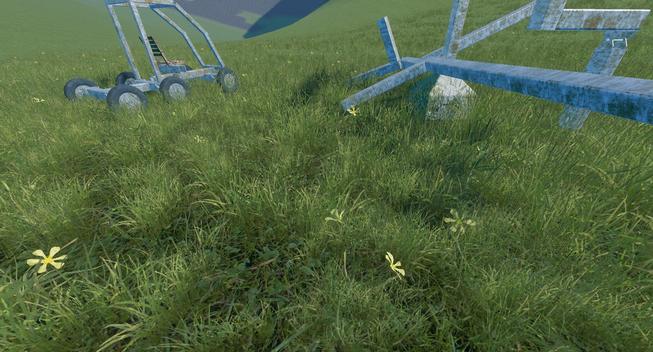
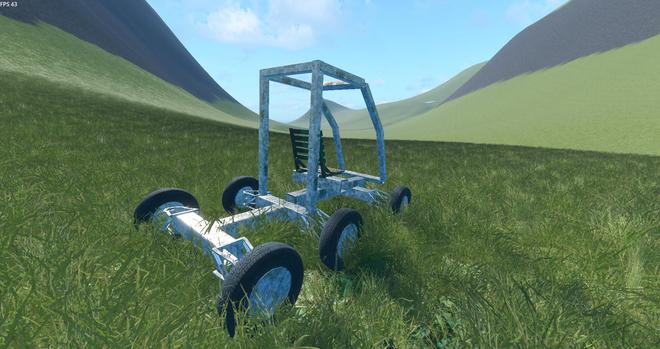
First try to add grass in the game. I'm not sure it's a good technique. Doesn't work well for all view angles, and not so good for performances.

This uses the VoxelInstancer which automatically spawns meshes on the surface of the transvoxel world.
https://voxel-tools.readthedocs.io/en/latest/instancing/
#GameDev

Here is a short video showing what I meant by "it doesn't work well for all view angles".

There is a visible square pattern. It puzzled me for a while. I thought the grass was not uniformly spread. Until I noticed it disappears when looking in the opposite direction.

What I think now, is that grass is created per ground chunk (confirmed by the docs, actually). And the order of mesh creation is the same for each chunk (along the Z axis apparently)

#GameDev #Godot

My current theory is that what happens when looking in the good direction is that it will first draw the ones that are far, and then those closer which hide the far ones, and so on. This works fine.

But when looking in the other direction, it first draws those which are near, then those farther which given the perspective will hide the top of the closer one, then draws those farther which hide the top and so on, until reaching the edge of the square (those have the top visible and seem higher)

At the end of the video I've made zooms in/out to show another interesting thing: when close enough it works better, the close grass is not hidden by the one farther. This is because I've enabled depth_prepass_alpha. I have not studied in detail how it works, but it should use the depth test for parts of the grass that are solid, making sure closer is drawn on top.

Using alpha scissor instead doesn't work well and just makes a mess of shimmering pixels when the camera moves (awful aliasing).

The problem I think is that when zooming out, grass becomes blurry thanks to mipmaps (which is a good thing to avoid aliasing), but then as multiple grass blades occupy the same texel, it gets an intermediate alpha value (which is fine as well).

Problem is, it's not fully opaque so won't use depth test to make sure it's drawn above the farther grass. So basically this technique for order-independent alpha blend doesn't work in this situation.

Finding a good order-independent translucency rendering (or anything that gives good anti-aliasing results) is my main focus for now, but after that there are lots of remaining things to improve.

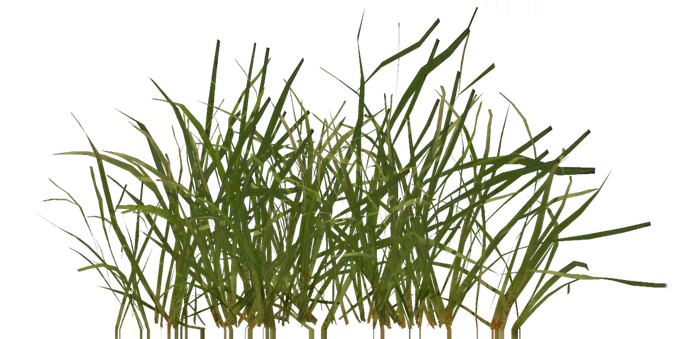
For now there is a single mesh with single texture repeated, I'll need to add a bit of variety, including less frequent plants that may stand out a bit more (flowers etc.)

There is also an issue with the ground underneath whose color is too different.

Performances are a concern too.

And grass planes almost parallel with the view direction give weird lighting, I think I may need to actually fade them out as they don't really contribute (i.e. each pair of crossed planes would fade from one to the other depending on the view angle)

And I may need to add self-shadowing and/or ambient occlusion.

Still a lot of things to fix and improve before it's "good enough"...

Here is the result with MSAA 4x, alpha-to-coverage (which effectively allows order-independent transparency), and various tweaks.

I think it works well enough for now. I'll just try to add more variety in the grass meshes and textures, and then I'll probably try to add trees.

#GameDev #Godot

Some more tweaks, and this time without MSAA (better performances).

MSAA with alpha_to_coverage gives a better result, but the performance cost is quite high, so I think I'll use this version instead as a baseline from now on.

One thing that I think adds a lot to the result is to fake grass self-shadowing. Here I simply shadow the part that is near the ground. The result has more depth and contrast (though video compression removes details)

I still need to find a good system to approximate the grass average color on the ground. Grass disappears in the distance (for performance reasons), and there are situations where the ground texture make a very obvious difference.

Grass lighting can be very different from the ground, since grass is mostly vertical and uses backlighting. I've already attempted to emulate this on the ground shader, but there are situations where it really doesn't line up.

Added flowers 🙂

Thanks to this asset authors for releasing this in public domain!
https://polyhaven.com/a/flower_empodium

#GameDev

@youen That looks great! If people turn off msaa for performance and you're not using anisotropic filtering, depth prepass won't necessarily look good, but with alpha scissor and fxaa it might be acceptable. Just thinking out loud.

@kieraaa Thanks!

Actually, it doesn't even look so bad by just disabling MSAA. Alpha-to-coverage dithering becomes visible, but not completely awful.

Alpha scissor works, but then distance fade lacks progressiveness. What works better is to manually discard pixels with low alpha, but keep alpha blend for the rest. Not sure about performances though.

If I find some motivation I may make a blog post with screenshots showing the pros and cons of a few techniques, and GPU timings.

@youen Cool! I didn't know a2c was possible at all without msaa - maybe godot is using a shader trick there. I know that manually discarding lots of pixels in a dither pattern has a performance penalty, presumably to do with gpu tiling or something. Anyways I wont bug you about grass anymore

@kieraaa you're not bugging me :-)

Actually, your comments helped me decide to investigate performances 😁 and results are interesting.

(time for grass alone)
MSAA 4x: 10.1ms
Without MSAA: 8.3ms
Without shadows: 4.2ms

So MSAA+alpha_to_coverage has a significant cost. But actually shadow receiving has an even bigger cost! Maybe I'll try other shadow techniques (here I use PSSM with 4 splits)

In the end, I think I've managed to make it work well enough without MSAA
https://mastodon.gamedev.place/@youen/116313384977870782