 Chris Geoghooligan ✊
 yoasif
@VTDARKSIM It is most likely the webapps, but you should file bugs if you think there is a leak -- grab a memory report from about:memory and file a bug: https://bugzilla.mozilla.org

 Corentin Cras-Méneur
@yoasif @VTDARKSIM you might also want to try running the NoScript extension. It can help identify whether Javascripts on the page run your CPU way too high.
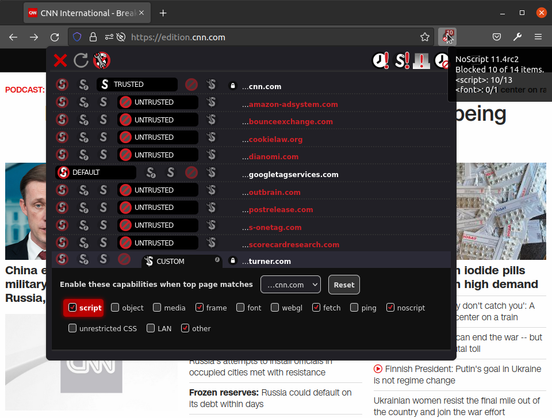
@VTDARKSIM yep. Pretty useful to avoid popups and some ads as well :-)
@cortig I’ll give it a go, thanks. UBlock, PrivacyBadger, my home and device and browser Proton VPNs with NetShield, and my AdGuard instance squash most if not all popups & ads, but you can never be too sure!
@VTDARKSIM This is a different approach at dealing with the problem. On some sites, I start up disabling everything, then re-enable the scripts one by one if I can't use some aspects of the site. You can see all the third party scripts embedded everywhere…
@cortig I just had a peek and… ugh 😅 I’ll likely do the same. In the meantime, at least my laptop fan has calmed down for the fist time in a while!
@yoasif well damn, it's toot.community (Mastodon) that's eating up 8GB (HALF) of the memory!