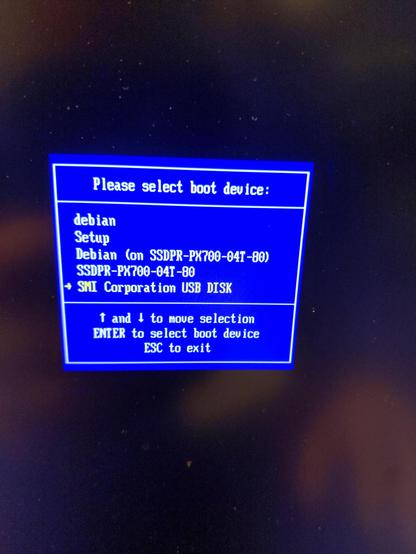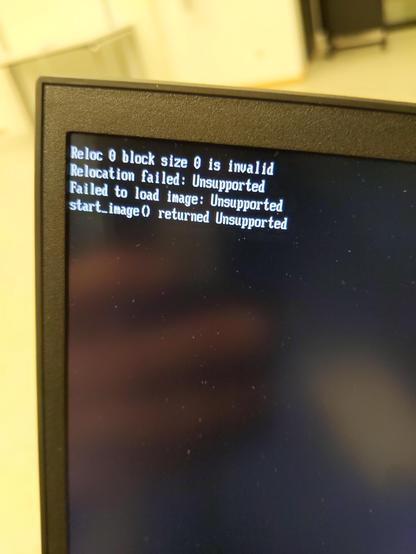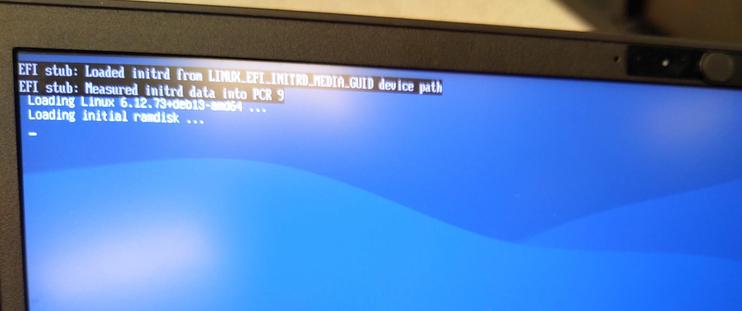
😬 I reset my #Dasharo #Coreboot settings to default and now #Debian won't boot! It gives EFI error and shuts down.
My theory it isn't loading the right UEFI drivers as Debian installer did it; I don't have a Debian rescue USB drive.
It looks like I can Modify Driver Options in the firmware but unsure what to add.
IOW, I need to do in BIOS what
efibootmgr -v
grub-install --target=x86_64-efi --efi-directory=/boot/efi --bootloader-id=debian --recheck
#AskFedi
Cc: @novacustom @Dasharo

@bkuhn You don't typically need "UEFI drivers" with Debian, the UEFI support is part of the stock kernel. Are you booting with grub or something else? First thing I'd try to work out is whether you are making it into the bootloader or not. You may have simply reset the path to the bootloader which is stored in UEFI nonvolatile memory. In such cases, it will usually default to loading the default bootx64.efi.

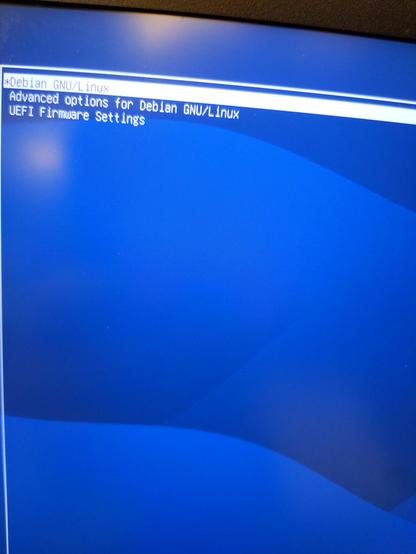
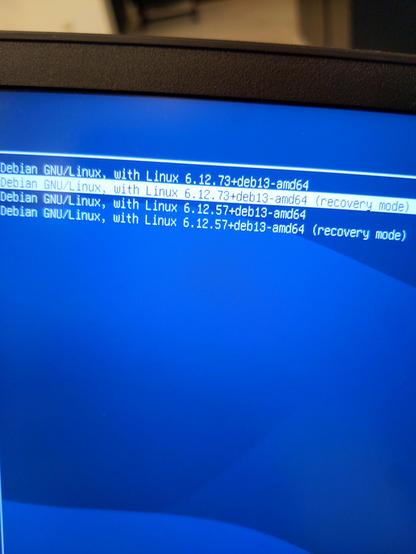
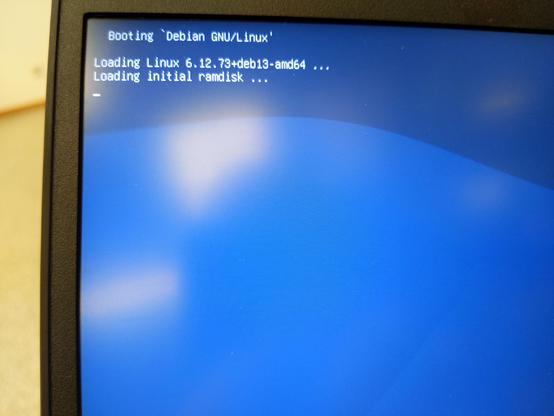
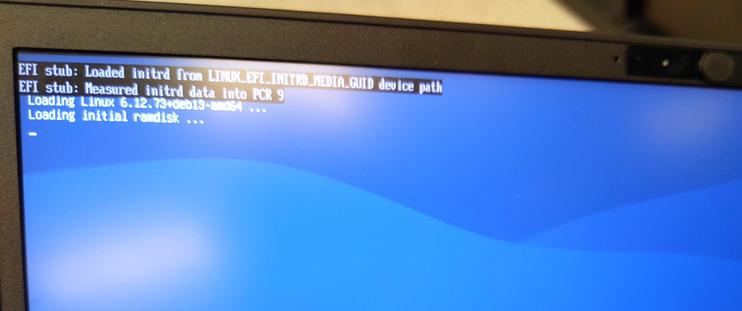
@kbm0 It makes to grub, as you can see in photos:

Right after the two EFI messages , it stops booting.

@kbm0

This is what I get when I try to boot from a Debian rescue disk

@bkuhn Looks like you're doing a measured boot with the TPM. That's one of the problems with all this security, it makes things very fragile. I don't know the answer, but since you can get into grub, you can edit the kernel command line, so maybe you can turn that off?

@kbm0 I was not trying to use the TPM.

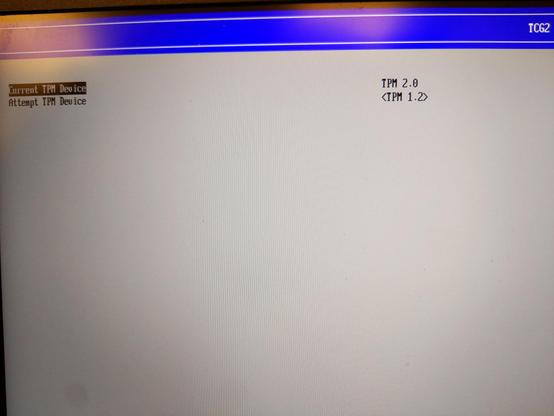
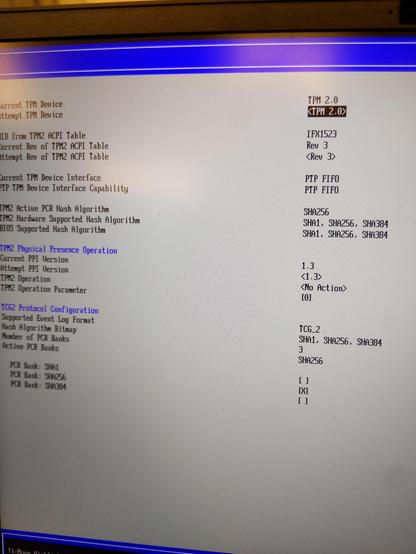
TMP 2.0 was on, not sure I'd that was from a default in #Dasharo #Coreboot or not. (I got default reset as I changed CMOS battery).

I'm trying TPM 1.2.

Maybe I just need the shim uefi thing?

First image is what I am trying now. Second is how it was.

Cc: @Dasharo @debian @novacustom

@bkuhn I wouldn't change that. If you want TPM at all you probably want TPM2.
Since grub has loaded ok, I assume it isn't a problem with your secure boot keys either.

Your best bet is to investigate within the grub shell. Can you see the root file system? Can you see the kernel image and initrd? Can you boot the kernel manually? Have you got anything unusual going on (encrypted file system, LVM etc?)

@kbm0 the problem is as soon as grub ends, it just shuts off.

I can't figure out why.

@bkuhn Well, is it failing to load the kernel, or is the kernel loading and failing to start? If you press e from the grub menu you will see what it is doing. There is a lot of boilerplate but it boils down to "search"ing for the root partition, loading a "kernel", and an "initrd". Then the "boot" command is implied when you make a selection from the menu. You can type these commands yourself. The "kernel" line will include any command line parameters.
@bkuhn Thing is, usually if you have horked the EFI chain of trust, grub won't load at all. So you are past that hurdle. So maybe it is down to drivers. If you remove the "quiet" from the kernel command line, it might tell you what is going wrong before it stops. So press e, scroll down to your preferred boot option, delete the "quiet" from the command line and when you boot you should see a screen full of text. Again I don't know if your system is a vanilla debian or you have something unusual.

@kbm0 ok weird shit
But it booted.when I put debug on 🤷‍♂️

I think the water damage was worse than I thought

@bkuhn Ah I'm glad you got it running. It would be great if you could pinpoint *why* it went wrong, for the benefit of other users.
@kbm0 remember, I spilled water in it yesterday. I am pretty sure there are serious shorts on the power subsystem.
My current theory is that the USB-C PD inside the laptop is now flakey, so it works fine with well designed PD adapters—but cheap ones.
Specifically, if the amp pull passes about .75A or so, if the adapter does not respond quickly enough to give the current, the power just cuts off on the laptop.
It was happening early in boot process which is why I thought it was a boot problem.

@kbm0 yeah I know grub well for years.

The thing is it I can see the kernel images, all that, but when kernel loads initrd loads, they start running and I see the attached, then power off immediately.

@bkuhn I googled around a bit (I'm sure you've done the same) and it does seem to be a problem with measured boot. Mostly perplexed users finding no answers. Someone on Gentoo turned off "Intel(R) Platform Trust Technology" and got further.
https://forums.gentoo.org/viewtopic-p-8814070.html?sid=e99a997e93673bb79dd3a14701d666ce
Gentoo Forums :: View topic - [SOLVED] Super early kernel panic