 iokevins
DVD video:
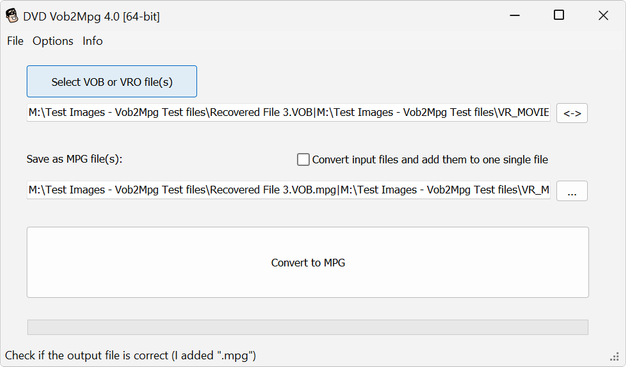
Shout out to DVDVob2Mpg
Resolved a very niche problem I had with unsynchronized audio & video of the extras VOB file on a Criterion Collection - The Killer DVD 😙🤌
#DVDVob2Mpg #VOB #MKV #MakeMKV #TheKiller #Criterion #CriterionCollection
DVD video:
Shout out to DVDVob2Mpg
Resolved a very niche problem I had with unsynchronized audio & video of the extras VOB file on a Criterion Collection - The Killer DVD 😙🤌
#DVDVob2Mpg #VOB #MKV #MakeMKV #TheKiller #Criterion #CriterionCollection
Anyone in the future reading this: Criterion DVD "The Killer" stores its extras in file VTS_01_0.VOB (388KB), with an actual length of 11m 41s (Windows shows it as 29s).
This VOB (Video OBject) starts with ~40s of main menu & audio.
However, after 40s it keeps showing ~2m23s of menus, but the audio immediately jumps ahead to the supplements: trailer, deleted scenes, and color bars 😝
DVDVob2Mpg automatically resynchronizes the extras audio to start after all the menus finish 💜
Shout out also to PgcEdit DVD IFO and Menu editor, I learned a lot just by playing around with the interface 💜
Ok, so I'm being told I still had work to do 😔 DVDVob2Mpg--to its credit--left me with a synchronized mpg, as it said it would (for free!)
However, after splitting the resulting mpg into separate files, the unsynchronized audio/video issue re-appeared 😔 Converting the mpg file into MKV or MP4 using Handbrake, mkvtoolnix, etc.--all results had the same effect.
The fix: Manually editing the file in Davinci Resolve to shift the audio into the right spot, then export, then splitting