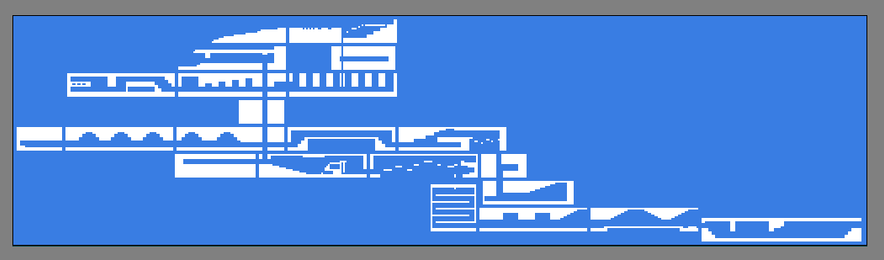
I'm excited about this upgrade. In ML1, only the current level's map is available, but for my next game, I can support viewing the map for any level. It even updates remote maps on state changes (like a switch opening a gate).

Previously, the automap populated itself directly from level geometry, so to make this possible, I refactored the necessary data into a new class. Once a level's map data is initialized, the map can be loaded from memory independently of the level.

#IndieDev #GameDev

This is a big milestone for new functionality. It didn't take as long as I feared it would (maybe a day's worth of work), though I've been thinking about how to do it for quite a while.

The ugliest part was handling live state changes. The condition checkers in the level itself are nodes, and I didn't want to duplicate hundreds of nodes into the hierarchy just for that, so I kludged together some portable logic for it. I'll try to clean it up a bit more, but it works great so far.

@midnightspire Oh this is awesome! It makes my map system feel like a sledgehammer doing a scalpel's job, lol

My system is basically: here's an image of the entire dungeon, and I reveal it as you go. There's not really any interactivity beyond simply traversing the place.

@ClarusPlusPlus Thanks! I feel like my overall implementation is kind of clumsy/naive, but it has the advantage that I never have to think about the map when I'm working on levels, it's all automatic. I guess I laid a trap for myself making it update dynamically from state changes, since that increases the complexity.

Automaps are such an interesting problem. How do you create your map images and how does revealing it work?

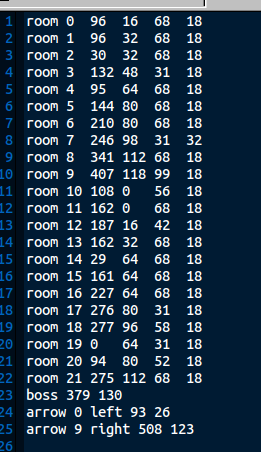
@midnightspire I wrote a feature into my map editor that can generate images from a tilemap, at a scale of 1 pixel = 1 tile. I then stitch those together into a master image (as in my previous post) and accompany it with an atlas file that tells the engine where each room in the temple is on the map, with x/y coordinates and the room's size in tiles.

And whenever the player's tile position changes, I just mark a screen-sized rectangle as "revealed".