Alice Averlong🏳️⚧️
anyone tried opening the magic file "con" from MS DOS Edit?
I was hoping for an editor but it turns out instead it happily opens it but then hangs forever
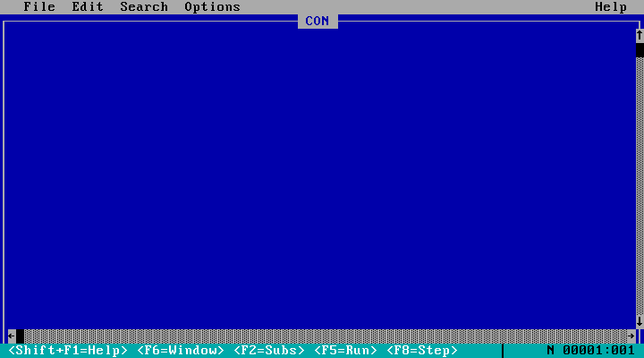
anyone tried opening the magic file "con" from MS DOS Edit?
I was hoping for an editor but it turns out instead it happily opens it but then hangs forever
weird punnet square of results:
EDIT hangs if you open "CON", but errors if you try "C:\CON\CON"
Win95 errors if you try to open "CON", but crashes if you try "C:\CON\CON"
Wasn't there also once a bug in Win7 or 8 that caused it to hang in kernelspace and bluescreen with these once?
@foone No, I mean something way more recent. Cause that together with early days Minecrafrt modding (where you had to unzip the jar file and then at some version there was a file named "AUX" in it)
where when I learned about these special filenames for the first time. And I didn't play minecraft on anything less recent than win7, so...
@agowa338 oh that's not a bug, that's an intentional design decision. windows reserves a bunch of filenames and it's a pain
the bug where this crashed the machine hasn't been there since windows 95, that's a separate issue
I made a list of the reserved names, as a git repo, so that windows users can not check it out
> Windows recognizes the 8-bit ISO/IEC 8859-1 superscript digits ¹, ², and ³ as digits and treats them as valid parts of COM# and LPT# device names, making them reserved in every directory. For example, echo test > COM¹ fails to create a file.
Source: https://learn.microsoft.com/en-us/windows/win32/fileio/naming-a-file
 Klaus Frank
 F4GRX Sébastien