 Alice Averlong🏳️⚧️
anyone tried opening the magic file "con" from MS DOS Edit?
I was hoping for an editor but it turns out instead it happily opens it but then hangs forever
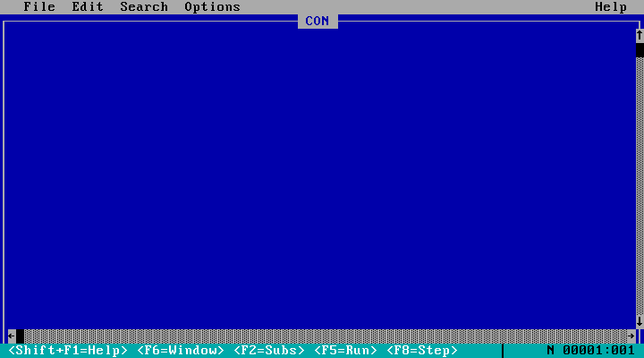
anyone tried opening the magic file "con" from MS DOS Edit?
I was hoping for an editor but it turns out instead it happily opens it but then hangs forever
weird punnet square of results:
EDIT hangs if you open "CON", but errors if you try "C:\CON\CON"
Win95 errors if you try to open "CON", but crashes if you try "C:\CON\CON"
Wasn't there also once a bug in Win7 or 8 that caused it to hang in kernelspace and bluescreen with these once?
@foone No, I mean something way more recent. Cause that together with early days Minecrafrt modding (where you had to unzip the jar file and then at some version there was a file named "AUX" in it)
where when I learned about these special filenames for the first time. And I didn't play minecraft on anything less recent than win7, so...
@agowa338 oh that's not a bug, that's an intentional design decision. windows reserves a bunch of filenames and it's a pain
the bug where this crashed the machine hasn't been there since windows 95, that's a separate issue
No there was a similar crash bug in Win7. Then they must have reintroduced it at some point.
And the AUX one the bug was then with minecraft as it would silently drop that file when unzipping and then the unzipped jar wouldn't properly execute anymore.
I just wanted to add that piece to nail down the timeframe of when I a similar bug.
I made a list of the reserved names, as a git repo, so that windows users can not check it out
> Windows recognizes the 8-bit ISO/IEC 8859-1 superscript digits ¹, ², and ³ as digits and treats them as valid parts of COM# and LPT# device names, making them reserved in every directory. For example, echo test > COM¹ fails to create a file.
Source: https://learn.microsoft.com/en-us/windows/win32/fileio/naming-a-file
I can tell you, Minecraft modding had that issue for quite a while. You can see the files inside the Zip. But when you extract it either shows an error of not being able to copy that file (for some of them) or if e.g. you have a COM1 port and the file was named COM1 it just sends it out the COM1 port and doesn't show any error. So you're missing that file without knowing it.
Oh and some 3rd party archive managers just always drop them silently.
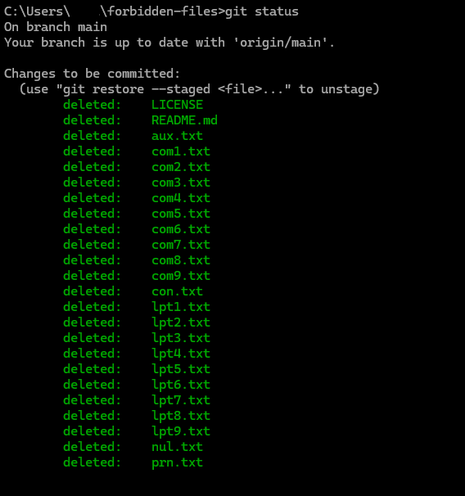
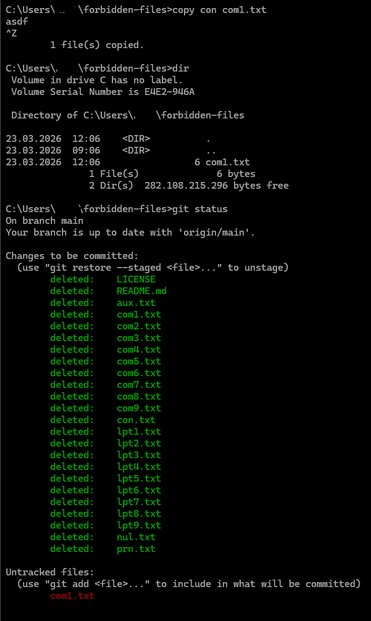
Well there are way more:
CON, PRN, AUX, NUL, COM1, COM2, COM3, COM4, COM5, COM6, COM7, COM8, COM9, COM¹, COM², COM³, LPT1, LPT2, LPT3, LPT4, LPT5, LPT6, LPT7, LPT8, LPT9, LPT¹, LPT², and LPT³
https://learn.microsoft.com/en-us/windows/win32/fileio/naming-a-file
 Klaus Frank
 Z̈oé
Z̈oé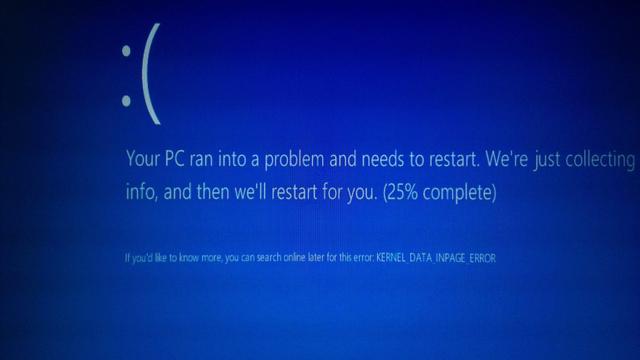
 F4GRX Sébastien

 Wouter Verhelst
 cliffordheath
 avatastic
 Jernej Simončič �
 goedelchen
 Sn0wlink