 Alice Averlong🏳️⚧️
anyone tried opening the magic file "con" from MS DOS Edit?
I was hoping for an editor but it turns out instead it happily opens it but then hangs forever
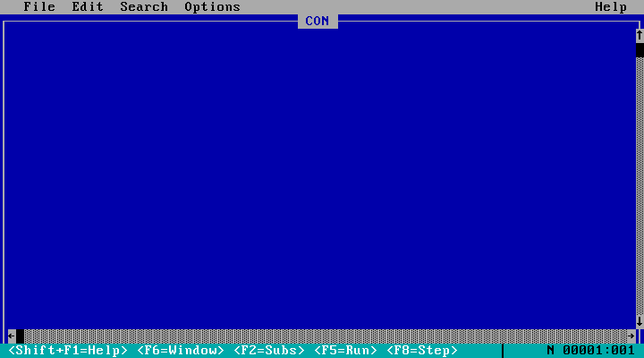
anyone tried opening the magic file "con" from MS DOS Edit?
I was hoping for an editor but it turns out instead it happily opens it but then hangs forever
weird punnet square of results:
EDIT hangs if you open "CON", but errors if you try "C:\CON\CON"
Win95 errors if you try to open "CON", but crashes if you try "C:\CON\CON"
@sabik it can't exist, you can't create a folder named "CON".
like, to this day. I just tried on windows 11, it told me no
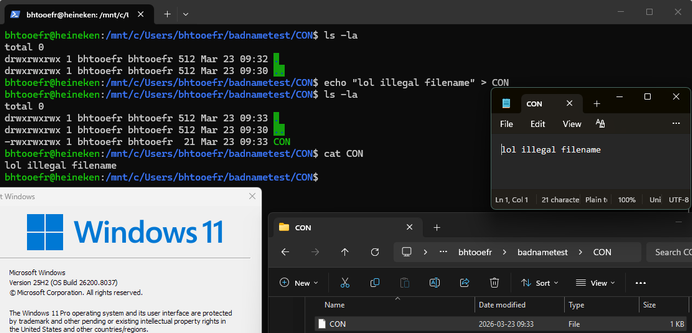
@foone @sabik alright I tried it myself
Notepad++ can’t open the resulting file, but interestingly, Microsoft’s own Notepad CAN?!?
PowerShell and cmd think none of this exists, of course (they can see it if you do a dir, but if you actually try to cd into it, it can’t find it)
Windows Explorer at least nowadays was able to delete it. I know I’ve done some horrendous WSL-enabled abuse of illegal filenames in the past, and could only destroy the evidence using WSL itself. (I had a file named “C:\” on my filesystem. I just tried it now, and it looks like Microsoft avoids this specific problem by re-encoding those characters to different Unicode codepoints - C is what it’s represented as in Win32 programs, so it’s just shoving the : and \ characters up into the U+F0xx private use space.)
 sabik
sabik bhtooefr