I have been working on #Obsidian Reader for over a year. I didn't want to share it until I felt it was good enough. It's finally there.

Consistent formatting for any article. Outline, syntax highlighting, nice footnotes, adjustable typography.

Runs locally. Just rules, no AI.

It's part of Obsidian Web Clipper and doesn't require Obsidian.

It runs on all browsers that support extensions, including mobile (Safari and Firefox).
https://obsidian.md/clipper

Obsidian Web Clipper

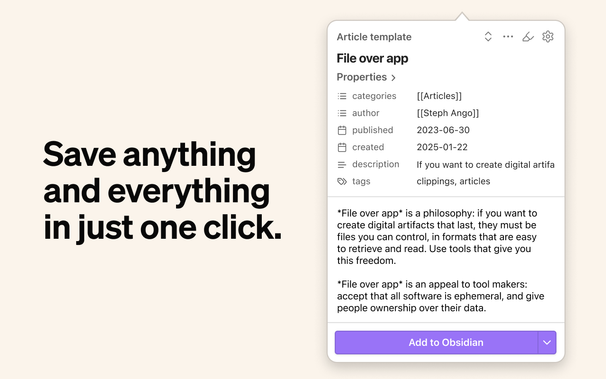
Highlight and capture web pages in your favorite browser. Save anything and everything with just one click.

Obsidian
@kepano oh boy that looks promising 🤩
@kepano thank you for your work on Obsidian 💪
@kepano the time is high to smash pdf wrangling. Plugins to manage pdfs... why oh why.
@kepano How do you force Obsidian Reader to be the default "reader" mode associated with ctrl+alt+R ? (on Firefox)
@bfluzin go to Obsidian Web Clipper settings
@kepano How to make it run in the browser?
@kepano Fantastic! Many thanks 🧡

@kepano

Si usas Obsidian (o no) puedes aprovechar la vista de lectura con la extensión o addon "Obsidian Webclipper".

Solo tipeando Ctrl+shift+R (pero puedes cambiar el atajo a tu gusto)

@kepano This extension is a must have and one of my first installs on any new browser setup. But sadly on Firefox the version seems to be stuck on 1.0.2 https://addons.mozilla.org/de/firefox/addon/web-clipper-obsidian/?utm_source=addons.mozilla.org&utm_medium=referral&utm_content=search
Obsidian Web Clipper – Holen Sie sich diese Erweiterung für 🦊 Firefox (de)

Laden Sie Obsidian Web Clipper für Firefox herunter. Save and highlight web pages in a private and durable format that you can access offline. The official browser extension for Obsidian.

@holtwick @kepano That's unfortunate. Does anyone have any insight into why?

@holtwick all updates are submitted to all the stores at the same time. Can't do much about the approval timeline :/

See the repo if you want to install manually.

@kepano Looks great! Is this already released and available?

@kepano

I finally understood what this does! I've been using Web Clipper and loving it. I've been using Vivaldi's Reader View, but this view with Web Clipper seems much better. I'm so glad to find it. Thank you.

@ajlewis2 @kepano
Can you please tell me how this works? I have Obsidian Web Clipper installed, use it on a regular basis for clipping into Obsidian, but this reader functionality I can't find. How do I activate it?
@ajlewis2 @kepano
oh, reading into the docs revealed pressing alt-shift-R does the magic. I don't have the book icon mentioned in the docs, but this Reading mode is amazing, I think I'll uninstall the Tranquility! plugin from Firefox.
@ajlewis2 @kepano
Wow, I experimented with this, and I am really impressed. The only thing I miss is the book icon.
@kepano Amazing work, thank you!
@kepano this is very, very cool.