
Windows refuses to boot. Cannot boot from USB. Rare fresh install screen but no USB input. PNP Driver Watchdog error BSOD
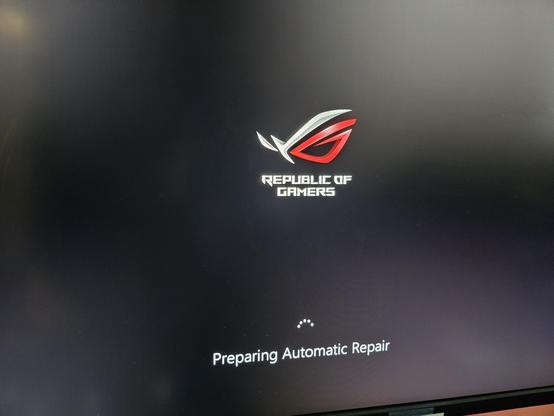
https://lemmy.world/post/44533190

Unplanned crash like all this tells me RAM. I would say disk, but if you can’t get to even a boot disk (which loads to ram) then I say ram. Watchdog too to me says ram because it sounds like it tried to write and failed. Run memtest and see what happens

How do I perform a memtest when the pc will not boot?

If you’re at the “Preparing Automatic Repair” screen that means it skipped booting from USB and is trying to boot from internal drive with the messed up Windows install. Maybe try booting without any internal drives connected to see what it does, most computers would boot normally then complain there’s no boot device.

Also your earlier post mentions you are using an Asus ROG Crosshair Hero VIII Wifi motherboard so some other ideas…

  • According to the manual that motherboard should display a boot menu when you press F8 at the beginning of the boot process when the initial Asus logo appears, it probably won’t work every time but when it works after the BIOS finishes scanning RAM and hard drives it will give you a boot menu listing your internal SSDs as well as plugged-in USB devices to boot from.
  • That motherboard has a Q-Code LED in the upper-right of the board, it’s a little LED that displays alphanumeric digits. When the system hangs look at the board & see if it’s displaying anything in particular, that could give you an idea on what the issue is. Cross reference with the manual all the Q-Codes are listed there (see rog.asus.com/us/motherboards/…/helpdesk_manual/)

Next time you’re in the BIOS I’d suggest making sure Q-Code is enabled (it should be by default but just in case) and probably disable Quick Boot if there’s an option, the boot process might be going too fast for you to catch a USB boot with F8.

Dunno if any of that helps but hopefully it does… good luck!

ROG-Republic of Gamers | Deutschland | ASUS

Entdecke die Welt von ASUS - Alles rund um die besten Mainboards, Grafikkarten, Monitore, Notebooks und vieles mehr erfährst Du auf der offiziellen ASUS-Seite.

@ROG
