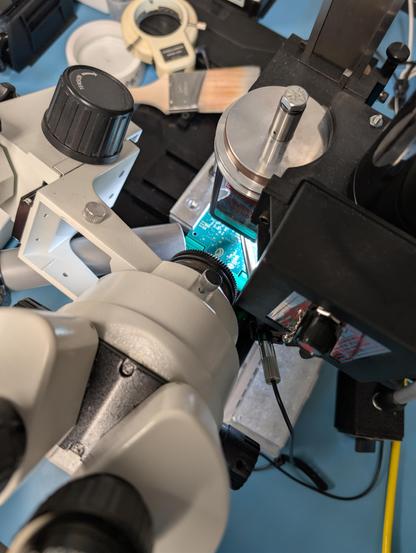
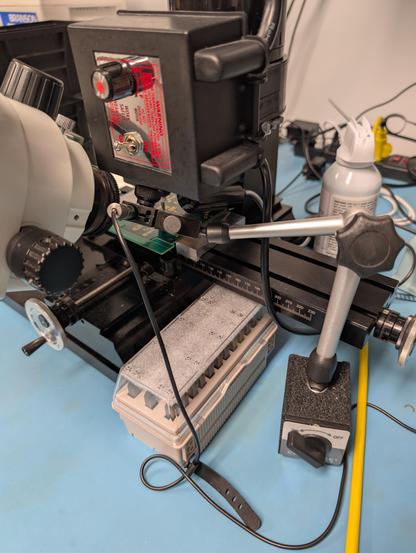
This cheap indicator stand doesn't stick that well to the table through the mat, but it's better than what I had before. Had to shim the camera with some electrical tape to make it fit.

The setup is definitely getting as cramped as a FIB chamber with the spindle, camera, optical scope, light, compressed gas spray, and suction all vying for space around the workpiece
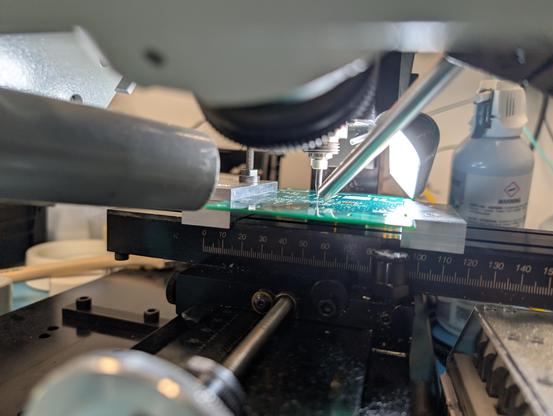
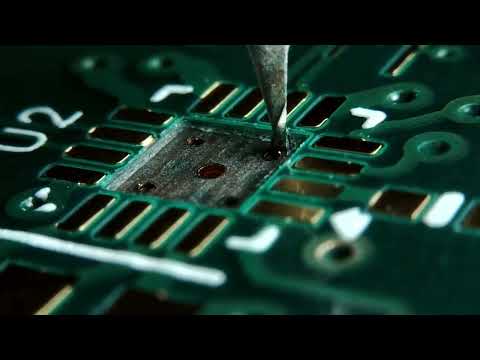
Second test recording using the indicator mount. Still some vibration but it's less. You can definitely see a lot better when I stop the spindle, but swarf usually blocks the view a bit during the cut anyway so I think this is probably good enough for livestreaming purposes? I'll be switching to the other microscope for high mag imaging and soldering etc anyway.

I need to move the mic even closer to my mouth or make a conscious effort to speak up, a lot, to be intelligible over the background noise.

This is also postprocessed in Audacity, the raw recording has more noise but might be a bit clearer actually? I'll need to experiment a bit.

https://youtu.be/4dWEbmjVN7g

Mill test 2

YouTube

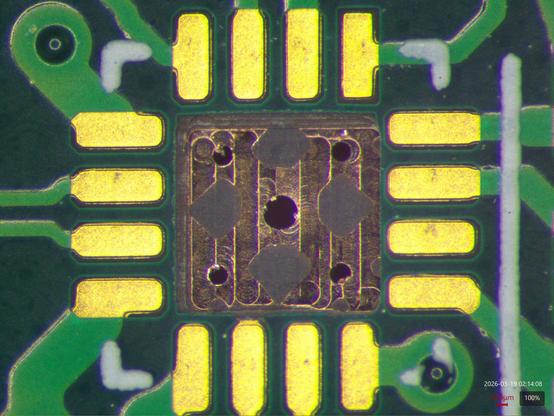
Top down view of this test cut seen on the Leica. This is the ground plane one layer below the QFN thermal pad. I'm not sure why the board designer put five big vias in the pad for heatsinking and then added reliefs to the plane, but... you'd have to ask them why the plane was on the wrong net first (one of the reasons this board was scrapped years ago lol).

But hey, good practice.

What do y'all think, is this video quality good enough for me to livestream a reworkctf playthrough?

Obviously many of the challenges won't use the mill and if I'm recording with the Leica the video quality will be more like what you see in the still image above.

But the mill is something I have previously not been able to film on at all so I figure anything is progress.

@azonenberg with the first bit it was fine, the second bit it was still pretty bad from the vibrations.
@azonenberg if they used Altium to design it, I would expect they left the default plane connect rule in place and didn't adjust it for the thermal vias.

@gsuberland I can't remember what EDA they used, this was from a contract like a decade ago.

I told the prospective client I didn't have time to do the board, but offered to advise their engineering folks and do some bringup testing since I had expertise in the specific application domain.

Big mistake.

I gave them my signoff checklist, the other contractor they brought in didn't do a full signoff review despite my urging.

When I got boards the first sign of trouble was one of the SOICs being the wrong size and not fitting on the footprint. It got worse from there, while I did salvage a working prototype I probably spent more time debugging and reworking than if I had just done the design myself to begin with.

@gsuberland anyway, thoughts on the video quality (keeping in mind the constraints of the environment)?
@azonenberg I'm in Mauritius at the moment so watching will be a next week thing :)

@azonenberg In a livestream it would be perfectly acceptable to mute the audio while milling, or at least to not comment on it while milling.

Your setup can be improved further, but it is already be very useful as is. I've used pen cameras which can get closer, but the DOF and resolution isn't great.

@azonenberg Not bad for what it is.

For the audio you might try some EQ to take out some of the background noise and to boost your voice range, there seems to be enough difference in freq ranges where it might help.

Getting the mic as close to your mouth as possible always help too, with maybe a tad of compression so with the mill on and louder talking it can keep the channel from clipping with any vocal emphasis.

For the video, I dunno, maybe more light and from a different angle? Some video software has image stabilization, but the vibration frequencies here may be too high, especially with a rolling shutter. Maybe a more stable camera holder? I'm sure the tight arrangement creates all sorts of issues.