 MolarFox
 Merlin (Unifi hater no. 1)
just learned that my colleagues rotate VS Code by 1 degree when you leave your laptop unattended
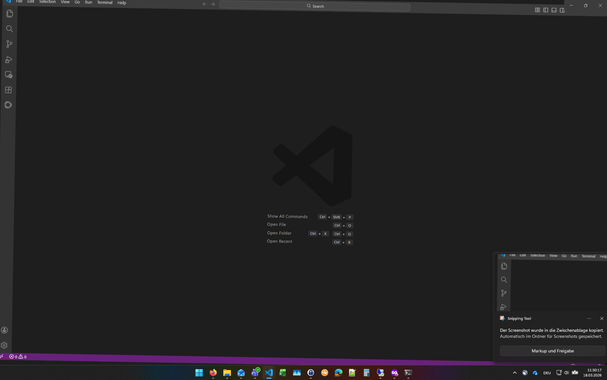
@merlin @feonixrift I think it's like
body { transform: rotate(1deg); }
Or for maximum chaos,
* { transform: rotate(1deg); }
@TerrorBite @merlin @feonixrift
For even more chaos:
* { transform: rotate(random(-1deg, 1deg)); }
@merlin this should fix it
xrandr --output HDMI-1 --transform 0.99985,0.017452,0,-0.017452,0.99985,0,0,0,1
That is the leveled up version of my old favorite:
1. screenshot desktop
2. set that as walpaper
3. delete all the icons from their desktop
@TeflonTrout @merlin
This a longer story...
My wife used to have an early laptop 25y back or longer, that developed a loose screen contact resulting in a narrow black line just next to the center of the screen.
After weeks i happened to notice the problem went away when I applied subtle pressure on the side of the screen bezel.
I then carefully opened the shell and squeezed some material between shell and screen to apply permanent pressure.
I then created a snapshot.
And edited the original black line into the picture which then became the new background...
Diabolical, I LOVE that
A former colleague used to add a bit of javascript to his blog posts on the company's internal server. He chose a small random rotation so that it changed every reload. Most of the time it was hardly noticeable but messed up the font rendering. 😉
The tricky part there was that the blog was on a well-known collaboration platform so it wasn't as straightforward as editing the CSS or page head.
Some worse examples here:
https://thelancashireman.org/dragons/
Hold on to your hat!
 jn (big endian energy)
 Sophie Tyalie (☎️ 7098)
 Ozzelot




 Jan <3
 dmi 💽
dmi 💽 

 Dr Alice Violett
 ❤️🩹
❤️🩹 Haelwenn /элвэн/
 Dan Murphy
 d.rift
 TerrorBite 🦁
 Mx. Eddie R
 Eva
Eva 1.3.6.1.4.1.61513
 [Yaseenist] CauseOfBSOD
 Malcolm Herbert
 devopscats
 TeflonTrout
  he/him
 Henk Langeveld
 Aris Adamantiadis
  💲Paid
💲Paid danimrich
 marlee_goat
 Blass Rose
 patter
 Pxl Phile
 Ripp_
Ripp_ 
 Dave
Dave schrotthaufen