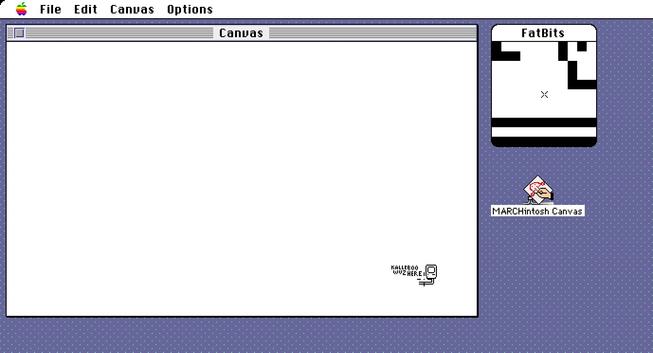
Announcing my third #MARCHintosh 2026 project - the MARCHintosh Canvas!

If you're familiar with Reddit's /r/place, pxls space, or Wplace, you’ll know what this is - a shared canvas anyone can place pixels onto in real-time.

Only this time, it's over the venerable AppleTalk protocol, with the public server accessible to anyone on #GlobalTalk :)

Feel free to drop by and leave your mark - available in the usual places (landisk, Blackbird) on BaroNet
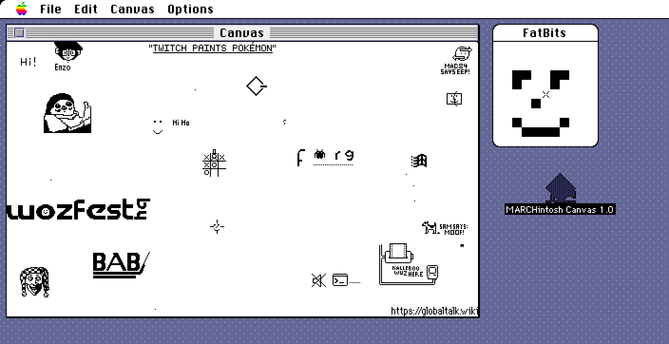
#VintageApple #RetroComputing #mb

Some notes:

- It's in monochrome for now to allow older Macs to join in without bifurcating the canvas into Color vs B&W

- I can adjust the duration of a cooldown timer on the server end, but for now I'm going to assume the latency of GlobalTalk itself will be a good enough limit

- In local testing with multiple machines, the networking likes to get hung up. I have not nailed down what bug is causing this so please be patient if I keep restarting the server and keep an eye out for updates

Haha oops, sorry whoever just got booted, the server went to sleep, my bad - I set up a new machine to run this server (just a spare Quicksilver I had around, as you do…) as to not interfere with the chat server, but the default settings for MacOS 9 is to sleep after 10 minutes and I hadn't turned that off!!

Alright I found one major cause of hangs and disconnects - I had my idle timer only set to 10 ticks. Essentially this limited the server to 6 requests per second, dropping any requests that came in under 160ms after a previous request. I’ve lowered it to 1 tick, increasing that 10-fold.

And yeah I guess now I have to bite the bullet and rewrite the server to work with interrupt callbacks to improve it further so there is no “dead period” where requests fail.

I’ve applied the same fix to Chat.

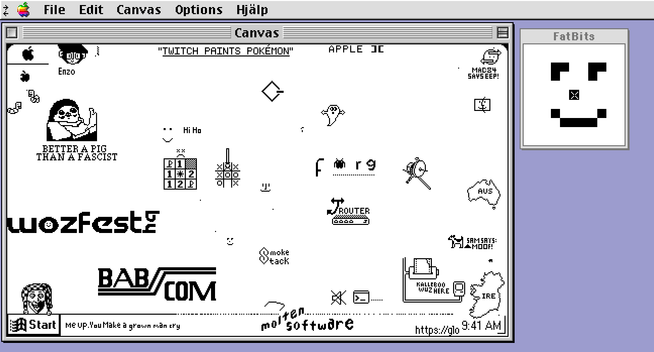
As I head for bed at midnight JST, this is the state of the canvas! Thank you everyone who has stopped by, looking forward to seeing what it looks like when I wake up!

The server is saving a snapshot once an hour so hopefully I can put together a time lapse when it's all over.

#MARCHintosh #GlobalTalk

@kalleboo
Cool! And I'm currently pixeling "BabCom" in this screenshot :-)

Day 2 is over and there’s been a bunch more activity!

Are the Windows users taking over? Will the Mac fight back!?? Stay tuned on #GlobalTalk

#MARCHintosh

@kalleboo
Loves me a fatbits
@EndlessMason I don't want no bits unless they're fat

@kalleboo I briefly managed to get it to run on A/UX, placed a couple pixels (badly, my mouse is way too sensitive for this), and then it hard froze 😅

Will have to try later in the run on another machine (the 6500's occupied with other things at the moment)... this is neat though!

@smallsco Interesting about the freeze… I guess you can’t run MacBug on A/UX huh lol

@kalleboo
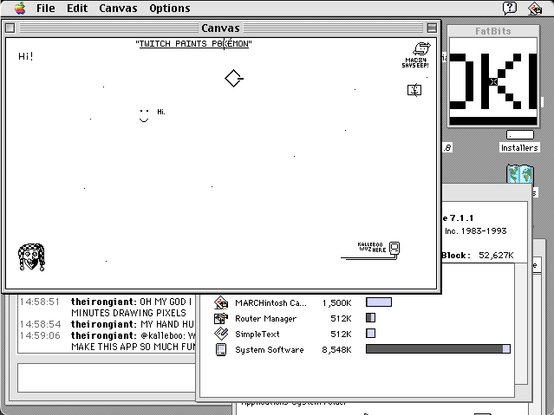
my mouse hand is cramped, but I had fun drawing for 20 minutes straight to produce two items: the happy Finder icon, and the working title of your canvas: "TWITCH PAINTS POKÉMON" .

I had to turn the mouse's optical sensitivity all the way down. Even with the FatBits enlargement window, this was a challenge!

I managed to get a screenshot moments before the app crashed with a Type 1 error.

It was very responsive, probably 250-500ms between click and paint. I had Wireshark running the whole time to see how quickly the server ACK'd my pixel drops. There were some blips every few minutes where the pixel would not be painted, but I kept clicking, and eventually the server caught up and (un)painted the pixels I had clicked.

Would you like the packet trace to check for issues? I suspect your UDP data contains coördinates in the Printer Access Protocol.

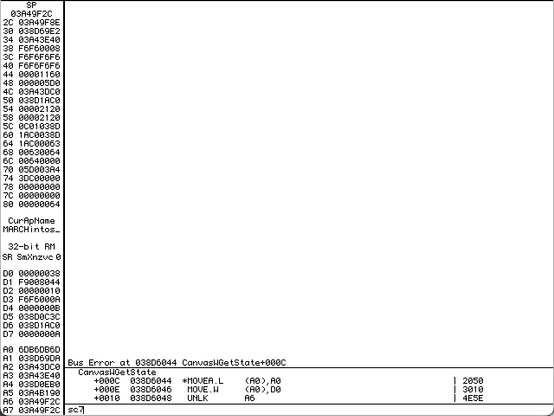
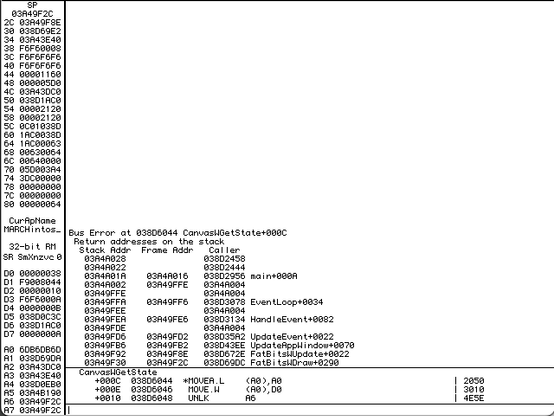
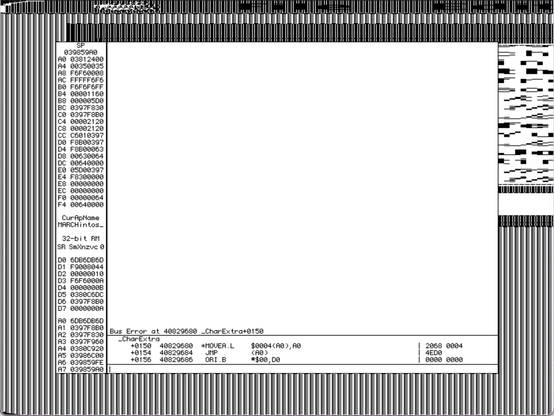
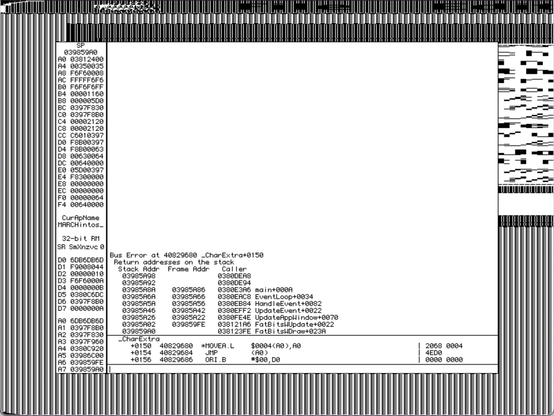
@kalleboo - I got those screenshots you asked for about the Type 1 crash. I have WindowShade capability installed on this System 7 Mac. With the FatBits canvas open, if I double-click the window title bar to collapse the canvas, then double-clicking to expand the canvas will cause the crash. This is occurring 100% of the time. Notably, it does not happen if FatBits window is closed, or if I press the dedicated WindowShade button. Only double-clicking seems to trigger it.

@theirongiant Thanks!

Really strange crash, getting the status shouldn’t fail unless the window has been closed…

@theirongiant @kalleboo Based on that screenshot, it looks like the crash occurs because something in CanvasWGetState attempts to access a field of the canvas window, and is dereferencing a nil handle. Doesn't WindowShade work by setting the visRgn to nil or something along those lines? What status is it accessing?

@_the_cloud @theirongiant CanvasWGetState doesn’t touch anything related to the actual Mac WindowPtr, just my internal window information structure with the status of if we’re connected, waiting to place a pixel, etc.

That structure is only released when you’ve actually closed the window (click in goAway or File>Close)

@_the_cloud @theirongiant And even if the window closed itself for some reason, the close handler clears out the reference to itself in the fatbits window for this very reason (dealing with closing the main window closes the fatbits window automatically) (1/2)
The only thing that may be hanky is my hacked in support for a “floating palette” with the FatBits window, but that should not come into play when the fatbits window isn’t in the front which it isn’t after clicking the title bar of another window…. (2/2)
@_the_cloud @theirongiant
@_the_cloud @theirongiant Could WindowShade be messing with RefCon? I think that’s where I’m stashing my pointer
@kalleboo @theirongiant That could be it. My really, really dim memory is that the WindowShade INIT sets some region of the window to nil (or an empty region) and it would make sense that they stash the old region somewhere else while it's collapsed.
@_the_cloud @kalleboo - still crashes on 1.0.1 D2. See video.
@theirongiant @_the_cloud Such a weird crash! Thanks for testing
@kalleboo @_the_cloud - so, uh, I was able to reproduce the crash again this morning by doing the WindowShade double-click thing on the FatBits window, not just the main window.
@kalleboo @_the_cloud - Here's what I've been discovering: if I double-click too quickly on the FatBits window, it crashes. If I double-click slower, it doesn't. WindowShade reacts to two clicks that are <500ms apart. Any slower, and it's just two separate clicks. Between 500-333ms, the FatBits window behaves normally and the program does not crash. If I double-click faster than around 333ms (around 1/3 second), the app crashes consistently.
@theirongiant Chat and TalkCrawler Lite also use the same windowing code, does it happen in those programs too? Especially TalkCrawler also has related child windows like Canvas does
@kalleboo I don't believe so. I think it was just the Marchintosh Canvas with the FatBits window.
@kalleboo well, there’s *MY* evening gone…