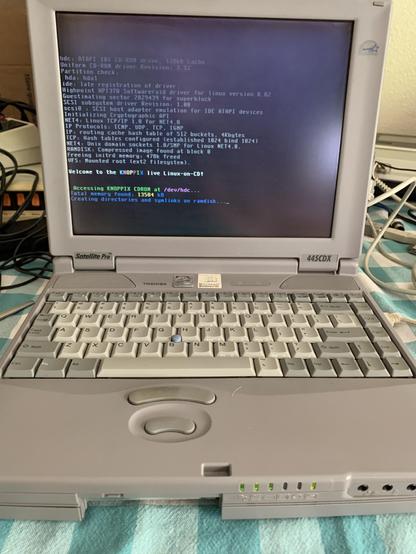
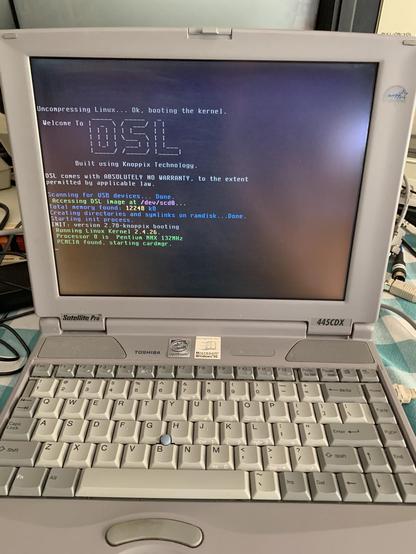
Trying to boot Knoppix 3.3 on this old Pentium laptop and the #linux kernel panics. I’m using failsafe but apparently that’s not enough. The plan was to use a Linux so I could backup the hard drive over a PCMCIA 3com adapter. #VintageComputing #RetroComputing
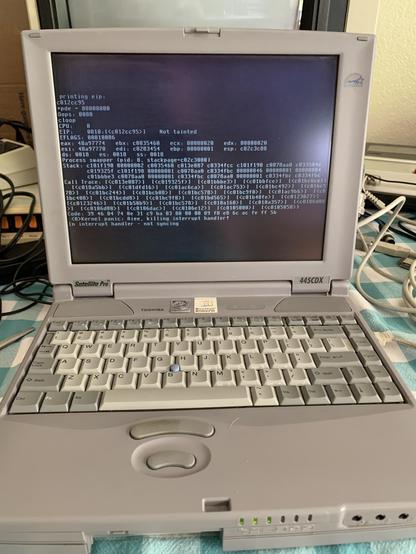
It doesn’t panic right away, it gets a little into booting. #linux #VintageComputing #RetroComputing
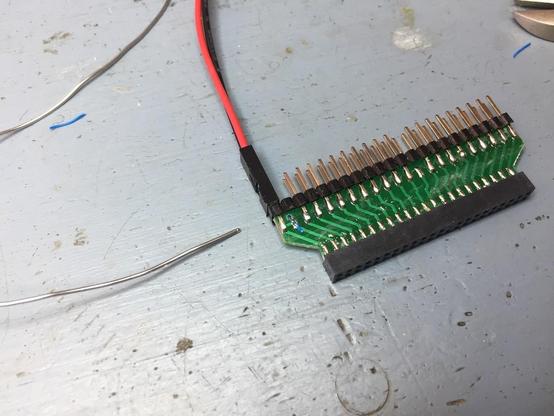
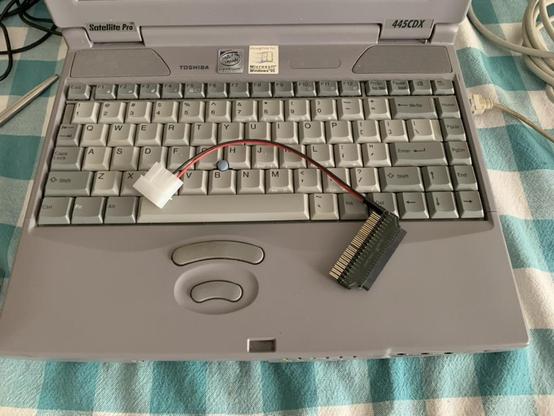
Digging around for adapters and discovered another weapon in my arsenal! It's a little adapter that converts 40 pin IDE to 44 pin laptop IDE. Maybe I can hook the hard drive direct to a desktop computer so I can back it up? #linux #VintageComputing #RetroComputing
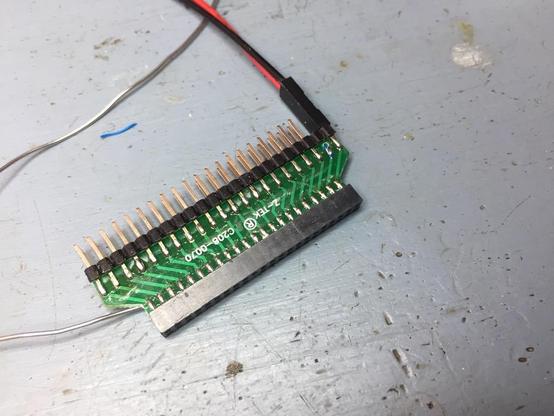
Nope. Drive doesn't spin up at all. Don't know where the adapter came from, maybe it's broken. Although there's really not much to it. #linux #VintageComputing #RetroComputing
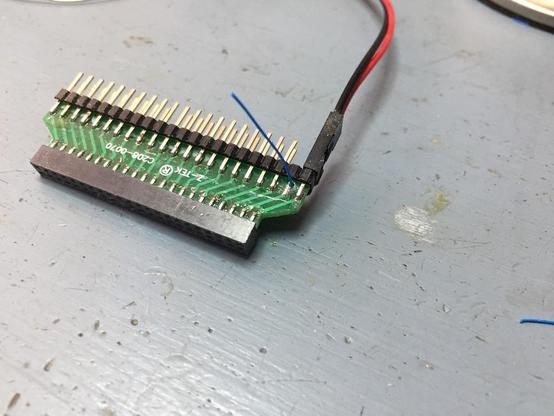
It looks like the adapter might actually be broken! Or at least made wrong. Took a bit of searching to find out what the 44 pin IDE pinout is. Apparently there are *two* 5V pins (one for motor, one for logic) and only one is connected on this adapter. No problem, I'll drill a "via" and run a short jumper wire through. #linux #VintageComputing #RetroComputing
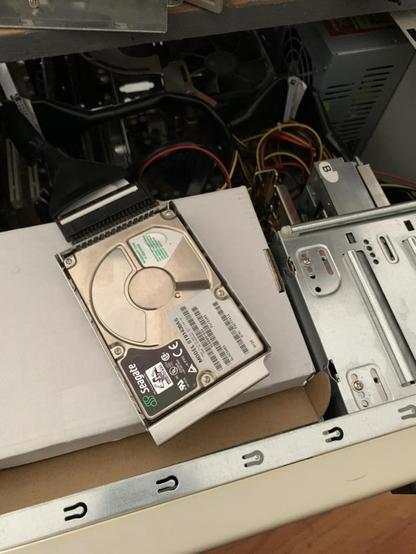
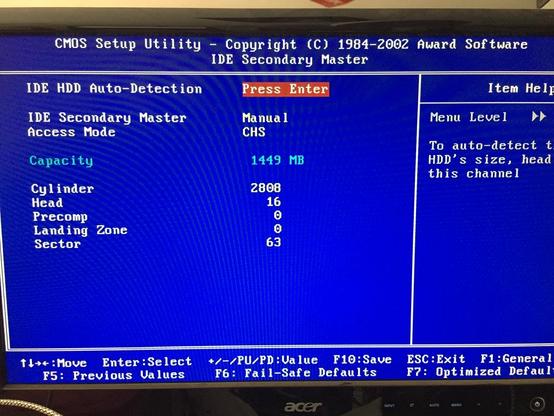
The adapter didn't work. No matter what I did the desktop wouldn't recognize the drive. I went into the BIOS and tried all the auto detect modes and I could hear it clicking the drive. Even tried manually entering the CHS. But whenever it booted it insisted there was a problem with the drive. #linux #VintageComputing #RetroComputing
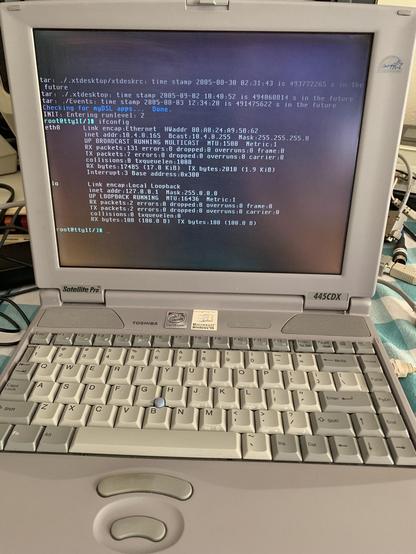
I did however finally get the laptop to boot #linux! I switched to a Damn Small Linux CD. The laptop only has 16MB of RAM so I told it `lowram noswap` and use text console only, but it still had a kernel panic paging fault. Then I tried `mem=15MB lowram noswap` and it came up with no paging fault and I got to a shell! #VintageComputing #RetroComputing
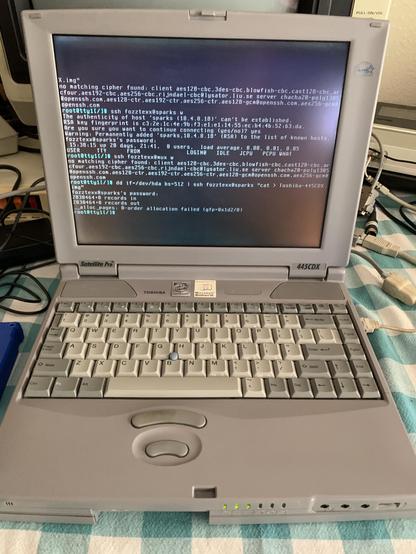
With it detecting my ethernet card and DHCP giving it an address, I was able to use dd with ssh to copy the hard drive. It took about an hour and completed with no errors. Now I have a backup I'll probably never use! #linux #VintageComputing #RetroComputing
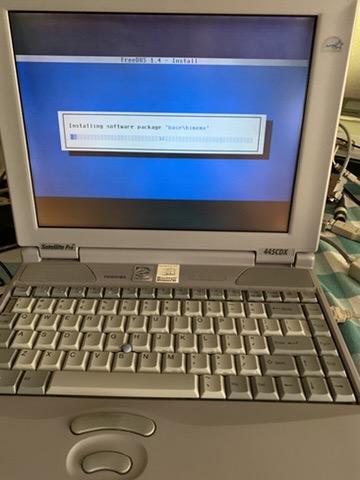
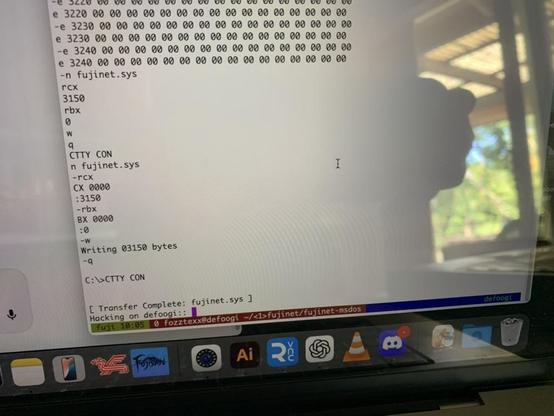
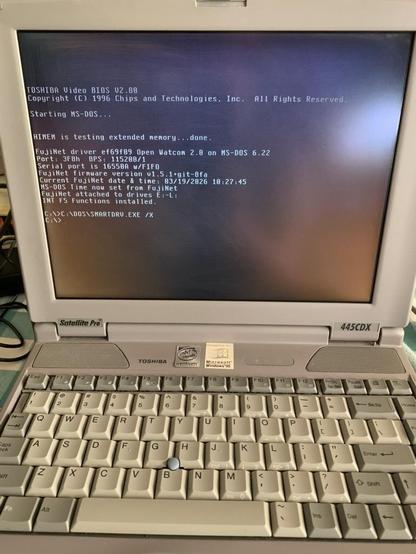
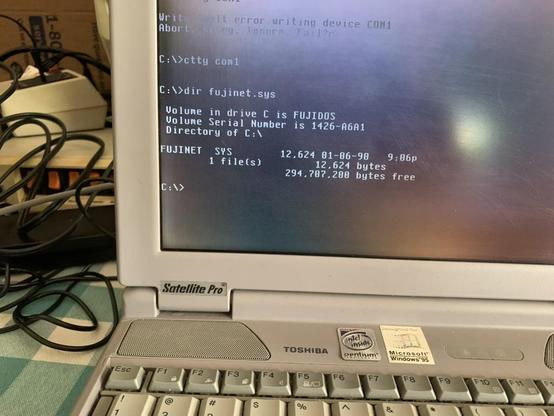
Ok, this is pretty cool. Using `DEBUG`, `MODE`, and `CTTY` I was able to bootstrap the #FujiNet driver over to a fresh install without having to resort to SneakerNet via writing the driver to removable media. I let the remote system take control of the DOS prompt through the serial prot and it moved the file over "ADTPRo style." #VintageComputing #RetroComputing
@fozztexx makes me think of Kermit – I've never used Kermit for real, but now I kinda remember reading about how it had similar bootstrap for (and ran on/over pretty much anything)?
@grawity I still use kermit for my default comms program on everything. It's easy to use and the kermit file transfer protocol is really robust.
@fozztexx Nice. I’ve got an old IBM Thinkpad which has been resisting my attempts to do anything useful with it, so perhaps it’s destined for FreeDOS too.
@fozztexx are you installing to the original disk or did you swap it for a CF?
@huronbikes I'm installing to the original hard drive. I didn't have a real CF card and none of my crazy adapters worked. I didn't really need what's on the original HD so I didn't care about wiping it. But I was worried that someday I might want to put Win98 back on it and might need something that was there so I backed it up first.
@fozztexx Makes sense. Useful things from the old image would be Driver installers and standalone windows update packages (presuming either were still on the disk) might be worth saving for posterity. Maybe the NDIS drivers for the PCMCIA network card too. All that should be easy to pull from the image.
@fozztexx I have a 21 year old HP notebook running FreeDos. Extreme fast.
@fozztexx With tried and true *nix/POSIX tools, the fact that we can still interact with old hardware like this is fascinating. Don’t dispose of this piece of history!
@fozztexx i love this VGA font. Very nostalgic. Got 2 toshibas like this at home.
@fozztexx wow. Can you show us "free", or [gasp] htop?
@fozztexx if you enjoy messing around with it and wanted to try to see if you could get something even smaller booted OpenBSD and NetBSD are even lighter and run pretty much all of the same software, OpenBSD is OpenSSH native platform after all.
@fozztexx talk about a tight fit. Cool work.
@fozztexx In hindsight, terms like "Secondary Master" look quite funny... Maybe it's just me, though... :)

@fozztexx wonder if it might not be easier just to take the drive out and use one of those ide/sata-2-usb and power doohickeys u can get for $40 at local Computer Hut if u need to get data off said drive. (they're always handy to have in a pinch regardless)

having said.. back when I was into it, OpenBSD had some of the most retro friendly distros. Not sure they have a Live disk tho.

@tezoatlipoca Already tried that. Linux immediately disconnects it and complains that the drive has no media in it.
@fozztexx Is the boot process running out of memory?
@huronbikes It's got 16MB of RAM, so it's not really starving.

@fozztexx maybe not and I think there might be a different message, though 16 meg with no swap doesn't leave a lot of room after a 1-2mb kernel image and however much ramdisk the live system needs.

Alternatively, maybe disable all the prehiphrials (serial, parallel, maybe even the mouse if it's not trying to boot into X) to see if it's IRQ weirdness?

@huronbikes I was booting with `failsafe` which disables pretty much everything. When the kernel starts it says there's 13MB free, so the kernel and the ramdisk aren't taking up that much.

I tried doing `failsafe init=/bin/bash` but that didn't stop the ramdisk init script from running.

@fozztexx oh, I mean disable things in the BIOS so no resources get assigned (if there are 2 serial ports and a parallel port disabling them in the bios should free up 3 IRQs).

It also looks like there's built-in sound which given the vintage of the machine may be on the ISA bus internally and if so is probably using ISAPNP which always was a pain and doubly so in Linux.

@fozztexx given the "pentium inside" label, that seems a late '90s era pc. iirc knoppix is newer. perhaps not enough memory. older distro could work
@fozztexx tinycore Linux? It's a little weird, bit I've got even a modern version of that working on a Pentium II before